Summary Outline:
The term Internet of Things, often abbreviated as IoT, refers to the vast network of physical devices connected to the internet. These devices, which range from everyday household items like fridges and thermostats to complex industrial tools, collect and share data, enabling a level of communication, automation, and control previously unimaginable.
-
[ quick review: IoT Explained in 6 Minutes]
-
Using Home IoT
The concept of IoT is revolutionizing the way we interact with the world around us. By embedding sensors, software, and other technologies in physical devices, we can gather invaluable data and use it to optimize efficiency, improve safety, and create new business opportunities. It’s this ability to transform data into actionable insights that lies at the heart of the IoT revolution.
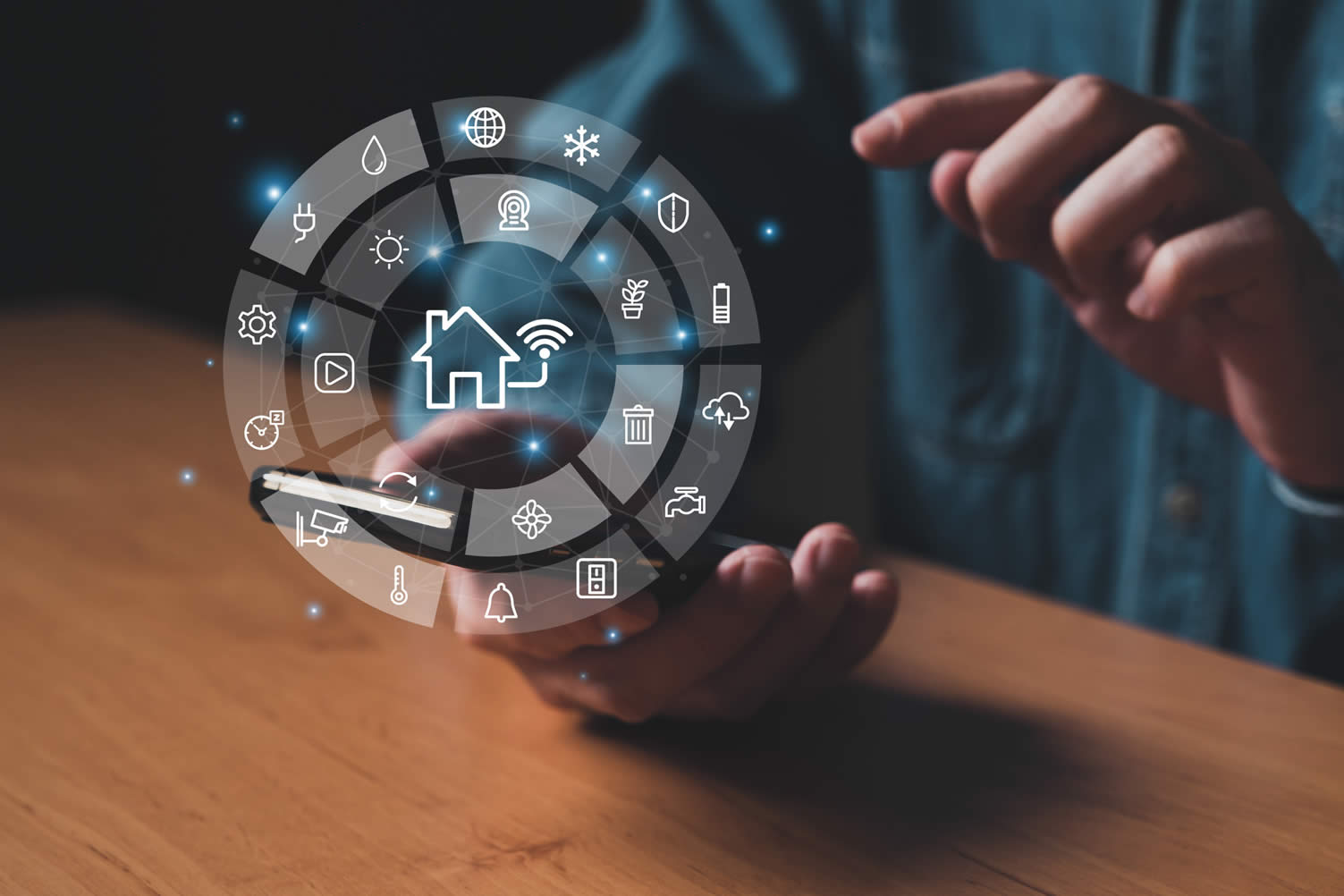
One common example of IoT in action is the concept of a ‘smart home’. In a smart home, everyday appliances such as lights, refrigerators, thermostats, and even door locks are connected to the internet.
This connection allows these devices to communicate with each other through a central hub with the homeowner. And this interconnectedness and automation represent the core value of the Internet of Things.
- post content
- section 1: the development of IoT for homes
- side notes: use for – home-garden-energy-and more
- section 2: the IoT components needed for the home
- side notes: need – sensor-actuators-interface-central hub
- section 3: setting up your home IoT
- side notes: tips for – getting started and security
- section 4: the future of home IoT
- side notes: what a- future home may look like

 … pdf file for printing or sharing
-
Quik scroll to first topic about using home IoT …

first “using home IoT” idea

copyright image by 123rf.com
Section 1: The Development of IoT for Homes
Notes:
-
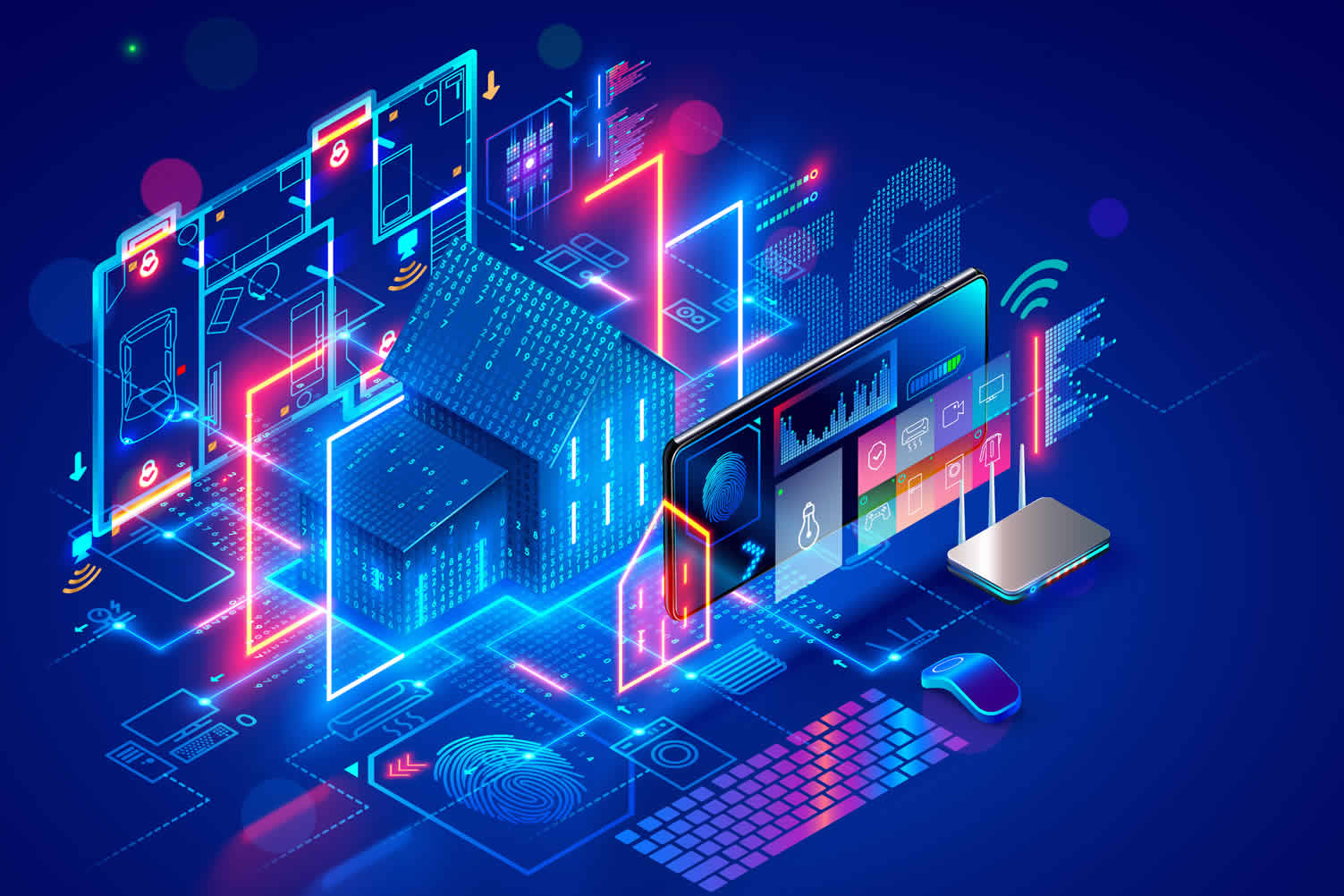
Internet of Things (IoT) technology is rapidly evolving to automate and digitize our homes. Companies are focusing on developing IoT devices that can be seamlessly integrated into the home environment to enhance convenience and manage resources more efficiently.
These devices, ranging from smart thermostats and lighting systems to smart refrigerators and washing machines, are designed to provide real-time data, offer remote control capabilities, and even learn from our daily routines to optimize their functions.
The integration of IoT in home appliances and systems is leading to the development of ‘smart homes’.
-
How IoT is Changing Home Management
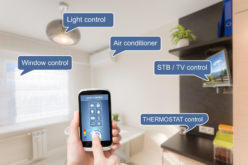
Through IoT, the concept of home management is undergoing a significant transformation. IoT-enabled devices are allowing homeowners to manage their homes remotely, enabling control of various parameters like temperature, light, and security from a simple tap on a smartphone.
Furthermore, IoT devices are becoming increasingly intelligent, capable of making decisions based on real-time data. The proliferation of IoT in homes is taking us towards a future of smarter, more efficient living spaces.
-
-
Quik scroll to topic side notes …
-
-
1st: Using IoT in the Home:
In the context of home use, IoT technology can be immensely beneficial. The integration of smart devices into a single network allows for enhanced control and automation of home operations.
IoT simplifies home operations by automating routine tasks. For instance, IoT can be used for –
-
Smart Appliances
The integration of IoT technology with household appliances has led to the advent of ‘smart appliances.’ These are devices embedded with sensors and connected via the internet, allowing for remote operation and monitoring. Examples include smart refrigerators, washing machines, and ovens.
Smart appliances contribute to a convenient and efficient lifestyle. A smart refrigerator, for example, can track usage patterns and expiration dates, alerting you when it’s time to restock or dispose of items.
A smart washing machine can adjust settings based on the load, saving energy and water. Furthermore, these appliances can be controlled remotely, offering the convenience of starting a wash or preheating the oven before you arrive home.
Thus, the use of IoT in home appliances simplifies household tasks and promotes energy efficiency.
-
Smart Thermostats and HVAC Systems
The use of IoT technology has greatly advanced thermostat and HVAC (Heating, Ventilation, and Air Conditioning) systems, making them intelligent and energy-efficient.
Smart thermostats, connected to the internet, can adapt to your daily schedule, monitor indoor and outdoor conditions, and adjust the temperature accordingly for optimal comfort. These devices can also be controlled remotely through through a hub to a smartphone or tablet, allowing homeowners to modify settings while away from home.
Similarly, IoT-enabled HVAC systems provide detailed energy consumption data in real-time, facilitating better energy management. They can also diagnose themselves, giving alerts for maintenance or repair needs, thereby increasing their lifespan and efficiency.
-
Home Lighting and Plug-ins
In the realm of home lighting, Internet of Things (IoT) technology has paved the way for smart solutions that enhance convenience and energy efficiency.
Smart bulbs, for instance, can be programmed to adjust brightness and color based on the time of day or even sync with music or television. They can also be operated remotely via apps, allowing homeowners to control home lighting from anywhere, at any time.
Moreover, smart plug-ins offer unique advantages in managing the energy usage of electrical devices. By connecting regular household appliances to smart plugs, users can remotely control the power supply to these devices, avoiding unnecessary energy consumption.
These IoT-enabled plug-ins also track energy usage, providing valuable insights that can drive more conscious energy consumption habits. Through such innovations, IoT technology has revolutionized the way we manage our home lighting and appliances.
-
Enhancing Home Security
The Internet of Things (IoT) is playing a significant role in revolutionizing home security, providing homeowners with greater control, convenience, and peace of mind.
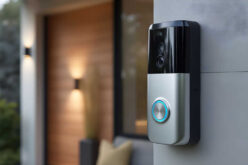
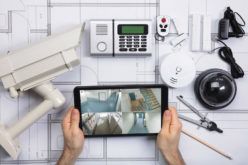
Smart security systems integrate a variety of IoT devices such as security cameras, door/window sensors, and smart locks. These devices can be controlled remotely, allowing homeowners to monitor their property in real-time, from anywhere in the world.
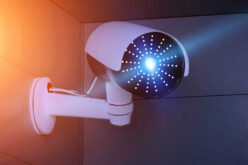
For instance, IoT-enabled security cameras can relay live footage to a homeowner’s device, providing instant alerts if any unusual activity is detected.
Similarly, smart locks offer keyless entry and exit, and can be remotely locked or unlocked, providing an additional layer of security. Moreover, door and window sensors alert homeowners of any unwarranted ingress or egress events.
In essence, the integration of IoT in home security systems offers a comprehensive, real-time surveillance solution, ensuring a secure and worry-free living environment. It has truly redefined traditional security measures, making home security more accessible and reliable than ever before.
-
Voice Assistants and IoT
Voice assistants like Amazon Alexa, Google Assistant, and Apple’s Siri, when integrated with IoT devices, allow users to control numerous home functions using simple voice commands. These assistants can communicate with a wide array of devices including thermostats, light bulbs, appliances, and even home security systems.
By leveraging IoT technology, these voice assistants have revolutionized the way we interact with our homes. We can now schedule tasks, set reminders, play music, dim lights, adjust room temperatures, and much more, without lifting a finger.
This heightened level of convenience and control underscores the power of IoT, reinforcing its potential to streamline our daily lives and transform our living spaces into more comfortable, efficient, and smart homes.

copyright image by 123rf.com

-
-
2nd: Using IoT In the Garden
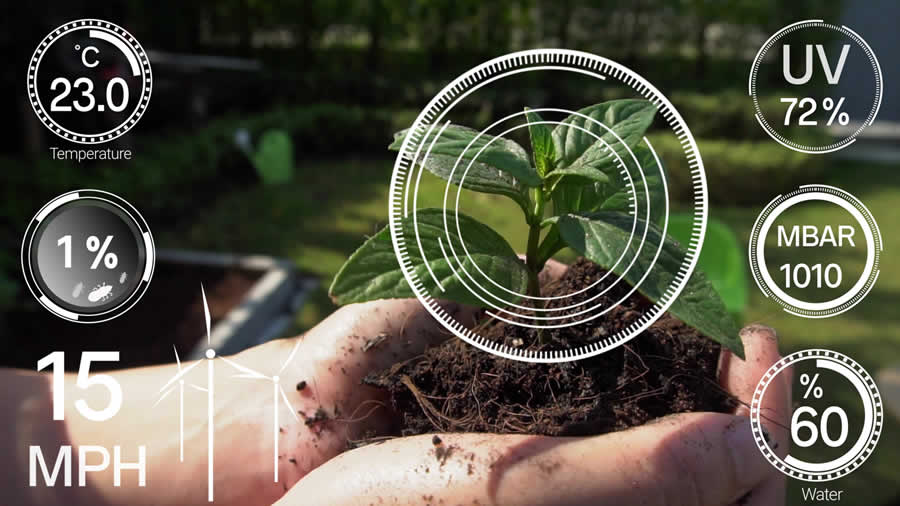
In the context of home gardening, IoT simplifies gardening tasks by automating various processes. Imagine a smart sprinkler system that waters your plants based on the weather forecast or soil moisture levels or a sensor that sends you a notification when your plants need more sunlight.
These IoT devices can take much of the guesswork out of gardening, making it easier for anyone to maintain a thriving garden.
Some examples using IoT:
-
Smart Irrigation Systems
IoT technology has revolutionized the traditional approach to irrigation, giving rise to smart irrigation systems. These systems utilize a network of sensors and controllers connected to the internet to monitor conditions such as soil moisture levels, temperature, and weather forecasts.
Based on the data collected, the system can autonomously adjust the watering schedule and volume, ensuring optimal irrigation while conserving water. This not only promotes healthier plant growth but also contributes to sustainable water management.
-
Plant Sensors
IoT is revolutionizing the way we care for our plants with the development of smart plant sensors. These sensors, when placed in the soil adjacent to a plant, collect data on various environmental parameters, such as soil moisture, light intensity, temperature, and nutrient levels.
This information is transmitted via the central hub to an app on your remote device, providing real-time updates on the health of your garden. If a plant requires attention – be it more sunlight, water, or nutrients – the gardener receives a notification.
These IoT plant sensors take the guesswork out of plant care, ensuring each plant gets tailored care and attention for optimal growth.
-
Hydroponic Gardening
Hydroponic gardening – a method of growing plants without soil – can be greatly enhanced with the integration of IoT technology. IoT devices in hydroponic gardening systems use various sensors to meticulously monitor essential parameters like water temperature, nutrient levels, pH, and light conditions.
These data are continuously analyzed to maintain optimal conditions for the plants’ growth. In case of any deviation, notifications are sent to the user, enabling them to make quick adjustments.
Moreover, some IoT systems offer the convenience of automatic adjustment of parameters based on the collected data, which further reduces manual intervention.
The application of IoT in hydroponic gardening not only simplifies the overall process but also significantly increases the likelihood of successful, high-yield plant growth.
-
Automated Greenhouses
The Internet of Things (IoT) is significantly transforming the way we manage and operate greenhouses. Automated greenhouses, equipped with IoT technology, utilize an array of sensors to continuously monitor environmental parameters such as temperature, humidity, light levels, soil pH, and moisture levels.
This data is then processed and used to automatically control various elements within the greenhouse, such as heating systems, ventilation, lighting, and irrigation. The beauty of IoT in greenhouses is its ability to create a consistently ideal environment for plant growth, regardless of external weather conditions.
This enhanced control not only results in healthier plants and improved yields but also mitigates the risk of plant disease and stress.
-
Self-Watering Planters
These smart planters are equipped with moisture sensors that monitor the water levels in the soil, ensuring the plants receive an optimal amount. When the soil becomes too dry, the IoT system activates the watering mechanism, which hydrates the plant according to its specific needs.
Furthermore, these systems often come with smartphone app integration, allowing users to customize watering schedules and receive updates on their plants’ health.
-
Compost Monitoring
IoT-enabled composting devices are equipped with sensors that monitor key compost parameters such as temperature, moisture, and pH levels. This information is vital as it directly impacts the speed of compost breakdown and overall quality.
When any parameter deviates from the optimal range, the system sends alerts to the user’s smartphone, allowing for immediate adjustments. This real-time data tracking and alert system ensures consistently high-quality compost, which, in turn, contributes to healthier, more productive plants.
copyright image by 123rf.com
-
-
3rd: Harnessing IoT for Home Energy Production
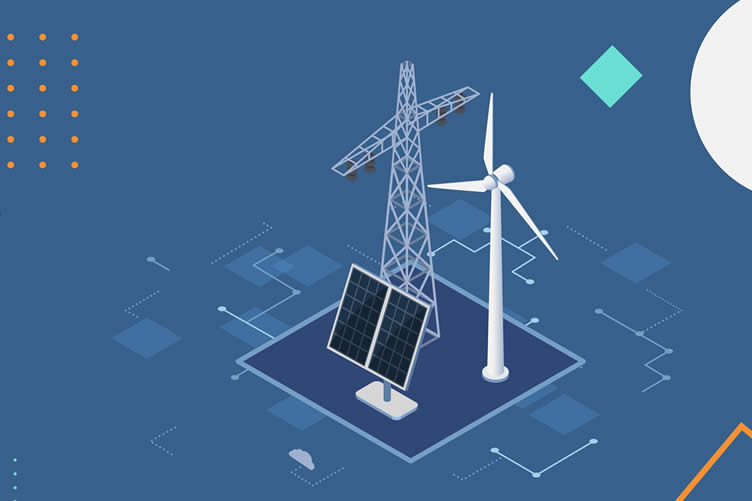
The Internet of Things (IoT) has revolutionized home energy production, particularly in the realms of solar and wind power. Utilizing IoT devices, homeowners can monitor and control their energy production in real-time, optimizing their usage based on factors like weather conditions and energy demands.
This technology can also predict energy production trends, enabling homeowners to adjust their usage and maximize efficiency.
-
Solar Panel Monitoring and Efficiency
IoT is pivotal in enhancing the efficiency of solar power systems. IoT-enabled solar panels can be remotely monitored, providing real-time data on energy production. This information can be used to pinpoint any performance issues, allowing for immediate rectification and preventing energy loss.
Additionally, IoT devices can automate the process of adjusting solar panels to ensure they’re always at the optimal angle for maximum sun exposure. This ensures the most efficient energy production throughout the day.
Furthermore, with IoT, homeowners can track their energy consumption patterns and align them with peak production times, leading to substantial energy savings and making solar power a more viable and sustainable home energy solution.
-
Wind Turbine Monitoring and Efficiency
Just as in solar power systems, IoT is also instrumental in optimizing wind energy production. IoT devices equipped in wind turbines provide real-time data regarding wind speed, direction, and turbine performance. This data is crucial in identifying any operational issues promptly, mitigating downtime and maximizing energy output.
Further, with the aid of predictive analytics, IoT devices can forecast wind patterns and adjust the turbine’s position and blade angles for optimal wind capture, leading to efficient power generation.
-
Battery Monitoring and Efficiency
In-home energy production and conservation, IoT also plays a crucial role in monitoring and improving the efficiency of energy storage systems, such as batteries. These batteries store the energy generated from renewable sources like solar and wind power for later use.
IoT-enabled batteries provide real-time data about the storage capacity, energy input and output, and the overall health of the battery. This data is instrumental in identifying any issues in the energy storage system and addressing them promptly, thereby preventing energy losses and downtime.
Moreover, IoT devices can predict the optimal time to store energy and when to use it based on consumption patterns and energy generation data. This intelligent management of energy storage increases the efficiency and lifespan of the batteries, making renewable energy solutions more reliable and cost-effective for homeowners.
-
IoT for Energy Management and Efficiency
In the realm of home energy production and conservation, the IoT extends its utility beyond the generation and storage of energy. It is pivotal in managing and optimizing energy consumption for enhanced efficiency.
IoT-enabled smart home systems can tailor energy usage to the habits and preferences of the inhabitants, ensuring an optimal balance between comfort and conservation. They can regulate heating, air conditioning, lighting, and even appliances, based on real-time data and predictive analysis.
Additionally, these systems provide homeowners with detailed insights into their energy consumption patterns, assisting them in identifying areas of wasteful usage and implementing measures to rectify the same.
-
Energy Demand Response
The Internet of Things (IoT) introduces a revolutionary approach to energy demand response, a crucial aspect of modern energy management. IoT devices can monitor energy consumption in real-time and adjust it based on the demand-response signals from the energy provider.
During peak consumption periods or times of high demand, these devices can automatically reduce the energy usage of non-essential appliances, effectively alleviating the strain on the power grid.
Conversely, in periods of low demand or excess energy generation, such as during sunny days for homes with solar panels, IoT devices can shift some energy usage to these times, taking advantage of the surplus energy.
This dynamic adjustment of energy consumption, facilitated by IoT, contributes to the overall stability of the power grid, leads to considerable energy and cost savings, and promotes the adoption of renewable energy sources.
copyright image by 123rf.com
-
-
4th: Using IoT For Family Management
The Internet of Things (IoT) can significantly optimize family management. With smart devices, families can schedule and monitor family schedules, automate chores, and enhance communication among each other.
Some of the "Family Management" you can achieve include:
-
Scheduling Events
Smart devices powered by IoT, such as smart speakers, smartphones, display panels, or shared tablets, can also play a pivotal role in family planning by allowing the sharing of family calendars. By syncing all family members’ schedules into a single shared calendar, it is possible to effectively manage and coordinate everyone’s activities.
Parents can keep track of their children’s school schedules, extra-curricular activities, and doctor’s appointments, while also synchronizing their work commitments. This seamless integration promotes greater transparency, coordination, and efficiency, facilitating smoother family management.
-
Assigning Chores
IoT can be a game-changer when it comes to delegating chores and monitoring their completion. Smart home devices such as Amazon’s Echo or Google Home can be used to assign tasks to family members through voice commands or pre-set routines.
Smartphones and tablets, equipped with family organization apps, can serve as a central hub for communication about chores, sending reminders to family members about their tasks and providing updates when a chore is completed.
Parents can create to-do lists for each family member and the tasks get checked off once completed. This not only ensures a fair distribution of chores but also instills a sense of responsibility in younger family members.
-
Meal Planning
IoT technology can revolutionize meal planning in a family setting, making the process more efficient and enjoyable. Smart refrigerators, for example, can keep track of what’s inside, suggest recipes based on available ingredients, and even place grocery orders when supplies run low.
Family members can share and update shopping lists in real time, ensuring everyone’s preferences are accounted for. Connected devices like smart ovens can preheat themselves as you’re on your way home, offering the convenience of meals ready when you walk through the door.
Integration with nutrition tracking apps can help cater to dietary restrictions and health goals, making meal planning a breeze. In essence, using IoT for meal planning brings a new level of convenience, personalization, and efficiency to the dining table.

copyright image by 123rf.com
-
-
5th: Connecting Devices for Effective Communication
With the Internet of Things (IoT) acting as a central hub, devices like smartphones, home assistants, laptops, and others can be seamlessly interconnected, presenting a unified platform for effective family management and streamlined communication.
For example:
-
Connecting Smartphones
The Internet of Things (IoT) has paved the way for the integration of smartphones in family management and scheduling. Using IoT-enabled apps, parents can assign tasks or chores to family members in real time. These apps send notifications to the family member’s smartphones or other, reminding them of their assigned tasks.
For scheduling, families can utilize shared calendars on their smartphones, all synchronized via IoT. All the family members can add, view, and modify events on this shared calendar, ensuring everyone is up-to-date with each other’s schedules.
This integration of IoT and smartphones brings a new level of coordination and efficiency to family management, making tasks and scheduling a seamless, interactive process.
-
Utilizing Home Assistants
When it comes to using IoT for family management and scheduling, home assistants play a significant role. Devices like Amazon Echo, Google Home, or Apple HomePod, connected via IoT, can be used as an efficient tool for task delegation and scheduling.
Parents can use these devices to assign chores or set reminders for various activities, all with simple voice commands. For instance, a command like "Hey Google, remind Jessica to water the plants every Saturday at 9 AM" can ensure chores are remembered and completed.
Combined with IoT enabled applications, these tools can also track chore completion, maintaining a transparent and fair distribution of tasks within the family.
Moreover, home assistants can integrate with a family’s shared calendar, pushing alerts for upcoming events and appointments. This level of automation and synchronization brought by IoT significantly enhances family management, making it a more streamlined and interactive process.
-
Waking Up To Smart Mirrors
Smart mirrors integrated with IoT technology offer a unique and interactive way of managing chores and schedules within a family. These mirrors not only serve the traditional function of reflection but also act as a personal assistant. They can display important reminders, weather updates, news, and personalized information for each family member.
By using facial recognition technology, smart mirrors can identify different family members and display their specific chores and schedules. A simple glance in the mirror in the morning could remind each member of their tasks for the day.
Additionally, parents can input chore assignments and schedule changes into the smart mirrors using their smartphones or voice commands, ensuring that the information is updated in real time.
In essence, smart mirrors, when connected through IoT, can contribute significantly to family management and communication, transforming an everyday household item into an efficient scheduling device.
-
Using IoT-Connected Computers
The Internet of Things (IoT) technology is not limited to handheld devices and house appliances; it can also be integrated in laptops and desktop computers for efficient family management and scheduling.
With the power of IoT, these devices can serve as a central hub for family organization, providing a platform for consolidated schedules, reminders, and task lists.
Family members can sync their individual calendars and to-do lists to this central system, ensuring everyone stays updated about each other’s schedules and responsibilities.
IoT-enabled software can send notifications to remind family members of upcoming events, deadlines for tasks, or changes in schedules. Parents can monitor task completion and adjust schedules as necessary, all from their computer.
Moreover, the IoT connection permits real-time updating, enabling family members to adjust their schedules dynamically based on changing needs and circumstances.
In essence, the integration of IoT technology with computers can revolutionize family management and scheduling, by providing a unified, flexible, and interactive platform for organization.

copyright image by 123rf.com
-
-
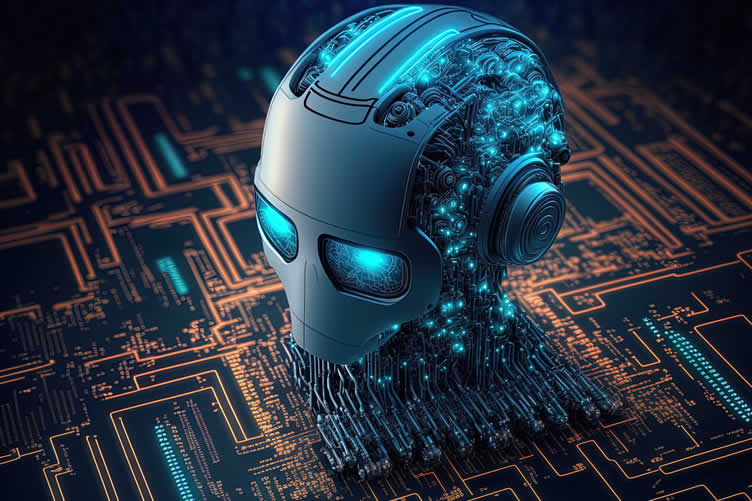
6th: The Convergence of IoT and Artificial Intelligence (AI)
The integration of Internet of Things (IoT) and Artificial Intelligence (AI) is revolutionizing home management, creating a new realm of possibilities for convenience and efficiency. These two technologies work in harmony to transform ordinary households into ‘smart homes’.
IoT devices equipped with AI capabilities can automate various household tasks, from controlling lighting and temperature to managing security systems, offering homeowners unprecedented comfort and convenience.
-
Enhancing Home Security with AI and IoT
One of the most significant contributions of using IoT with AI in home management pertains to security. AI-enabled IoT devices can identify and learn from patterns, detecting any deviation that might indicate a security threat.
For instance, smart security cameras can use AI for facial recognition, distinguishing between family members and potential intruders. AI can also learn the typical patterns of home activity and trigger alerts when unusual behavior is detected, enhancing the effectiveness and responsiveness of home security systems.
-
IoT and AI: Pioneering Home Health Management
The fusion of IoT and AI is also spearheading advances in home health management. AI-powered IoT devices can monitor health-related factors such as air quality, temperature, and humidity, ensuring a healthy living environment.
These devices can also assist in personal health monitoring. For example, an AI algorithm can analyze data from wearable devices, detect irregular patterns in vital signs, and provide early warnings of potential health issues.
Similarly, AI-driven recommendation systems can suggest personalized exercises and nutrition plans based on user’s health data collected by IoT devices. This symbiosis of IoT and AI in home health management not only promotes a healthier lifestyle but also potentially provides early detection and better management of health-related issues.
-
Leveraging IoT and AI for Home Energy Efficiency
The integration of IoT and AI offers profound potential in enhancing home energy efficiency. AI-enhanced IoT devices can manage and optimize energy consumption in real-time based on user patterns and preferences.
For instance, a smart thermostat equipped with AI can learn the homeowner’s schedule and adjust the temperature accordingly, providing comfort when the house is occupied and saving energy when it’s not.
Similarly, AI-powered lighting systems can detect when rooms are unoccupied and automatically switch off the lights, significantly reducing unnecessary power usage.
Furthermore, these intelligent devices can provide homeowners with insightful reports on their energy usage patterns and suggest tailored recommendations for reducing energy waste.
-
Enhancing Home Comfort with IoT and AI
The amalgamation of IoT and AI technologies is reshaping the way we experience comfort within our homes. AI-powered IoT devices such as smart speakers, thermostats, and lighting systems are capable of learning and adapting to an individual’s preferences and habits, thereby providing a truly personalized home environment.
For example, an AI-assisted IoT device might autonomously adjust the room’s lighting based on the time of day, or alter the thermostat’s settings depending upon the season or the resident’s comfort level.
This harmonization of IoT and AI not only offers an elevated level of comfort but also fosters a more intuitive, responsive, and convenient living space. As such, using IoT with artificial intelligence for home management can make our living spaces not just more efficient, but more comfortable and personalized.
copyright image by 123rf.com
-
-
-
ideas to view and compare from the information discussed above
smart home sensorssmart garden sensorssmart energy monitoring
Scroll up to directory … or scroll to next section about using home IoT …



 … grab this directory of ideas

second “photo remodeling” idea
copyright image by 123rf.com
Section 2: The IoT Components
Notes:
-
The Internet of Things (IoT) in the home, also known as "smart home technology," involves embedding objects with sensors and software to connect and exchange data with other devices and systems over the internet.
This interconnectedness provides us with unprecedented control over our living environments, enabling us to automate and manage tasks like energy conservation, security, entertainment, and more. To set up IoT for your home, several key components are required, which we will explore in detail.
-
Quik scroll to topic side notes …
-
-
i: Sensors
An essential component for using IoT in the home is sensors. They serve as the eyes and ears of your smart home. Sensors can detect a variety of changes in the environment, including motion, light, temperature, and humidity.
For instance, motion sensors can trigger lights to turn on when you enter a room, while temperature sensors can signal your heating system to adjust the room temperature.
- Temperature Sensors:
These allow for automated HVAC control, ensuring optimal comfort and energy efficiency in the home. - Humidity Sensors:
Used in conjunction with temperature sensors, they help maintain a comfortable and healthy indoor atmosphere. - Motion Sensors:
Crucial for home security systems, they detect movement within the premises and can trigger alarms or notifications. - Light Sensors:
These manage the lighting conditions based on the natural light available, contributing to energy conservation. - Water Leak Sensors:
They alert homeowners to potential leaks or flooding, helping prevent damage to the property. - Smoke and Carbon Monoxide Detectors:
These are vital safety features that alert residents to potential fires or dangerous gas buildups. - Smart Plugs and Energy Monitors:
While not technically sensors, these devices provide data on energy usage, facilitating energy-efficient practices.
Type Garden Sensors
- Soil Moisture Sensors: These sensors help in maintaining the optimal moisture level in the soil for healthy plant growth.
- Light Intensity Sensors: These detect the amount of sunlight reaching the plants and can aid in the automated control of shades or blinds to ensure plants get the required sunlight.
- Temperature and Humidity Sensors: These are essential for maintaining the right temperature and humidity in a greenhouse or indoor garden.
- pH Sensors: These sensors help monitor the soil’s acidity level, which is crucial for certain types of plants.
- Nutrient Sensors: These sensors can measure the level of essential nutrients in the soil, ensuring the plants receive the necessary nutrients for growth.
- Weather Station Sensors: These provide information on weather conditions like temperature, rainfall, and wind speed, which can be useful for automating watering and other gardening tasks.

copyright image by 123rf.com
- Temperature Sensors:
-
ii: Actuators
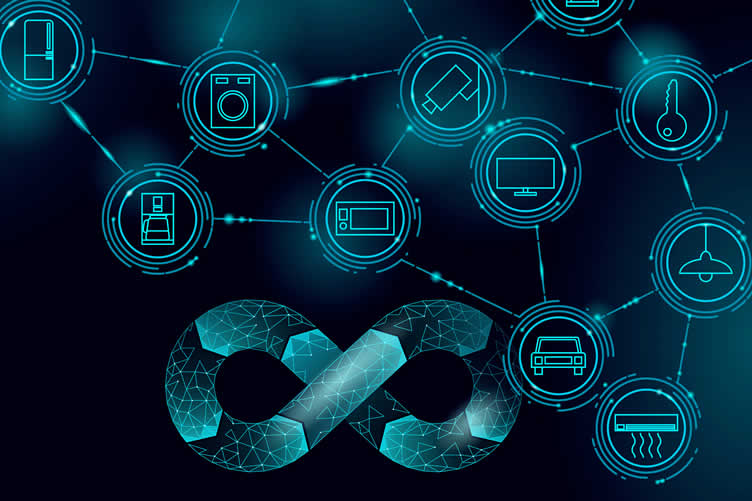
Another crucial IoT component in the home is actuators. Actuators are responsible for taking action based on the data received from the sensors. They can control various devices and systems in your home.
For example, if a sensor detects a room is too cold, an actuator could increase the heat setting on your thermostat. Actuators come in many forms, including light switches, motors, and valves.
- Thermostatic Actuators:
These control the temperature of your home by adjusting the heating or cooling system based on data received from temperature sensors. - Lighting Actuators:
These can automatically adjust the lighting in your home, either by dimming or brightening the lights, based on ambient light sensor data. - Motor Actuators:
Typically used in automated window shades or blinds, these actuators respond to light sensors to control the amount of natural light entering the home. - Valve Actuators:
Used in home automation for water control. They can adjust the flow of water to various appliances based on data received from moisture or flow sensors. - Door Lock Actuators:
These allow for remote locking and unlocking of doors, often in response to data from a security system or a preset schedule. - Smart Plug Actuators:
These allow for the remote control of devices connected to the power outlet, offering energy savings by turning off devices when not in use. - Speaker Actuators:
Often used in smart home systems for alerts, alarms or as part of a voice assistant system. - Ceiling Fan Actuators:
These can control ceiling fans, air conditioning units, or other air circulation devices based on data from temperature, humidity, or air quality sensors.
Type Garden Actuators
- Irrigation Actuators:
These control the amount and timing of water delivery to plants, lawns, or crops based on data from soil moisture sensors or weather predictions. - Landscape Lighting Actuators:
These manage garden lights, turning them on at dusk and off at dawn, or illuminating specific areas when movement sensors are triggered. - Gate and Fence Actuators:
Used in automated gate systems, these actuators can open or close garden gates in response to security systems or remotely via mobile apps. - Fountain Actuators:
These control the operation of water fountains or similar features, allowing for them to be switched on or off remotely, or in response to light sensor data. - Mower Actuators:
In automated lawn mowing systems, these actuators control the operation of robotic lawn mowers. - Soil pH Actuators:
These can adjust the pH of the soil by dispensing the necessary soil amendments based on data received from pH sensors. - Pest Control Actuators:
These can dispense pest control substances when sensors detect the presence of certain pests in the garden.
copyright image by 123rf.com
- Thermostatic Actuators:
-
iii: Connectivity Devices
The third key component of a home IoT system is connectivity devices. These devices, like routers or access points, provide the necessary network infrastructure for your IoT devices to communicate with each other and the internet.
They enable the transfer of data from sensors to actuators and allow you to control your IoT devices remotely via smartphone apps or web interfaces, such as the central Hub.
- Routers:
These are the central hub of any home IoT network. They allow for data transfer between IoT devices and the internet. - Access Points:
These devices extend the range of your Wi-Fi network, enabling IoT devices that are further away to connect to the internet. - IoT Gateways:
These are more specific to IoT networks. They not only provide connectivity but also offer additional services such as data processing and security. - Network Switches:
These devices can connect multiple IoT devices to the network, especially useful when there are more wired IoT devices. - Modems:
These devices connect your home network to your internet service provider, crucial if your router doesn’t have a built-in modem. - Bluetooth adapters:
If you have devices that use Bluetooth for connectivity, these adapters can connect them to your network. - Zigbee or Z-Wave Hubs:
If you’re using devices that connect via Zigbee or Z-Wave rather than Wi-Fi, you’ll need a compatible hub to integrate these devices into your network.
copyright image by 123rf.com
- Routers:
-
iv: User Interface
An essential aspect of using IoT in the home is the User Interface (UI). The UI enables interaction between the user and the IoT system, translating complex processes into simple, user-friendly tasks.
It could be in the form of mobile applications, web portals, or voice-controlled devices like Amazon’s Alexa or Google Home. The UI not only allows users to control and monitor their IoT devices but also delivers feedback and notifications based on the data collected from sensors.
Furthermore, advancements in AI and machine learning have led to more intuitive and personalized UIs, enhancing user engagement and experience. Therefore, the user interface is a critical IoT component, bridging the gap between users and the technology, and making smart homes more accessible and easy to manage.
Several types of user interfaces can be employed in a home IoT system, each offering unique interaction methods:
- Mobile Applications:
These are the most common type of user interface for IoT devices. They provide a handy and accessible way for users to manage and control their IoT devices directly from their smartphones or pads. - Voice Control Interfaces:
Devices such as Amazon Echo (Alexa) or Google Home make use of voice commands to control IoT devices. These interfaces offer hands-free, convenient interaction with your IoT system. - Web Portals:
They offer a more extensive platform to interact with IoT devices, usually providing more detailed analysis and control options – such as a web application portal on a home PC. They can be accessed from any device with an internet connection, offering flexibility in IoT device management.[ view ideas: view ideas]
- Gesture-Based Interfaces:
These interfaces use motion sensors to interpret physical gestures as commands. This type of interface can provide a more intuitive way of interacting with IoT devices, especially for the differently-abled. Examples include waving, eye movement, scrolling, tapping, and more physical gestures.[ view ideas: view ideas]
- Augmented Reality (AR) Interfaces:
AR interfaces superimpose a computer-generated image onto a user’s view of the real world, providing a composite view. This technology can deliver visually engaging and highly interactive UIs for IoT systems.[ view ideas: view ideas]
Each type of user interface has its benefits and is chosen based on the specific needs and preferences of the user.

copyright image by 123rf.com
- Mobile Applications:
-
v: Cloud Platform
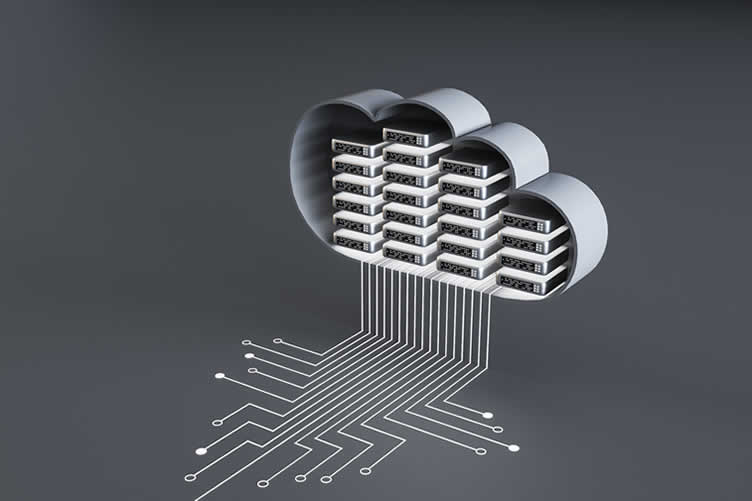
In the context of IoT in the home, the Cloud Platform plays a pivotal role. It is essentially the backbone of the IoT system, providing the infrastructure for storing and processing data gathered by the sensors.
The cloud platform offers a secure, scalable, and reliable environment for data analytics, enabling real-time insights and facilitating remote access to data. It also supports the development, deployment, and management of applications that interact with your IoT devices.
This means that irrespective of your location, as long as you have a device with internet connectivity, you can monitor and manage your home IoT system in real-time. Whether you’re at work, on vacation, or simply in another room, the cloud platform empowers you to keep tabs on your smart home at your convenience.
The interoperability provided by the cloud platform allows seamless integration of different IoT components, enhancing the functionality and convenience offered by your home IoT system.
Examples
A cloud platform like Amazon Web Services (AWS) or Google Cloud Platform (GCP) can serve as a robust support system for a home IoT setup.
[ see topic below: setting up cloud services]
For example, a smart thermostat in your home can collect data about your usage patterns and ambient conditions. This data is then sent to the cloud platform where it’s processed and analyzed. Based on this analysis, the thermostat can then self-adjust to enhance energy efficiency and maintain optimal temperature conditions.
Similarly, a smart security system with IoT-enabled cameras and sensors can upload the captured footage or sensor data to the cloud. This allows users to access and monitor the footage in real time from anywhere via a secure application – even when they’re away from home.
Moreover, the cloud platform also facilitates device interoperability. For instance, your smart lighting system and music player can work in sync, with the cloud platform enabling communication between these devices. So, when you say "movie time" to your smart speaker, the lights can dim and your player can start the movie, creating a perfect movie-watching ambiance.
The flexibility, scalability, and accessibility offered by cloud platforms make them an indispensable component of any home IoT system. With the right cloud platform, you can leverage its powerful features to get the most out of your home IoT system and turn your house into a smart home.
copyright image by 123rf.com
-
vi: Gateway or Central Hub
The last, yet vital, component for using IoT in the home is the Gateway or Central Hub. This device acts as the central communication point for all IoT devices in your home, collecting data from sensors and sending commands to actuators.
It bridges the gap between different connectivity protocols like Wi-Fi, Bluetooth, Zigbee, or Z-Wave, enabling seamless interaction among various IoT components. Moreover, the hub provides security measures to protect your data and prevent unauthorized access to your network.
The Gateway or Central Hub centralizes control of all IoT devices in your home, both for in-home and remote access, in the following ways:
- Unified Control Interface:
The hub provides a single platform where you can control all your IoT devices. This means you only need one application on your smartphone or computer to manage everything, from your smart thermostat to your security cameras. - Remote Access:
With an internet connection, the hub allows you to control your IoT devices from anywhere in the world. Whether you’re at work or on vacation, you can monitor and manage your home systems as if you were there. - Inter-Device Communication:
The hub enables your IoT devices to communicate with each other, allowing for automated routines. For instance, your smart door can signal your smart lights to turn on when you arrive home. - Data Aggregation:
The hub collects data from all connected devices, providing a comprehensive view of your home’s status. This can help you analyze usage patterns and make informed decisions about energy conservation. - Security:
By centralizing communication, the hub also centralizes security. It implements security protocols to protect against cyber threats, ensuring that your data remains secure and your devices remain under your control.
Types of Gateway or Central Hub for IoT
Here are some types of gateways or central hubs that can be utilized for a home IoT system:
- Smart Home Hubs:
These are the most common type of hubs designed specifically for home automation. They support a wide range of protocols like Zigbee, Z-Wave, Wi-Fi, and Bluetooth. Examples include Samsung SmartThings Hub and Wink Hub 2. - Voice Assistants:
Devices like Amazon Echo and Google Home can also function as central hubs, controlling IoT devices via voice commands. - Security System Hubs:
Many security systems come with a central hub that controls not only the security components but also other smart home devices. Examples include hubs from Honeywell and ADT. - Router-Based Hubs:
These are routers with built-in hub functionality. They can control IoT devices while providing regular Wi-Fi connectivity for other devices. Examples include Google’s Nest Wifi and Securifi’s Almond routers. - Software-Based Hubs:
This isn’t a physical hub but a software program that can be installed on your computer or a dedicated server to control your IoT devices. Examples include OpenHAB and Home Assistant.
Each of these Gateway or Central Hub types has its own advantages and is suitable for different use cases. Therefore, you need to understand your requirements before choosing the right one for your home.
Thus, the Gateway or Central Hub is indispensable for running a robust, efficient, and secure IoT system in your home.

copyright image by 123rf.com
- Unified Control Interface:
-
-
ideas to view and compare from the information discussed above
Scroll up to directory … or scroll to next section about using home IoT …
view illustration “becoming a bank”



remodeling decisions






May We Suggest Other Photo Remodeling Ideas About
“Using Solar Energy To Power Your Home IoT…” (new win)



third “photo remodeling” idea
copyright image by 123rf.com
Section 3: Setting Up Your Home IoT
Notes:
-
Setting up a home IoT ecosystem can transform your ordinary house into an intuitive and responsive environment. By connecting IoT components together, you can take control of various appliances and devices in your household with a simple tap or voice command.
This guide will lead you through the essential steps to convert your home into a smart hub, enhancing your comfort and convenience while optimizing energy efficiency and security.
Whether you’re a tech-savvy enthusiast or a beginner, these easy-to-follow steps will help you navigate the integration process and get your smart home IoT up and running.
-
Step 1: Choose Your IoT Devices
The first step in setting up a smart home IoT is carefully selecting your IoT devices. This process involves a thoughtful evaluation of your specific needs and lifestyle preferences.
If energy efficiency is your primary concern, you may prioritize smart thermostats and energy-efficient appliances. If security is your primary focus, consider smart locks, security cameras, and alarm systems.
Remember, each IoT device you choose should be compatible with your central hub for seamless connectivity and control. Once you’ve identified your essential IoT components, compare brands, read reviews, and ensure the devices align with your budget before making a purchase.
[ view below: types of smart IoT devices]
-
Step 2: Set Up Your IoT Devices
After acquiring your desired IoT devices, the next step is setting them up. Start by carefully unpacking each device and reading the manufacturer’s instructions. These guidelines often include crucial details about device setup, functionality, and troubleshooting.
Connect each device to your home’s Wi-Fi network, ensuring a stable and strong connection for optimum performance. Afterward, download the necessary apps on your smartphone or tablet, which you’ll use for controlling the devices.
Register your devices on these apps and follow on-screen instructions to pair them. Make sure each device is correctly installed – for example, a smart lock should be firmly attached to your door and a smart bulb should be properly fixed into its socket.
Test each device to verify it’s functioning as expected. Lastly, remember to update each device’s firmware to the latest version to enhance its security and functionality.
Setting Up Home IoT
resourcesSetting Up Home IoT illustration – connect IoT devices to hub illustration – setting up IoT cloud illustration Setting Up Home IoT information – what is a home network information – what is cloud computing information Building Smart Home Network youtube – home network for beginners youtube – connecting IoT to cloud youtube – IoT security explained youtube Setting Up Home Hubs
resourcesIoT Hub illustration – command center illustration – diagram illustration – cloud computing illustration What is IoT Hub information – what is a home network information – what is cloud computing information How IoT Hub Works youtube – IoT hub beginners guide youtube – connecting IoT to cloud youtube – how to use cloud computing youtube -
Step 3: Connect Your IoT devices to a Gateway or Hub
The next step is to connect your IoT devices to a hub or gateway. This device will serve as the central point of control, receiving and distributing data between your IoT devices and the internet. Some common IoT hubs include Amazon Echo (Alexa), Google Home, and Apple HomeKit.
The process of connecting your IoT devices to a hub will vary depending on the specific brand and model of your hub and devices. Generally, you’ll need to open the hub’s app on your smartphone or tablet, select the option to add new devices, and follow the on-screen instructions to pair each device with the hub.
You might need to enter specific details about your devices, such as their model numbers or unique identifiers. Verify that each device is connected successfully to the hub and can be controlled through the hub’s app.
Remember, a well-configured hub will simplify the process of managing your smart home, allowing you to control multiple devices from a single platform.
-
Step 4: Sign Up for a Cloud Platform
The next significant step in setting up your smart home IoT network is to sign up for a cloud platform. This platform will serve as a centralized storage and processing center for data collected by your IoT devices.
There are several cloud platforms available, such as Amazon AWS IoT, Google Cloud IoT, and Microsoft Azure IoT. To sign up, navigate to the website of your chosen platform and follow the prompts to create an account.
These are widely supported, and using a common protocol will make connecting IoT components more straightforward and reduce compatibility issues down the line.
Once your account is set up, you can configure it to interact with your smart home devices by following the platform’s specific instructions. This usually involves creating a ‘Thing’ or ‘Device’ for each of your IoT devices in the cloud platform, and authenticating these devices so that they can connect securely to the platform.
The connection between these devices and the cloud platform will allow for real-time data analysis, remote control, and automation of your IoT devices, enhancing the overall functionality of your smart home.
-
Step 5: Install a User Interface
The next step in setting up your smart home IoT is to install a user interface. This interface allows you to control and monitor your IoT devices from a single, central point. Many smart home hubs come with their own user interface that can be accessed via a mobile app or a web interface.
After installing the app or accessing the web interface, you should be able to view all your connected devices. From here, you can control individual devices, create automation rules (for example, switch on the lights when it’s sunset), or even monitor real-time energy usage.
Some interfaces may also offer advanced features such as voice control or integration with other services such as Google Assistant or Amazon Alexa.
Remember, the user interface you choose can greatly influence your overall smart home experience. Therefore, consider factors such as ease of use, compatibility with your devices, and the availability of features that meet your specific needs when choosing your user interface.
-
Step 6: Configure Your IoT Devices
After installing your user interface, the next step is to configure your IoT devices. This involves setting up the parameters for your devices such as defining the conditions under which they should operate, and the actions they should perform.
For instance, you may want your smart thermostat to adjust the temperature based on the time of day or the occupancy of a room. Similarly, you could configure your smart lights to turn on or off based on certain triggers, such as motion detection or sunset/sunrise times.
Device configuration varies, so refer to the specific documentation for each of your IoT components. Remember to always prioritize security during configuration, ensuring your devices have strong, unique passwords and are kept up-to-date with the latest firmware updates.
Configuring your IoT devices appropriately not only improves the functionality of your smart home but also enhances its efficiency and security.
-
Step 7: Test Your IoT System
The final step in setting up your smart home is to test your IoT system. This is an essential step to ensure that all your IoT components are working together as expected.
Begin by triggering each device individually to confirm that it operates as intended. Next, test the interaction between devices.
For instance, if you’ve configured your smart lights to turn on when motion is detected, walk through the relevant areas to see if the lights turn on as expected. If you’re using voice control, test the various voice commands to make sure your devices are responding correctly.
This step is also a good time to fine-tune your settings and make any necessary adjustments. Do not overlook any glitches, no matter how minor they may seem, as these could potentially compromise the functionality and security of your smart home.
Always remember, the ultimate goal is to enhance convenience and efficiency, so your IoT system should work seamlessly and intuitively.
-
-
Quik scroll to topic side notes …
-
-
1st: Some Tips When Setting Up Your Home IoT
In the context of IoT in the home, the Cloud PUsing a Loft or Stairway for Home Office:
The process connecting IoT components together in a cohesive and well-orchestrated system doesn’t have to be complicated. Simply use these insightful tips to assist you in setting up your home IoT seamlessly and effectively.
-
Adopt a Common Communication Protocol:
It’s worth noting that the IoT ecosystem is made up of a myriad of devices from different manufacturers, each potentially using different communication protocols.
To ensure smooth interaction and interoperability among your IoT components, it’s advisable to adopt a common communication protocol like Z-Wave, Zigbee, or Wi-Fi.
what is Z-Wave info illustration what is Zigbee info illustration what is Wi-Fi info illustration These are widely supported, and using a common protocol will make connecting IoT components more straightforward and reduce compatibility issues down the line.
-
Choosing the Right Platform:
When setting up a home IoT, selecting the right platform is paramount. It is like the brain of your smart home, coordinating and communicating between all your different devices.
Look for a platform that supports a wide array of devices, has a user-friendly interface, and upholds high security standards. Also, consider its ability to adapt to future technological advancements.
This will ensure that your IoT system remains relevant and efficient in the long run.
-
Ensuring Good Connectivity:
Reliable and robust connectivity is a vital aspect of a well-functioning IoT system. Your smart devices need to communicate effectively with each other and the platform.
Consider investing in a robust Wi-Fi setup or even a mesh network to ensure there are no dead zones in your home. Additionally, keep in mind that the more IoT devices you have, the more bandwidth you’ll need.
about mesh network
info illustration find As such, it’s worth discussing your needs with your Internet Service Provider (ISP) to ensure your current plan can handle the added demand.
-
Implementing a Secure Gateway or Hub:
Essential to any home IoT setup is having a secure gateway or hub, which acts as the central point through which all your IoT devices communicate.
This hub should not only be reliable, but also possess robust security measures to protect your network from potential security threats. Look for a hub that supports encryption and regular firmware updates to ensure your smart home stays secure.
Remember, the safety of your IoT network is only as strong as its weakest link, making it crucial to prioritize security when choosing a hub or gateway.
[ see topic below: gateway or hub security]
-
Leveraging a Trustworthy Cloud Platform:
When setting up your home IoT, it’s beneficial to rely on a reliable cloud platform. A good cloud service can efficiently handle data from your connected devices, enabling seamless interaction between them.
Cloud platforms come with advanced security measures, data backup facilities, and scalability options, providing an extra layer of protection and flexibility to your IoT system. It’s crucial to choose a platform known for its reliability, security, and ease of integration with various IoT devices.
Remember, the efficiency of your smart home largely depends on the quality of the cloud platform you choose.
[ see topic above: selecting cloud platform]
-
Opting for a User-Friendly Interface:
As you embark on setting up your home IoT, prioritizing a user-friendly interface can greatly enhance your ability to manage and control your connected devices.
A well-designed interface simplifies the process of connecting IoT components, allowing for easy monitoring and control of your smart home system. This would reduce the complexity of dealing with multiple, discrete devices, creating a smooth and integrated user experience.
When choosing IoT devices or platforms, look for those that offer intuitive controls, clear instructions, and straightforward setup procedures. Remember, the easier the interface, the more effectively you can manage your smart home.
[ see topic above: selecting interface]
-
Thoroughly Testing Your System:
Once you have all your IoT components connected and your user-friendly system set up, it’s crucial to conduct comprehensive testing. This process ensures that all devices are interacting seamlessly, and the system is operating as expected.
Test each function of every component, and pay close attention to how they communicate with each other. If any issues arise during the testing phase, they can usually be resolved quickly.
This proactive approach will save you potential troubleshooting down the line and ensure your smart home system is effective and reliable. Remember, a thoroughly tested IoT system not only operates smoothly but also offers a higher level of security, reducing the risk of cyber threats.
-
Planning for Future Expansion:
As technology evolves, so too will your smart home. When first setting up your home IoT system, it’s wise to consider future growth. This includes not only adding more devices, but also potentially more sophisticated IoT components that may become available.
Therefore, when selecting a hub, cloud platform, or any other key component, ensure they have the capacity for expansion. Opt for systems that support a wide range of devices and are regularly updated to accommodate new technologies.
This forward-thinking approach will save you from the cost and inconvenience of overhauling your entire system when you want to upgrade or expand in the future. Remember, a flexible and scalable system is the key to a future-proof smart home.
copyright image by 123rf.com
-
-
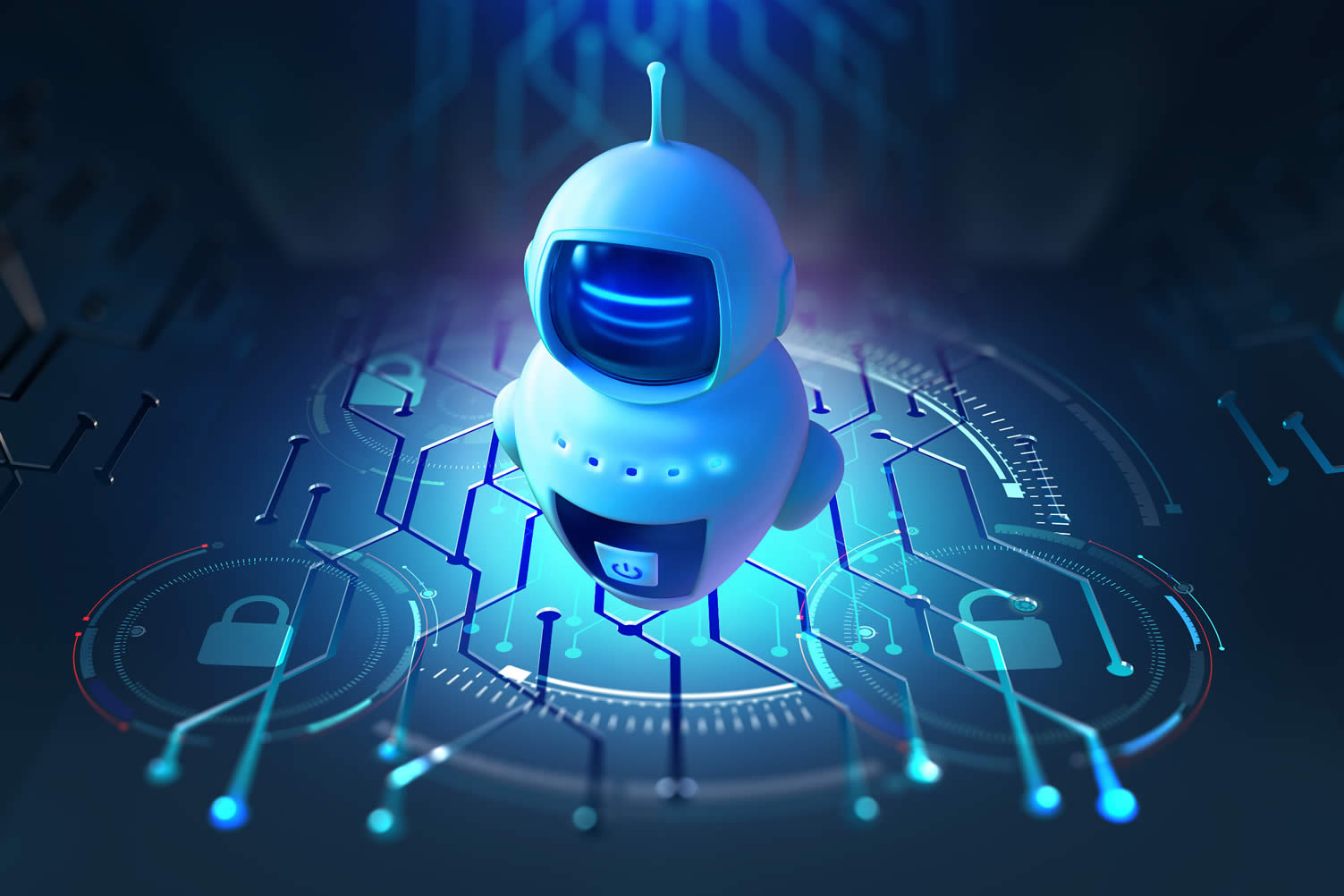
2nd: Securing Your Home IoT
In today’s interconnected world, Home Internet of Things (IoT) devices have become a staple in our households, enriching our lives with intelligent and personalized experiences. However, these smart devices also open the gateway to potential cyber threats and intrusions.
Given their direct access to our personal lives and data, securing home IoT from hackers is of utmost importance. Inadequate security measures can result in breaches of privacy, identity theft, or even physical harm.
Thus, understanding and employing robust home IoT security practices is not just advisable, but essential in preserving our digital safety and privacy. Some secure suggestions are note below:
-
Step 1: Start With a Secure Hub
A secure IoT hub acts as the central point through which all your IoT devices communicate. By ensuring your hub is secure, you can effectively protect your home IoT network.
Opt for a hub that supports advanced encryption standards and allows for automatic updates to stay a step ahead of potential security threats.
Remember, the security of your hub directly affects the security of all devices connected to it, so it’s vital to do your due diligence when selecting an IoT hub for your home.
-
Step 2: Change Default Passwords
One of the most fundamental steps to secure your home IoT is to change the default passwords on all of your devices. Manufacturers often use standard, easy-to-guess passwords, which can be a potential security loophole.
By creating strong, unique passwords for each of your IoT devices, you add an extra layer of security that can deter hackers.
-
Step 3: Enable Two-Factor Authentication
To further enhance the security of your home IoT, consider enabling two-factor authentication (2FA), where available. This security measure requires you to provide two types of identification before you can access your devices.
Typically, this involves something you know (like a password) and something you have (like a mobile device to receive a unique code). 2FA acts as an additional line of defense, making it much more difficult for hackers to gain unauthorized access.
[ how to setup: two-factor authentication]
-
Step 4: Network Segmentation
Consider segmenting your home network, creating separate networks for your IoT devices and your personal devices like your computer and smartphone. This way, if a hacker manages to compromise one of your IoT devices, they would be unable to gain access to the more sensitive information on your personal devices.
-
Step 5: Use a Firewall
A firewall is a crucial security tool for safeguarding your home IoT network. Acting as a barrier between your IoT devices and potential cyber threats, it scrutinizes incoming and outgoing traffic based on predetermined security rules.
It’s essential to ensure that your firewall is always turned on and is updated regularly to effectively combat new threats. Consider using a hardware firewall for an additional layer of security, as it is independent of your devices and hence provides a robust protection against intrusions.
-
Step 6: Regular Software Updates
Another critical aspect of home IoT security is ensuring that all devices are regularly updated. Manufacturers frequently release software updates that include patches for known security vulnerabilities. Failure to install these updates promptly can leave your devices exposed to potential cyber threats.
-
Step 7: Auto-Monitor Network Traffic
To further secure your home IoT, it’s highly recommended to auto-monitor your network traffic. This proactive measure involves using a network monitoring tool that alerts you of any unusual activity on your home IoT network.
Such tools continuously scan your network for any anomalies in the traffic, such as sudden spikes, which could indicate a potential cyber threat. By enabling auto-monitoring, you can identify and address security issues in real-time, fortifying your home IoT against potential breaches.
-
Step 8: Be Cautious with Data Sharing
When it comes to home IoT security, it’s crucial to be mindful of the data you share. Many IoT devices collect a significant amount of personal information, which could become a target for cybercriminals if not properly secured.
Be sure to review and understand the privacy settings of each device, and limit the data shared whenever possible. Remember, the less personal data you provide to your devices, the fewer data there is for potential hackers to exploit.
By practicing cautious data sharing, you can better safeguard your home IoT system against potential breaches.
-
Step 9: Use a VPN for Enhanced Security
Utilizing a Virtual Private Network (VPN) is a highly effective strategy to secure your home IoT. A VPN encrypts all your internet traffic, including the data from your IoT devices, making it difficult for hackers to intercept and exploit your information.
This serves as a protective tunnel between your home network and the broader internet, keeping your data secure and private.
Be sure to select a reputable VPN provider that offers strong encryption and a no-logs policy. By incorporating a VPN into your home IoT network, you can significantly enhance its overall security.
copyright image by 123rf.com
Home IoT Security
resourcesSetting Up Home IoT illustration – connect IoT devices to hub illustration – setting up IoT cloud illustration Home Network Security youtube – avoid outside hacking youtube – what is firewall youtube – understanding VPN youtube -
-
-
ideas to view and compare from the information discussed above
Scroll up to directory … or scroll to next section about using home IoT …






fourth and last “photo remodeling” idea

copyright image by 123rf.com
Section 4: The Future of Home IoT
Notes:
-
The Future of Home IoT is set to revolutionize our living experiences. As technology continues to evolve, we can expect our homes to become even more connected, personalized, and efficient.
IoT devices will be seamlessly integrated into our homes, providing unparalleled convenience and enhancing our day-to-day lives. We will see devices that not only communicate with each other but also understand our habits, preferences, and needs, adapting their functionalities to create a truly smart home.
-
Learning Your Habits and Preferences
An astounding attribute of the future home IoT is its ability to learn your habits and preferences. Over time, these smart devices will be able to observe and learn from your daily routines, and adjust their operations to suit your lifestyle.
For instance, your smart thermostat may learn your preferred room temperature at different times of the day and adjust the heating or cooling accordingly. Or your smart fridge may observe your grocery buying habits and notify you when you’re running low on your regular items.
Embrace this feature of future home IoT to experience a truly personalized and efficient home environment.
-
Anticipating Your Needs
A key advantage of future home IoT is its ability to anticipate your needs. As these smart devices continue to evolve, they will go beyond simply learning your habits and will actually predict your needs before you even realize them.
For example, your smart kitchen could anticipate your morning coffee routine and have it prepared just as you’re waking up, or your smart washing machine could foresee the need for a laundry cycle based on your wardrobe usage.
This level of anticipatory service will drive efficiency and convenience to new heights in our daily home routines.
-
Protecting Your Home and Family
A critical feature of future home IoT is its commitment to ensure the safety of your home and family. Advanced IoT security systems will offer a superior level of protection, using AI-powered surveillance cameras and sensors to detect any unusual activities or potential intruders.
These systems will be equipped to learn from daily patterns, enabling them to differentiate between regular and irregular movements. For instance, a smart security system could monitor your driveway and alert you of an unfamiliar vehicle.
Furthermore, these devices can be controlled remotely, allowing you to monitor your home while you’re away, providing peace of mind and enhanced security for your family and property.
-
Connecting With You Anywhere
As the future of home IoT unfolds, one of the most exciting prospects is the capability of these smart devices to connect with you wherever you are. Imagine if your home could reach out to you, providing you with real-time updates about its status.
For instance, your smart fridge could alert you when you’re running low on groceries, or your smart thermostat could allow you to adjust the temperature before you arrive home. This level of connectivity extends the boundaries of your home, ensuring that you stay connected and in control, no matter how far you are.
Therefore, it’s a good idea to invest in IoT devices that offer remote connectivity features to make the most of this upcoming trend.
-
-
Quik scroll to topic side notes …
-
-
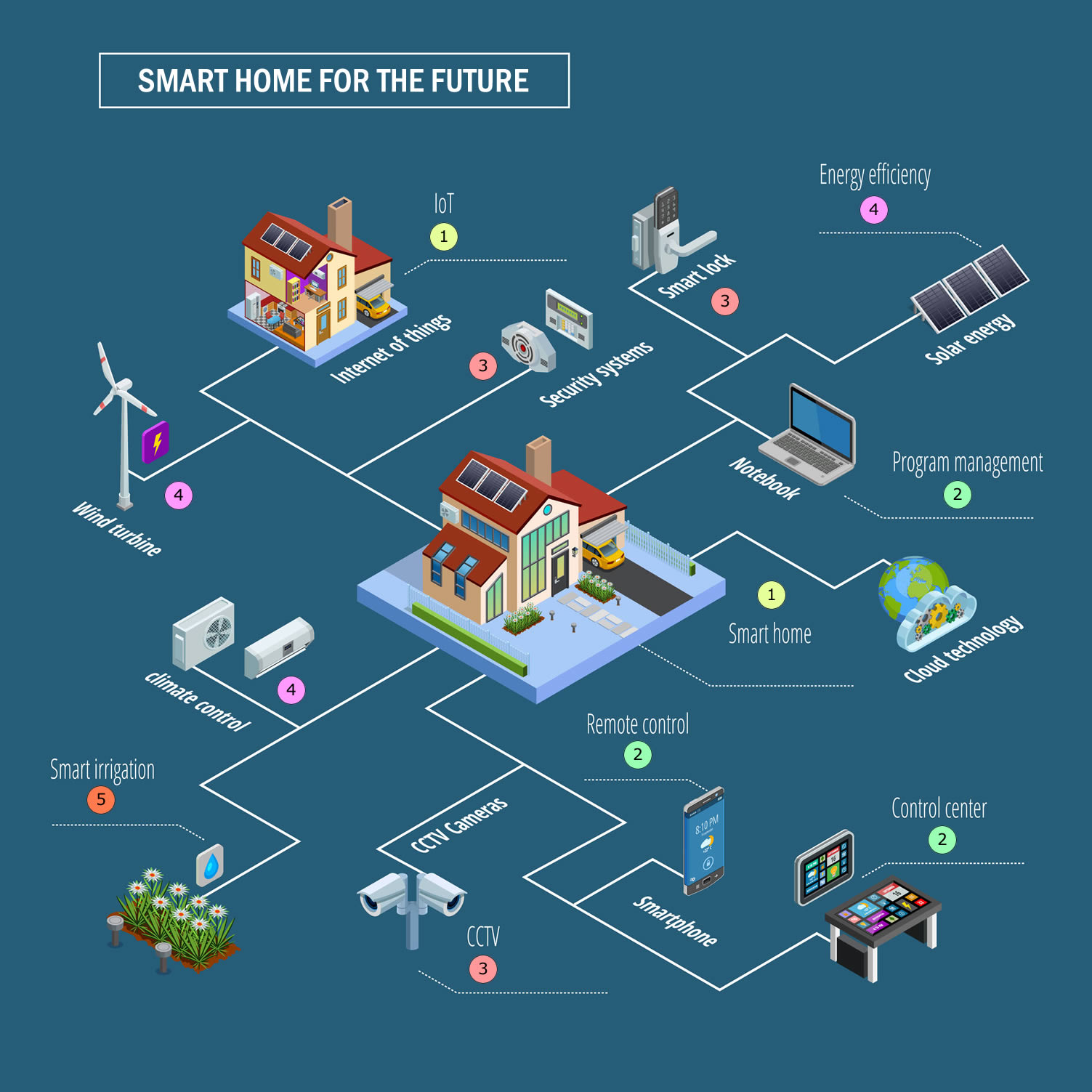
What the Future Home May Look Like:
Imagine walking into your house at the end of a long day. The lights automatically adjust to your preferred brightness, your favorite music begins to play, and your oven starts preheating for dinner. This is a snapshot of what the future home IoT may look like.
Home IoT will not be limited to single standalone devices but will encompass an entire ecosystem of interconnected devices working together.
From smart fridges to AI-powered security systems, every aspect of home life will be touched by the transformative power of future home IoT.
copyright image by 123rf.com
-
-
FINAL REMARKS
In essence, the Home Internet of Things (IoT) is a transformative technology that revolutionizes the way we manage our homes, enabling remote interaction and automation of various household appliances, systems, and utilities.
As we look forward, the increasing sophistication of IoT devices and expanding internet connectivity herald an exciting future for home IoT, promising further advancements in home automation and management.
-
ideas to view and compare from the information discussed above
home IoT display tablethome IoT devicesfuture technology gadgets
- What comments can you share about
using home IoT for home automation and management?
Scroll up to directory … or scroll to view more topics on home utility management …
below for …
home IoT setup professional
home automation devices
Find Home Network Services Networks/Phone Computers/ Media Home Automation Electrical Wiring Interior Designers Furniture top-rated, pre-screened local contractors FREE: download contractor selection enter zip code – powered by HomeAdvisor ™
Quick Contractor Guides selecting negotiating working with inspecting

Cover image credit: using home IoT by 123rf.com
end of post … please share it!
 links open new win
or simply search by home automation or other smart device need

Nice pic idea? Leave us a quick comment below.
And please share this pic idea within your social networks.