Summary Outline –
Imagine waking up to the perfect temperature, lights that know when to turn on, and security cameras that give you peace of mind—all seamlessly working together. Welcome to the world of home automation!
Home automation is no longer a futuristic luxury; it’s an achievable transformation that adds comfort, convenience, and efficiency to your daily life. From smart thermostats that adjust to your ideal temperature automatically to voice-controlled lighting and security systems, these technologies seamlessly integrate into your home.
They not only make everyday tasks easier but also help reduce energy consumption and enhance overall peace of mind. Whether you’re just starting or looking to enhance your current setup, this guide will walk you through everything you need to know—from planning your system to ensuring it’s future-proof.
- post content … analysis/ weekend bathroom upgrades
- 1st: Planning Your Home Automation
- 2nd: Setting Up a Central Control System
- 3rd: Choosing the Right Devices and Systems
- 4th: Setting Up Your Home Automation
- 5th: Testing and Troubleshooting Your Setup
- 6th: Setting Up Automation Flows
- 7th: Securing Automation from Outside Hackers
- 8th: Common Issues and Troubleshooting Steps
- 9th: Future-Proofing Your Home Automation
- 10th: Getting Some Help
- conclusion
- other home utility management topics

-
- —— begin first topic ——
-
1st Smart Home: Planning Your Home Automation
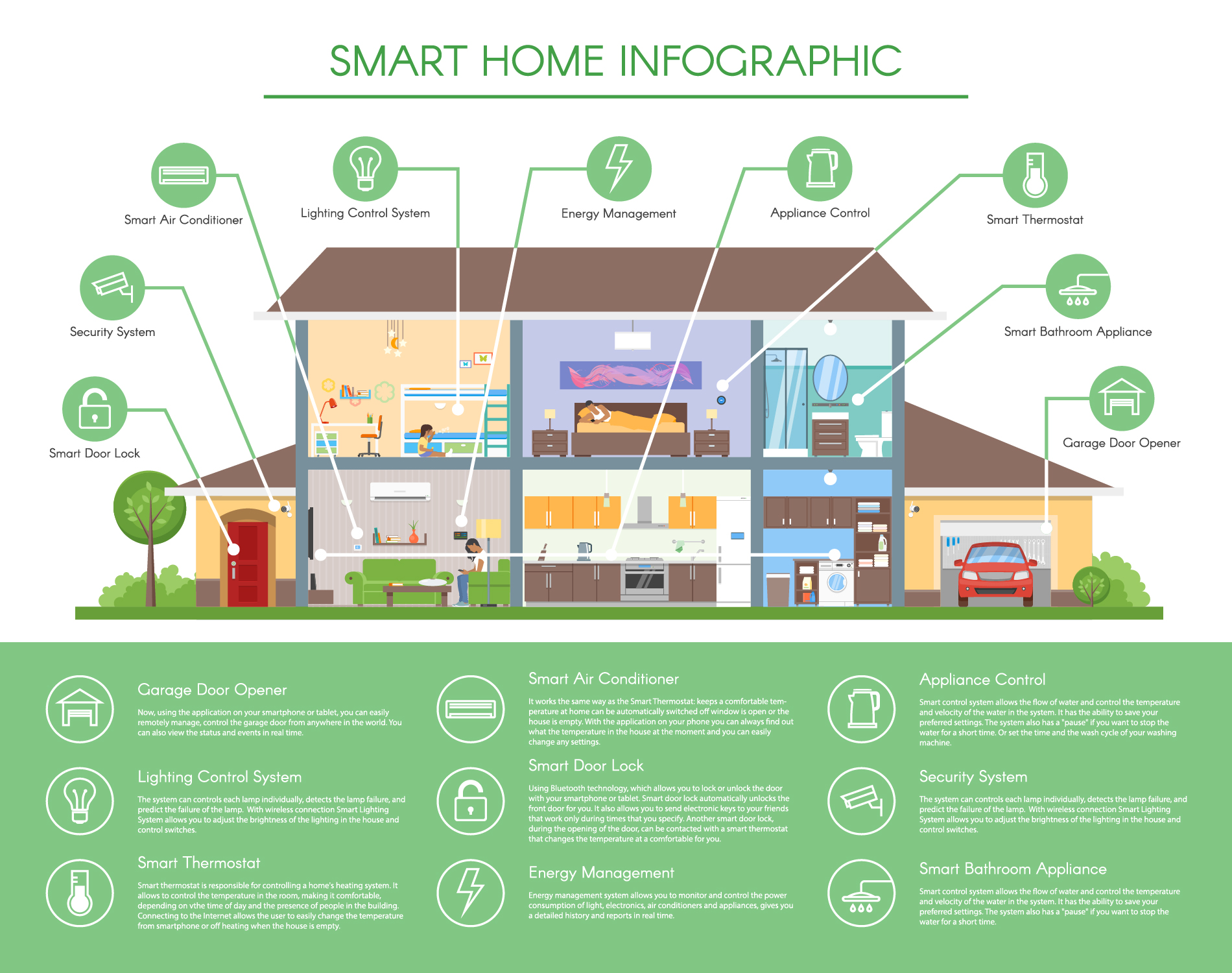
A successful home automation setup starts with carefully considering your goals and creating a road-map for implementation. By taking the time to identify your needs, map out your space, and think about scalability and budget, you can ensure that your smart home is both functional and future-ready.
Below, we’ll break down the essential planning steps to help you get started on your home automation journey.
-
Identify Your Needs and Objectives
Start by asking yourself what you want to achieve with your home automation system. Are you looking to improve energy efficiency, increase home security, or enhance daily convenience?
Prioritize these objectives to guide your decisions on what devices and systems to include. For example, if energy savings are a primary goal, smart thermostats and lighting systems could be excellent first additions to your home automation setup.
-
Create a Floor Plan
Next, map out your space to understand which areas of your home could benefit from automation. A detailed floor plan allows you to identify where devices like smart lighting, cameras, or sensors will be placed.
Take note of potential obstacles like Wi-Fi dead zones, as consistent connectivity is crucial for a seamless home automation setup.
-
Consider Scalability
Think ahead by planning for future expansions. A flexible home automation setup allows you to add new devices or integrate new technologies over time without requiring a complete overhaul.
Choose devices and systems that are compatible with your current setup and support widely-used standards such as Zigbee, Z-Wave, or Matter to maximize scalability.
-
Establish a Budget
Setting a realistic budget is vital to avoid overspending or underestimating costs. Outline the initial expenses for essential devices and systems, while also considering ongoing costs such as maintenance or subscription services tied to your setup.
A clear budget will help you make informed decisions about which components to prioritize.
-
Other Factors to Consider
Finally, think about the aesthetics and usability of your system. Will smart devices blend into your home decor, or are they visually intrusive?
Additionally, ensure the system is user-friendly for all members of your household. An ideal home automation setup balances advanced functionality with simplicity, making it accessible and enjoyable for everyone.
copyright image by 123rf.com
[ pinterest: home automation ideas ]
[ youtube: How To Build a Smart Home – 101 ]

-
-
2nd Smart Home: Setting Up a Central Control System
A central control system or hub serves as the brain of your home automation setup, seamlessly connecting all your smart devices and allowing them to work in harmony. With a reliable control hub, you can manage lighting, security, climate, and entertainment systems from a single interface, creating a streamlined and efficient smart home experience.
Choosing the right central control system is critical to ensure compatibility, functionality, and ease of use for your household.
-
Dedicated Smart Home Hubs
Dedicated smart home hubs are built explicitly for home automation setups, offering robust connectivity and functionality. These hubs often support multiple communication protocols such as Zigbee, Z-Wave, and Wi-Fi, making them highly adaptable to various devices.
Popular examples include the Samsung SmartThings Hub and Hubitat Elevation. A dedicated hub is ideal if you want a centralized and reliable solution that supports more complex automations and routines.
-
Voice Assistant Hubs
Voice assistant hubs, such as Amazon Echo and Google Nest Hub, combine the convenience of voice commands with smart home management.
These devices often serve a dual purpose, acting as smart speakers while integrating with a range of compatible devices in your automation setup. They are an excellent choice for users who prefer hands-free control and a simple, intuitive interface.
-
Software-Based Control Systems
Some home automation setups rely on software-based solutions, such as apps or virtual hubs, instead of dedicated physical devices. Examples include Apple’s HomeKit or open-source platforms like Home Assistant.
These options provide flexibility and scalability, often allowing you to integrate devices without requiring additional hardware. Software-based systems are ideal for tech-savvy users who want greater customization and control.
-
Hybrid Solutions
For those looking to combine the benefits of various approaches, hybrid solutions offer the best of both worlds. These setups might integrate a dedicated hub alongside voice assistant devices or software platforms, ensuring compatibility across all devices while maximizing functionality.
A hybrid approach is particularly useful if you have a wide variety of smart devices or require advanced automation tools.
By carefully selecting the right central control system, you can anchor your home automation setup with a solution that perfectly suits your lifestyle. This critical step ensures your smart home operates smoothly, providing convenience, comfort, and ease of use for years to come.

copyright image by 123rf.com
[ search youtube: selecting central home system ]
[ youtube: smart home protocols explained ]
—— or view this home improvement idea ——
Why a Central Hub is Important
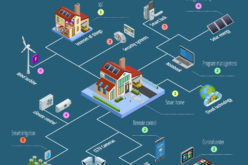
A central hub is the backbone of an efficient and seamless smart home ecosystem. It acts as the primary point of communication between your various devices, ensuring they work together harmoniously, regardless of brand or protocol.
Without a hub, managing multiple devices can become complicated, often requiring separate apps or manual configurations for each. A well-implemented central hub eliminates this headache by offering a unified interface, simplifying device control and automation.
Furthermore, a central hub significantly improves the reliability and speed of commands. By processing signals directly within your home, rather than relying entirely on cloud-based systems, a hub can reduce latency and provide uninterrupted operation, even during internet outages.
Additionally, for complex automation setups, a hub can execute pre-determined routines more effectively, ensuring your smart devices work in concert to enhance your daily life.
Investing in a central hub also future-proofs your smart home by fostering compatibility with new devices and technologies as they emerge. This scalability ensures your setup will continue to adapt to growing needs and technological advancements, maintaining its value over time.
For these reasons, a central hub plays an essential role in creating a reliable, streamlined, and intelligent home automation system.

copyright image by 123rf.com
[ view diagram: setting up a central hub ]
[ youtube: 7 Best Matter Supported Smart Hub ]
-
-
3rd Smart Home: Choosing the Right Devices and Systems
Creating an efficient home automation setup starts with selecting the right devices and systems to suit your needs. With so many options available, it’s essential to understand which smart devices offer the most benefit and how they can work together to enhance your daily life.
Below, we’ll explore key categories of smart devices to consider and why they might be valuable additions to your smart home.
-
Smart Lighting Systems
Smart lighting systems take home automation to the next level by offering advanced features beyond the capabilities of standard smart switches. These systems often include smart bulbs that can adjust color temperature, brightness, or even display a full spectrum of colors.
Many smart lighting solutions can be integrated with voice assistants like Amazon Alexa or Google Assistant, enabling hands-free control. Additionally, smart lighting systems can be programmed to respond to specific triggers such as motion, time of day, or even the weather, ensuring your home is always perfectly lit for any scenario.
They enhance convenience, improve energy efficiency, and create a customized ambiance tailored to your preferences.
-
Smart Switches
Smart switches are a foundational part of any home automation setup, allowing you to control lighting effortlessly. These devices enable you to program schedules, dim lights, or turn them off and on remotely, all through a mobile app or voice command.
Smart switches are particularly useful for energy conservation and creating personalized lighting scenes to suit different times of the day or activities, such as movie nights or dinner parties.
-
Smart Plugs
Smart plugs are versatile devices that can transform any standard appliance into a smart one. By plugging an ordinary lamp, coffee maker, or fan into a smart plug, you can control it remotely, set it up on schedules, or even integrate it into automation routines.
These devices are a cost-effective way to dip your toes into home automation and enhance your control over energy consumption.
-
Smart Thermostats
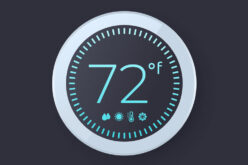
Efficient temperature control is a hallmark of a well-designed home automation setup, and smart thermostats offer unparalleled customization. These devices learn your preferences over time, automatically adjusting the temperature to optimize comfort and energy savings.
They allow for remote control, enabling you to precondition your home before arrival or adapt to changing weather patterns, all while reducing energy costs.
-
Smart Locks
Smart locks provide both convenience and enhanced security features. With a smart lock, you can remotely lock or unlock your doors, grant temporary access to visitors, and eliminate the need for physical keys.
These locks can integrate with other smart devices, allowing for features like automatically locking the door when you leave or unlocking it when you arrive home.
-
Security Cameras
A reliable home automation setup wouldn’t be complete without smart security cameras. These devices offer real-time monitoring and motion detection, allowing you to keep an eye on your property whether you’re home or away.
Many models store footage in the cloud and support integration with voice assistants, enhancing functionality and providing peace of mind.
-
Voice Assistants
Voice assistants, such as Amazon Alexa or Google Assistant, act as the command center for your smart home. They enable hands-free control of your devices and systems, from adjusting your thermostat to setting your lighting preferences.
Voice assistants also enhance accessibility, making smart homes more user-friendly for every member of the household.
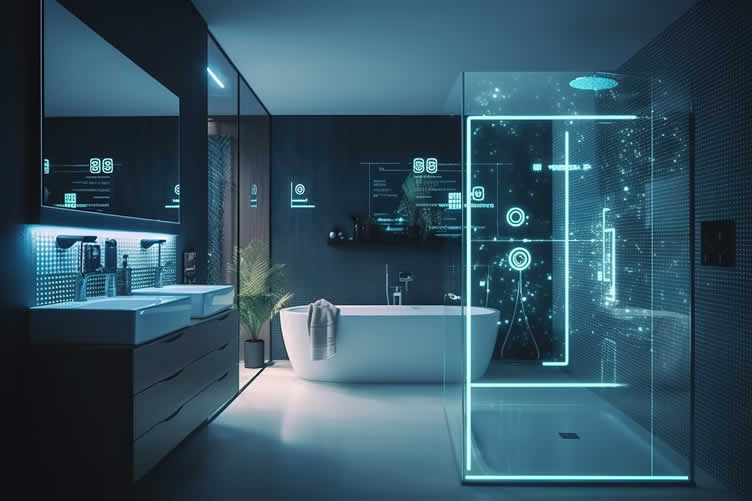
By carefully choosing and integrating these smart devices into your home, you can create a seamless, efficient, and customized home automation setup that boosts convenience, security, and energy savings.
copyright image by 123rf.com
-
-
4th Smart Home: Setting Up Your Home Automation
Setting up your home automation system can feel overwhelming at first, but with the right approach, you can efficiently create a smart home tailored to your needs. A thoughtfully planned home automation setup enhances convenience, security, and energy efficiency, transforming your living space into an intelligent ecosystem.
Below are some key steps and tips to help guide you through a successful implementation.
-
Evaluating Your Needs
Before investing in devices or systems, take the time to evaluate your specific needs and priorities for a home automation setup. Determine the areas of your home that could benefit most from automation, such as lighting, climate control, security, or entertainment.
Understanding your requirements will help you select compatible and high-performing devices that provide the greatest value.
-
Choosing a Central Hub
A crucial part of your home automation setup is choosing a central hub or platform to manage your devices. Popular choices include smart hubs like Samsung SmartThings or voice assistants such as Amazon Alexa and Google Assistant.
Ensure that the hub you select is compatible with the majority of the smart devices you plan to use, as this will allow for seamless integrations and centralized control.
-
Ensuring Device Compatibility
When selecting smart devices, it is vital to confirm that they are compatible with your chosen hub or platform. Many devices support multiple standards, such as Zigbee, Z-Wave, or Wi-Fi, but not all brands work together.
Verify the compatibility details beforehand to avoid potential integration issues. Opting for devices within the same ecosystem or brand can also help streamline your setup and reduce troubleshooting in the long run.
-
Focusing on Connectivity
Strong and reliable connectivity is the backbone of any home automation setup. Ensure your Wi-Fi network can support multiple devices operating simultaneously.
Consider investing in a mesh Wi-Fi system if your home has areas with weak signal strength. This will ensure consistent performance and reduce connectivity issues as you expand your automation system.
-
Starting Small and Expanding Gradually
If you’re new to home automation, it’s best to start with a few key devices before scaling up. For instance, install smart lighting or a programmable thermostat for immediate convenience and energy savings.
Once you’re comfortable managing these systems, you can expand your automation setup to include advanced options like smart security cameras, door locks, or even connected kitchen appliances.
-
Prioritizing Security and Privacy
When implementing a home automation setup, security should be a top priority. Choose devices from trusted manufacturers that offer regular firmware updates to address potential vulnerabilities.
Additionally, set strong passwords for all accounts and enable two-factor authentication wherever possible to safeguard your system against unauthorized access.
-
Tips for a Smooth Setup
- Follow Manufacturer Instructions:
Carefully read and follow the setup instructions provided by the manufacturer to avoid installation errors. - Label and Organize:
Label devices and organize cables to prevent unnecessary confusion during setup and troubleshooting. - Test as You Go:
Set up and test each device individually to ensure it functions correctly before adding more to your system. - Ask for Help if Needed:
Don’t hesitate to consult online resources, user forums, or professionals if you encounter setup challenges. - Note
Smart thermostats may require professional installation to integrate it with your HVAC system. Consulting a trained technician can ensure proper setup and compatibility, avoiding potential issues with your heating and cooling system. - Note:
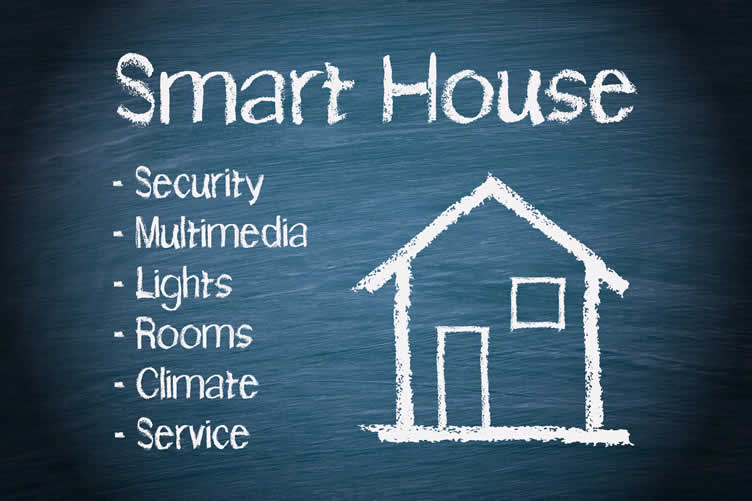
Managing multiple devices can get complicated, which is where a smart home hub comes in. Hubs serve as the central brain of your system, allowing you to control everything using a single app or voice assistant. A hub makes it easier to create "scenes" or routines—for example, a “goodnight” mode that turns off lights, lowers the thermostat, and locks doors simultaneously.
- Follow Manufacturer Instructions:
copyright image by 123rf.com
[ youtube: How Set Up Home Automation Ideas ]
[ youtube: Smart Home Automation: Ultimate Beginner’s Guide ]
-
-
5th Smart Home: Testing and Troubleshooting Your Setup
Setting up a smart home system can be a rewarding process, but it’s not without its challenges. Testing and troubleshooting are essential steps to ensure that all your smart devices are functioning harmoniously.
By systematically testing each component and addressing potential issues, you can save time, avoid frustration, and ensure your system operates efficiently. Below are some best practices divided into key areas of focus to help you test and troubleshoot your setup successfully.
-
Test Each Device Individually
When integrating new devices, test them one at a time before connecting them to your network or smart home hub. This allows you to confirm that the device is fully functional and compatible with your existing system.
For instance, ensure that lights respond accurately to commands or that a smart lock reliably opens and closes. Testing devices individually helps isolate problems early and simplifies troubleshooting.
-
Verify Network Stability
A strong and stable Wi-Fi network is the backbone of a smart home system. Test your network’s signal strength in the areas where your smart devices are installed. Weak signals can cause connectivity issues, leading devices to malfunction.
Use tools like a Wi-Fi analyzer app to identify dead zones or areas with poor signal strength and consider adding range extenders or a mesh Wi-Fi system if necessary.
-
Perform Routine Firmware Updates
Smart devices often receive firmware updates that improve functionality or introduce enhanced security features. Regularly check for and install these updates while testing your setup.
Outdated firmware can cause incompatibilities or bugs that affect performance. Keeping all devices updated ensures optimal operation and prevents potential issues.
-
Simulate Common Scenarios
Test your setup by simulating scenarios you’d encounter in daily use. For example, try the “goodnight” routine to ensure all connected devices perform their assigned tasks, such as dimming the lights, locking doors, and setting the thermostat.
By simulating these actions, you can identify and address any gaps or errors in your setup.
-
Monitor Logs and Notifications
Some smart devices and hubs include logging features or send notifications when errors occur. Regularly review these logs to identify problems such as devices disconnecting or systems failing to execute commands. This proactive approach allows you to spot and resolve minor issues before they escalate.
-
Reset and Reconfigure as Needed
Occasionally, devices may encounter persistent issues that require a reset or reconfiguration. When troubleshooting, don’t hesitate to follow the manufacturer’s instructions to reset the device and pair it again. Reconfiguring a device often resolves problems related to miscommunication or corrupted settings.
By following these best practices, you can ensure that your smart home setup operates seamlessly, providing convenience and peace of mind. Prioritize testing during installation and practice regular troubleshooting to maintain a system you can rely on.

copyright image by 123rf.com
[ youtube: Testing entire Smart Home with NO internet ]
[ youtube: your home automation SUCKS!! ]
-
-
6th Smart Home: Setting Up Automation Flows
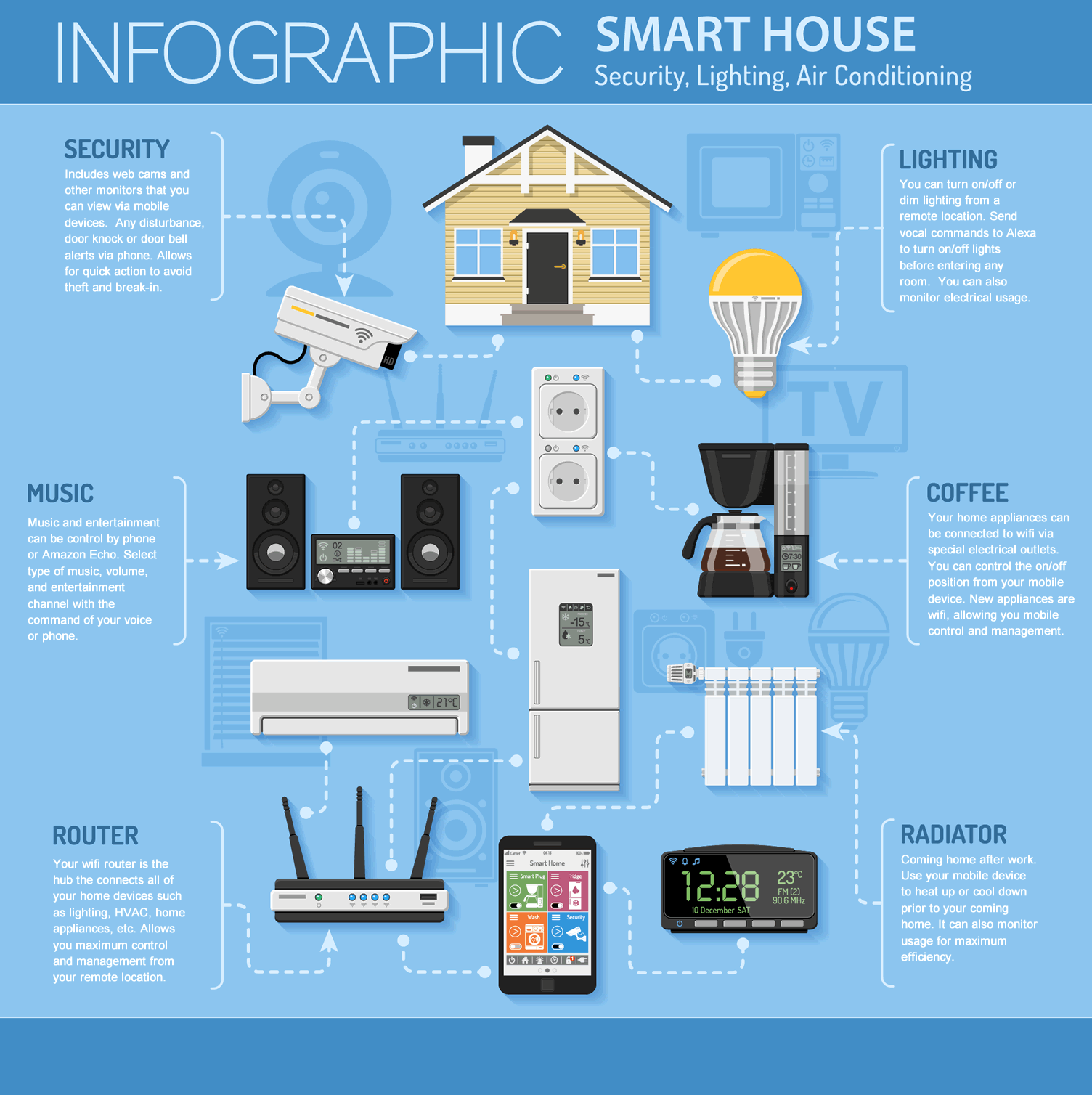
Automation flows are the backbone of any effective smart home setup, allowing devices and systems to work together seamlessly to create a customized and efficient living space. By setting up automation flows, you can ensure that your home responds intelligently to your daily routines, preferences, and immediate needs.
Below are some examples and guidelines for setting up automation flows that enhance convenience, energy efficiency, and security.
-
Morning Routine Automation
Start your day off right with a smart morning routine. Configure your smart home system to gradually turn on the bedroom lights at a set time, mimicking a sunrise to help you wake up naturally. At the same time, pair this with a smart speaker that plays your daily news briefing or a relaxing morning playlist.
You can also set your smart thermostat to increase the indoor temperature slightly, ensuring a comfortable atmosphere as you get out of bed. Connecting a smart coffee maker to start brewing as you wake up adds an extra level of convenience to your mornings.
-
Energy-Saving Automation
Smart home automation can play a significant role in reducing energy consumption. Create a flow that turns off lights and unnecessary appliances when you leave the home.
Use motion sensors to automatically switch off lights in unoccupied rooms or program your smart thermostat to lower the temperature when no one is home. Additionally, during peak sunlight hours, smart blinds or shades can close automatically to keep your home cool, reducing the workload on your HVAC system.
-
Enhanced Home Security Automation
Automation flows can significantly improve the security of your home. For example, set up a flow that locks all smart locks and arms the security system when you say a custom voice command like "Goodnight" to your smart speaker.
Combine smart doorbells and motion-activated cameras to send alerts to your smartphone whenever someone approaches your property. Additionally, simulate occupancy when you’re away by programming your lights to turn on and off at random intervals throughout the evening.
-
Relaxation and Entertainment Automation
For moments of relaxation or entertainment, configure a "movie night" automation flow. This might involve dimming the lights, lowering smart blinds, and tuning your smart TV to your favorite streaming service with a single command.
Similarly, you can program smart speakers throughout your home to play calming music or white noise when you want to unwind, while ensuring non-essential devices are powered down to create a serene atmosphere.
By thoughtfully planning and implementing these automation flows, you can make your smart home system an integral part of your day-to-day life. Experiment with different setups to refine the flows and achieve the perfect balance of functionality and convenience.
copyright image by 123rf.com
[ youtube: 10 VERY Practical Home Automation Ideas! ]
[ youtube: Safeguard home With a Nightly Shutdown Routine ]
-
-
7th Smart Home: Securing Automation from Outside Hackers
A connected smart home offers unparalleled convenience, but with increased reliance on technology comes the need for robust security measures. Home automation systems can become targets for hackers if not properly secured, potentially compromising your privacy and disrupting your household.
By taking proactive steps and implementing best practices, you can protect your smart home from external threats and ensure your data remains safe.
-
Strengthen Your Network Security
The foundation of any smart home system is its network, making it essential to secure your Wi-Fi. Begin by setting a strong, unique password for your router and avoid using default credentials. Enable WPA3 encryption if supported, as it provides the latest security protocols for modern networks.
Additionally, create a separate network for your smart devices and keep it isolated from your primary devices, such as personal computers and smartphones. This segmentation reduces the risk of compromising critical data if one device is breached.
-
Keep Firmware and Software Updated
Regularly update the firmware and software on all your smart home devices to address security vulnerabilities. Manufacturers frequently release updates to patch flaws and improve functionality.
Many devices offer an automatic update option—enable this feature whenever available to ensure you receive the latest security fixes without delay.
-
Use Strong, Unique Passwords for Each Device
Avoid reusing passwords across multiple devices or services. Create strong, unique passwords for each smart home component to reduce the chance of hackers gaining access by exploiting one weak link.
Consider using a reputable password manager to generate and store complex passwords securely.
-
Enable Two-Factor Authentication (2FA)
Whenever possible, activate two-factor authentication for your smart home accounts. 2FA adds an extra layer of protection by requiring a second form of verification in addition to your password.
This could be a code sent to your smartphone or generated by an authenticator app, making it significantly harder for hackers to access your accounts.
-
Monitor and Limit Device Access
Review the permissions and account settings for each smart home device. Remove unused user accounts and avoid granting unnecessary access to third parties.
Many devices allow you to view a log of activities—use this feature to monitor any suspicious behavior and respond promptly to potential threats.
-
Invest in Security-Focused Devices
Choose smart home devices from reputable manufacturers that prioritize security. Look for devices with features such as encrypted communication, regular updates, and integrated security protocols.
Research reviews and technology certifications to confirm that the product meets high-security standards.
-
Use a Virtual Private Network (VPN)
A VPN can further secure your smart home by encrypting your internet traffic, making it more difficult for hackers to intercept your data. Consider configuring a VPN directly on your router to protect all devices connected to your home network.
This approach provides an added layer of security without requiring individual configuration for each device.
By implementing these strategies, you can significantly enhance the security of your home automation system and enjoy the convenience of smart technology with peace of mind. Stay vigilant and periodically review your security measures to stay ahead of evolving threats.

copyright image by 123rf.com
[ youtube: 3 Ways Secure Your Smart Home Network ]
[ youtube: Smart Home Security – VLANs and Firewalls ]
-
-
8th Smart Home: Common Issues and Troubleshooting Steps
Even in a well-organized smart home automation setup, users may occasionally encounter challenges that hinder smooth operation. Addressing these common issues promptly and systematically is essential to maintain a reliable and efficient smart home environment.
Below, we outline some common issues and provide troubleshooting steps to help you resolve them effectively.
-
Connectivity Problems
Connectivity problems are among the most frequent issues in smart home setups. Devices may fail to connect to the hub or lose their connection over time. To troubleshoot, begin by ensuring that the affected device is within the recommended range of your Wi-Fi router or hub.
Weak signals can cause intermittent connectivity. Restarting both the device and the hub can often resolve temporary issues. Additionally, check for overlapping frequency bands if using a dual-band router and ensure your devices are connected to the correct one (2.4 GHz or 5 GHz, as many devices prefer 2.4 GHz).
-
Device Compatibility
Compatibility can be a roadblock when incorporating new gadgets into your home automation setup. Not all devices work seamlessly with every hub or assistant. Verify whether the device supports the ecosystem or protocols used in your setup, such as Zigbee, Z-Wave, or Wi-Fi.
Firmware updates can also improve compatibility issues, so make sure both your hub and smart devices are running the latest software versions. When in doubt, consult the manufacturer’s compatibility lists or support documentation.
-
Network Stability
A stable and reliable network is the backbone of a functioning smart home. Network disruptions can lead to delayed responses or even unresponsive devices. Start by performing a speed test on your internet connection to ensure adequate bandwidth.
High traffic on the network may also cause slowdowns, so consider upgrading your router or adding a mesh Wi-Fi system to improve coverage and speed. It is also a good idea to assign static IPs to critical devices to avoid conflicts.
-
Technical Glitches
Even with proper connections and compatibility, devices might still experience technical glitches. These could manifest as unexplained behaviors, such as commands not being executed correctly. To address this, begin by rebooting the affected devices or performing a soft reset.
If the problem persists, review the manufacturer’s troubleshooting guide for device-specific instructions. Sometimes, a full reset and reconfiguration may be necessary to clear corrupted settings or memory.
-
Other Challenges
Other less common issues, such as signal interference or power disruptions, can also impact a smart home automation setup. Signal interference may stem from physical barriers or competing electronic devices. To mitigate this, try repositioning either the hub or the affected device.
Power disruptions can cause devices to turn off unexpectedly—invest in an uninterruptible power supply (UPS) for critical components to avoid unexpected shutdowns and data loss.

copyright image by 123rf.com
[ youtube: Smart Home Troubleshooting Tips ]
[ youtube: Home Assistant Beginner MISTAKES to Avoid! ]
-
-
9th Smart Home: Future-Proofing Your Home Automation
Investing in a home automation setup is not just about convenience and efficiency today; it’s about ensuring your system remains functional, adaptable, and secure for years to come. A future-proof home automation system requires careful planning and a proactive approach to updates, integration, and expansion.
By focusing on key areas such as security, optimization, and adopting emerging technologies, you can make your home automation setup prepared for whatever the future holds.
-
Keeping Your System Up-to-Date and Secure
Security should be a top priority when it comes to your home automation setup. Regularly updating your devices and software ensures your system benefits from the latest security patches and features. Many smart devices offer automatic updates, but it’s essential to verify that they are enabled and functioning properly.
Additionally, using strong, unique passwords for each device and enabling multi-factor authentication can significantly reduce the risk of unauthorized access. Investing in a secure router and regularly reviewing network configurations can further safeguard your setup.
-
Optimizing and Expanding Your Setup
A future-proof home automation system allows for seamless optimization and expansion over time. Begin by selecting a centralized platform or ecosystem that supports a wide range of devices to avoid compatibility issues.
Keep scalability in mind by choosing modular systems that can grow with your needs; for instance, smart lights, thermostats, or sensors that can easily be added to different rooms. Regularly assess your daily routines to identify areas where automation could add more value, and adjust or enhance your setup accordingly.
-
Integrating New Technologies
Technology evolves rapidly, and integrating new advancements into your home automation setup is vital for staying ahead of the curve. Keep an eye on emerging trends like artificial intelligence (AI), voice assistants, and advanced machine learning systems that can tailor automation to your preferences.
Devices that support interoperability standards like Matter or Zigbee enable streamlined additions and communication across platforms. Staying updated on latest technologies ensures your system remains innovative and capable of handling future demands.
-
Preparing for Other Developments
Future-proofing also includes anticipating broader changes, such as environmental sustainability and energy efficiency. Look for devices that support energy monitoring or automation features designed to reduce power consumption.
Consider adopting renewable energy solutions, such as integrating solar panels into your system with automated energy distribution. These steps not only enhance your setup’s longevity but also align with shifting global priorities toward sustainability.
By actively maintaining and upgrading your home automation setup, you can keep it secure, efficient, and ready for the technological advances of tomorrow. A future-proof system grows with your household and ensures that your investment continues to deliver value over time.

copyright image by 123rf.com
[ view diagram: future of home automation ]
[ youtube: Smart Homes of the Future ]
-
-
10th Smart Home: Getting Some Help!
Setting up a smart home can be an exciting yet complex endeavor. While many platforms advertise user-friendly interfaces, integrating various devices and customizing them to suit your specific needs often require a deeper understanding of technology.
Whether you’re new to the world of smart homes or seeking to refine your setup, enlisting the help of a professional advisor can streamline the process. Experts in home automation can transform overwhelming technical tasks into a seamless experience, ensuring your system operates flawlessly from the start.
Below are some key areas where a professional advisor can assist.
-
Device Compatibility and Selection
Understanding device compatibility is one of the most crucial elements when building a smart home. Professional advisors can help identify which devices work best with your chosen platform, preventing future issues caused by incompatible technologies.
They draw on their expertise to recommend reliable solutions that fit your specific needs while ensuring seamless integration across your entire home automation ecosystem.
-
Tailored System Design
Professional advisors excel at designing systems tailored to your unique lifestyle. Instead of generic setups, they can create detailed automation workflows, specifying how and when devices interact based on your preferences.
From scheduling lights and climate control to designing complex entertainment setups, they ensure your smart home operates exactly as you envisioned.
-
Installation and Configuration Assistance
Setting up multiple smart devices can be time-consuming and technically challenging, particularly if manual configurations are required. Advisors with expertise in home automation can handle installation and configuration for you.
They ensure devices are correctly installed, securely connected to your network, and calibrated to operate efficiently. This service minimizes technical errors and optimizes performance.
-
Troubleshooting and Ongoing Support
After installation, technical glitches or connectivity issues can arise. Professional advisors provide ongoing support to keep your system running smoothly.
They are equipped to quickly diagnose and resolve issues, providing you with peace of mind. Their expert guidance ensures your smart home remains efficient and frustration-free over time.
Seeking professional help not only simplifies the process but also maximizes your investment in smart home technology. With the right expertise, you gain confidence knowing your system is designed and implemented to deliver convenience, security, and enjoyment in every aspect of your daily life.
LetsRenovate has partnered with HomeAdvisor™, a renowned provider of highly-rated, carefully-vetted home automation setup professionals. Start your search here by entering your zip code to find local professionals.
copyright image by 123rf.com
But Wait!
Before starting your search and evaluation of home automation contractors, it is highly recommended to download and use this evaluation worksheet.
This resource will help you objectively rank and assess potential contractors, considering essential factors such as pricing, licensing, and referral information.

Evaluation Sheet
File Type:
-
-
Conclusion: Make Your Home Smarter
By planning wisely, choosing the right devices, and staying up-to-date with new technologies, you can transform your home into a smarter, more efficient space. Home automation doesn’t just add convenience—it enhances your quality of life.
Now that you know how to get started, why wait? Begin your home automation setup today, and share your progress with our community for inspiration and tips. Together, we can make smarter, more connected homes a reality.
-
Quick scroll to more interior home utility management ideas …

-
ideas to view and compare from the photo above
book: smart home automationsmart home entrancesmart control panel
- What comments can you share about
home automation 101 that you have installed?

addressing home automation 101 and other home improvement needs …

… grab this directory of ideas for future use
… remodeling decisions






… home remodeling – improvement – repair

Budgeting Worksheet For Costing Home Remodeling and Home Improvement Decisions
 File Type (excel)

SHARE IT ..! You might have someone in your social network who could find this informative post about home automation 101: setting up home automation valuable. Feel free to share it on Facebook, X (formally Twitter), LinkedIn, or Pinterest!


Calendar For:
Home Maintenance
File Type:




get the size dimensions for any home remodeling project …

… for functionality, aesthetics, and adhering to building codes
… view illustration “becoming a bank”
… view our sharing links below for a quick "share the knowledge"
Quick Contractor Guides selecting negotiating working with inspecting
Cover image credit: home automation 101 by 123rf.com
end of post … please share it!
 |
did you find this home automation 101 analysis helpful? If so, please share the article with your friends and family! |
Nice pic idea? Leave us a quick comment below.
And please share this pic idea within your social networks.