Spec PlanU: Other Amenities
what's on this page
Introduction
-
home automation
-
home security
-
utility management
-
getting started
related topics
planning forms
navigate

 introduction
Amenities are additions to the home such as home automation, security, and utility management. These are items that are not necessarily required, but important home upgrades for a future home.
Page Topics:


 planV: landscaping
 planT: green living
 First Topic: Home Automation
 spec plan-U: other amenities
Spec Plan U: Home Automation
what you need to do —
Home automation is where you automated household devices such as lighting, HVAC, window blinds, appliances, etc.
Many home-related items are becoming smart devices, where you can control the following by using your mobile device and/or home pad:
- Lighting Controls:
turn on/off lighting - and scheduling lighting to come on or off at certain schedules. This requires smart switches and sockets. - Climate Controls:
using smart thermostats to monitor HVAC controls and scheduling and also energy management systems. - Home Management:
opening and closing window shades and scheduling, remote sprinkler systems, green energy, and other home management. - Appliances:
there are smart refrigerators, dishwashers, ovens, counter appliances, washer/dryers where you can operate your appliance remotely.
With smart refrigerators, you can review food items and make online food orders. - Entertainment:
includes smart TVs and smart speaker systems that can be control remotely.. - Home Safety:
smart home security systems and surveillance cameras that can be controlled and monitored remotely. - Health Management:
virtual assistants and monitoring systems for child and elderly parents.
Automation requires the correct wiring with wifi connected sockets and switches - something you would like to plan for when remodeling a room.
| Home Automation System (google images) | ||
| Automation Ideas | view ideas | |
| - Controller | view ideas | |
| - Smart Hub | view ideas | |
| - Smart Switches | view ideas | |
| - Smart Sockets | view ideas | |
| - Home Assistants | view ideas | |
| - Control Pads | view ideas | |
| view this guide for making your home smart | |
| making your home smart with these simple ideas | |
Visit our Home Improvement Showcase:


Ideas for Home Automation
Analyzing Home Automation Ideas addressing:
| additional information | |
 |
topics: home automation |
|
planning: home safety and automation |
|
best sellers: home security |
 spec plan-U: other amenities
Home Security
what you need to know —
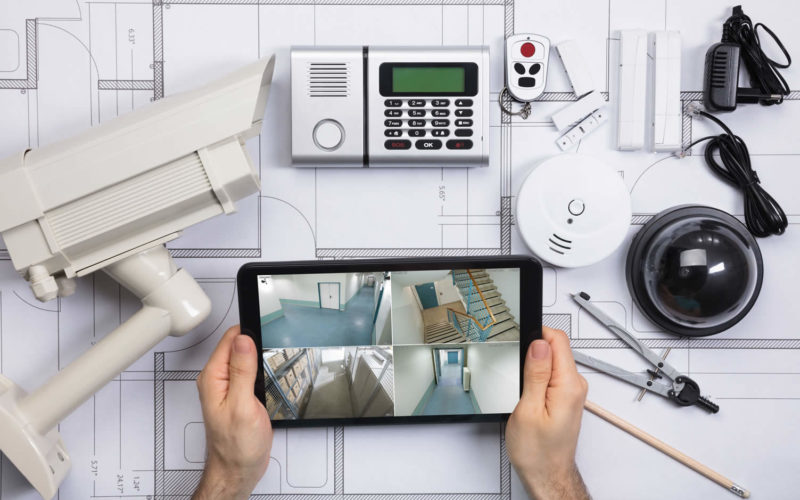
Home security includes both wired and wireless systems that can secure your home and property. These security systems include the following:
- Doors and Windows Sensors:
sensors that detect door opening, window opening, and window breaking - Climate:
smoke alarms, carbon dioxide, radon, and other gas monitoring systems and warning.
Other climate controls include water leakage monitoring, humidity sensors, and other comfort and safety. - Motion Detection:
lights that turn on automatically inside and outside of home with motion - Monitor Cams:
small monitoring cameras placed strategically through the home to monitor intrusion or family/child safety.. - Surveillance Cameras:
mounted outside to monitor activity that may occur on the property - Security Services:
24/7 monitoring with notification to authorities of any intrusion or danger. - Other:
fire proof safe boxes for key documents; safety boxes for valuables and guns; home safe for other valuable items; fire escape ladders for upstairs rooms.
| what are the advantages of home security | |
| six advantages of home security systems | |
Visit our Home Improvement Showcase:


Ideas for Home Security
Analyzing Home Security Ideas addressing:
| additional information | |
|
topics: home automation |
|
planning: home safety and automation |
|
best sellers: home security |
 spec plan-U: other amenities
Utility Management
Utility management is the management of home utility needs that help you manage your family.
For example:
Family Command Center:
A place where scheduling calendars and family chore lists are kept and managed.
This could be a wall-mounted board or monitor that list all the needs for family members:
- dental and doctor appointments
- school meeting and events
- parent business travel
- child overnight travel
- all other important schedules
- chore list by family member and need
- medicine intake schedule
- church and community events and needs
- all other necessary events and to-dos
If you setup the command center electronically, you can use a large wall monitor that lists the appointments, to-dos and chores for the day and send that information to everyone's electronic device as a reminder.
There are plenty of apps and programs that will make running a command center very efficiently.
Most households maintain there command center in the kitchen - the focal gathering area for the family. That may be true if you use a wall board or chalk board.
But if you have a walk-in utility room, that may be a better location if the command center is setup electronically.
| what to know and need for a command center | |
| Kitchen Command Center | |
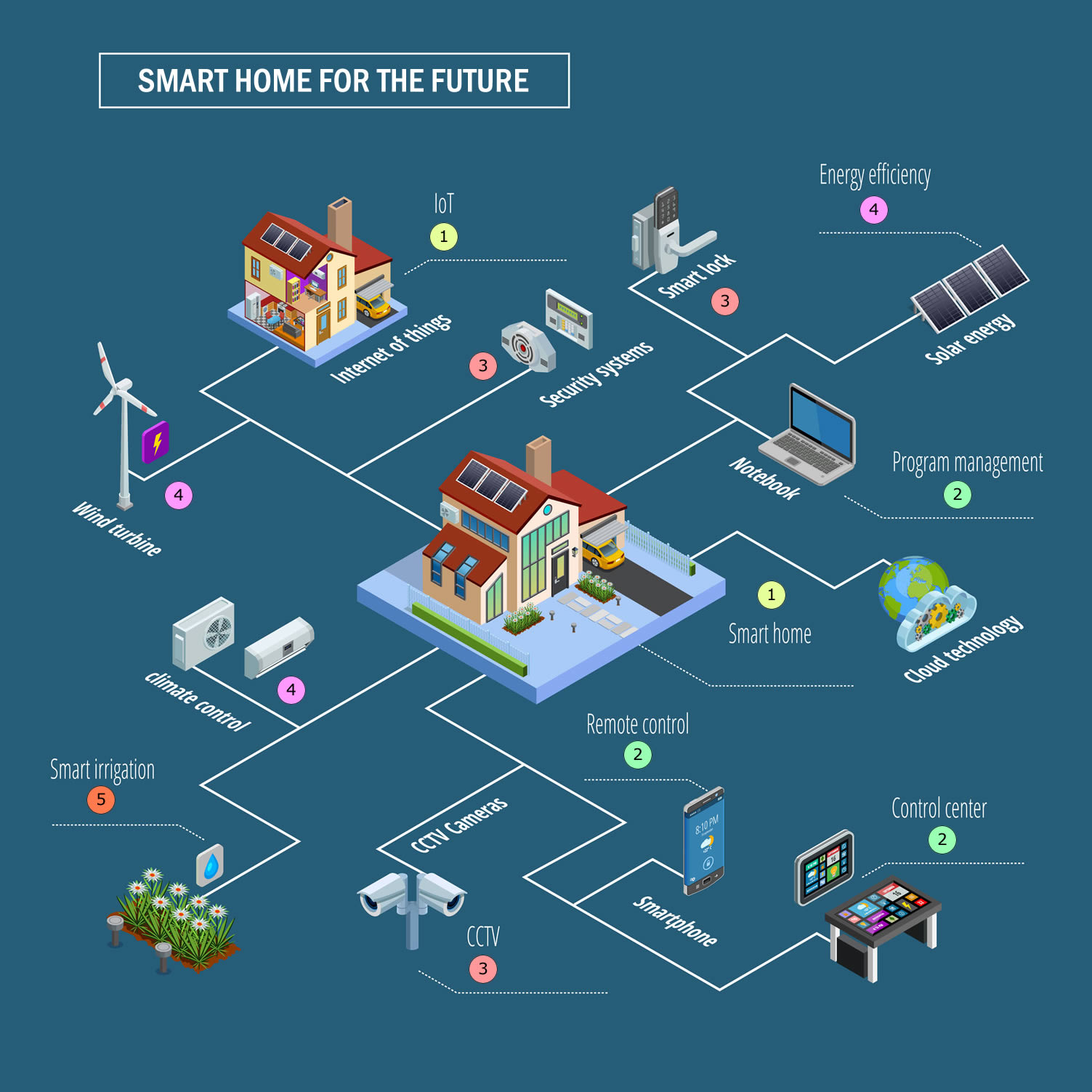
Managing Home IoT (Internet of Things)
IoT is the design of the future home - where everything is managed and control by the internet.
The utility room will become the control center where you manage the following:
- home security system and safety
- CCTV monitors and recording
- HVAC and climate controls
- alternative energy using solar and wind
- smart irrigation controls
- household appliance monitoring
- program management
All of these IoT devices and controls will be connected to cloud for monitoring and management from any device you have no matter where in the world you are located.
| learning more about IoT | |
| What a Future Smart Home May Look Like | |
Other Family Utility
A room where other family needs and safety are stored and maintained:
- collection and sorting of mail
- recycling management
- 72-hour family kit
- emergency kit
- fire escape plan
- storing of household items such as scissors, glue, packing tape, rubber bands, and the works
- suntan lotions, insect repellents, and other outdoor topical supplies
- all other "stuff" that family members may use - all neatly organized.
Visit our Home Improvement Showcase:



Ideas for Home Utility
Analyzing Home Utility Ideas addressing:
| additional information | |
|
topics: home utility |
|
best sellers: home security |
spec plan-U: other amenities
Getting Started
Step 1: develop the plan
- take a completed draft of the spec sheet to your architect or survey, who will can customize home management plan or revise an existing plan that meets your specs.
- use your spec sheet to bid the automation/security/utility project to contractors
 |
other amenities spec sheet |
Step 2: get required building permits
- It will either be up to you or the contractor to obtain each permit.
all about permits - Check with your local jurisdiction regarding site and change permits:
local government for permit information
Step 3: find pre-screened contractors and other service providers
| Find Home Network Services | |||
| Networks/Phone | Computers/ Media | ||
| Home Automation | Electrical Wiring | ||
| Interior Designers | Furniture | ||
| top-rated, pre-screened local contractors | |||
 |
FREE: download contractor selection | ||
| enter zip code - powered by HomeAdvisor ™ | |||
spec plan-U: other amenities
Related Topics
(opens new window)


 spec plan-U: other amenities
 |
Planning Forms
Quick Scroll
|
 navigation
 |
Use side navigation to move to any section within our vast network.
View Next:
|