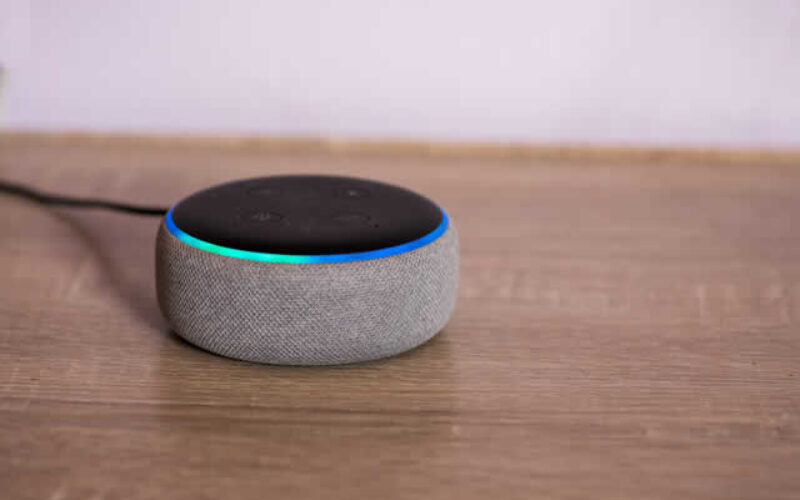
But what if your home could lend a helping hand?
Imagine a living space that listens to your needs, brightening the hallway when you ask or securing the perimeter with a simple goodnight phrase. This isn’t science fiction anymore; it is the reality of modern, voice-controlled home automation.
Creating a responsive home environment is less about chasing the latest high-tech gadgets and more about crafting a space that works in harmony with your lifestyle. Voice control acts as the bridge between you and your home, offering a level of convenience and accessibility that was once unimaginable.
It allows you to orchestrate the mood, temperature, and security of your sanctuary without lifting a finger, giving you more time to focus on the moments that truly matter.
For those ready to dip their toes into this world, the process might seem slightly intimidating at first. There are various ecosystems, protocols, and devices to consider. However, setting up a voice-controlled home is actually a logical, step-by-step journey that anyone can master.
We are here to guide you through connecting and operating your devices, ensuring your transition to a sm
- post content
- Introduction To Voice-Controlled Home Automation
- Choosing The Right Voice Assistant
- Setting Up Your Voice-Controlled Device
- Connecting Smart Lighting Systems
- Integrating Home Security Systems
- Managing Thermostats And HVAC Systems
- Expanding Your Smart Home Ecosystem
- Troubleshooting Common Issues
- The Future Of Voice-Controlled Home Automation
- conclusion
- view table:content summary
- view notes:collective tips
- view ideas:latest remodeling analysis
- view post (new win):Meet Your New Home Robots
Introduction To Voice-Controlled Home Automation
Voice-controlled home automation centers on the concept of a smart hub. This hub, often a smart speaker or a smart display, serves as the central brain of your operation. It listens for specific "wake words" and translates your spoken commands into digital signals that other devices understand.

When you speak to the hub, it communicates with your smart bulbs, thermostat, or locks via your Wi-Fi network or other communication protocols like Zigbee or Z-Wave.
The beauty of this technology lies in its ability to centralize control. Rather than opening five different apps on your phone to dim the lights, check the temperature, and lock the door, you can accomplish all these tasks through a single interface: your voice.
This centralization fosters a sense of ease and flow within the home. It is particularly helpful for those with mobility challenges or simply for busy parents who need an extra set of hands.
Understanding that these devices are always listening for their wake word is important for privacy. Most reputable manufacturers include physical mute switches and rigorous privacy controls within their apps, allowing you to manage how your data is stored.
Being informed about these features ensures that you can enjoy the benefits of automation while maintaining peace of mind regarding your family’s privacy.

Choosing The Right Voice Assistant
Selecting a voice assistant is the foundational step in building your ecosystem. This choice will largely dictate which devices are compatible with your home and how you interact with them. The three primary contenders in this space each have unique strengths, and the right choice often depends on the technology you already use and love.
Amazon Alexa is widely regarded for its broad compatibility. If your priority is connecting a vast array of different devices from various brands—from obscure smart plugs to high-end appliances—Alexa is a robust choice. The Echo line of speakers is diverse, offering options for every budget.
Alexa is excellent at handling specific smart home commands and routines, making it a favorite for those who want to tinker and customize their setup heavily.
Google Assistant is often the preferred choice for those deeply integrated into the Android or Google ecosystem. Its standout feature is its ability to answer questions and provide information, leveraging Google’s massive search engine database.
If you want a helper that can manage your calendar, check traffic for your commute, and answer complex queries while also turning off the lights, Google Nest devices are incredibly capable.
Apple HomeKit and Siri appeal to those who prioritize privacy and are already using iPhones, iPads, or Apple Watches. While the list of compatible devices is smaller compared to Alexa or Google, the integration is often smoother and more secure.
Apple places a heavy emphasis on encryption and local processing. If you want a system that feels like a natural extension of your phone, and you appreciate a streamlined, highly secure experience, sticking with Siri via a HomePod or Apple TV is a wise decision.
Setting Up Your Voice-Controlled Device
Once you have selected your assistant, the physical setup is your next milestone. We recommend placing your smart speaker or display in a central location where you spend the most time, such as the living room or kitchen.
Avoid placing it right next to a television or a noisy appliance, as background noise can sometimes interfere with the device’s ability to hear your commands clearly.
The setup process almost always involves downloading the companion app for your chosen platform—the Alexa app, Google Home app, or Apple Home app. These applications act as the dashboard for your entire system.
You will need to plug in your device, open the app, and follow the on-screen prompts to connect the device to your Wi-Fi network. This connection is the lifeline of your smart home, so ensure your Wi-Fi signal is strong in the area where you place the hub.
During this initial phase, take a moment to train the device to recognize your voice. most assistants have a "voice match" feature. This allows the device to distinguish between you and other family members, enabling personalized results.
For example, if you ask "what’s on my calendar," it will give you your schedule, not your partner’s. This small step adds a layer of personalization that makes the technology feel much more intuitive and helpful.

Home Automation 101: How to Set Up Your Smart Home
Imagine waking up to the perfect temperature, lights that know when to turn on, and security cameras that give you peace of mind—all seamlessly working together. Welcome to the world of home automation!
Connecting Smart Lighting Systems
Lighting is the most popular entry point for home automation because the impact is immediate and visually satisfying. You have two main options here: smart bulbs or smart switches. Smart bulbs are excellent for lamps and fixtures where you want the ability to change colors or color temperatures.
Smart switches are better for controlling overhead lights that are operated by a wall switch, ensuring the smart functionality works even if someone flips the physical switch.
To connect your lighting, you will first install the bulb or switch according to the manufacturer’s instructions and pair it with its native app (like Philips Hue or LIFX). Once the light is online, you then link that native app to your voice assistant’s app.
In the Google Home or Alexa app, you will look for an option to "add a device" or "link a service." Once linked, your voice assistant will "see" the lights.
Naming your devices clearly is crucial for frustration-free voice control. We suggest using simple, descriptive names based on the room and the specific light. "Living Room Lamp" is much easier for your assistant to understand than "Light 3." You can also group lights together.
By creating a "Kitchen" group, you can simply say, "Turn off the kitchen lights," and the system will extinguish every fixture in that zone, creating an instant atmosphere of calm.
Integrating Home Security Systems
Bringing your security system under voice control adds a layer of reassurance to your daily routine. This integration typically includes smart locks, video doorbells, and security cameras. Imagine being tucked into bed and realizing you aren’t sure if the front door is locked.
Instead of getting up, you can simply ask your assistant to lock the door, and it will confirm the action for you.
For video doorbells and cameras, smart displays with screens offer significant advantages. When someone rings the doorbell, you can ask your assistant to "show me the front door," and the live video feed will appear on your smart display (or even your TV, depending on your setup).
This feature is incredibly helpful for screening visitors or keeping an eye on package deliveries without abandoning your cooking or work.
When setting up security devices, pay close attention to the specific integration steps within your assistant’s app. You may need to enable a security PIN for unlocking doors via voice command.
This is a vital safety feature that prevents an intruder from simply shouting "unlock the front door" through a window. We encourage you to enable all available verification steps to keep your sanctuary secure.

Affordable Home Security Tips: From Least to Most Expensive Options To Consider
Ensuring the safety and security of your home and family is a top priority for many homeowners. Fortunately, you don’t need to break the bank to achieve peace of mind.
Managing Thermostats And HVAC Systems
A voice-controlled thermostat serves both your comfort and your wallet. Devices like the Nest Learning Thermostat or the Ecobee integrate seamlessly with voice assistants to give you hands-free climate control. This is particularly useful when you are feeling chilly while reading on the sofa or if you want to cool down the house while you are busy exercising.
Installation usually requires some basic wiring knowledge, but many manufacturers provide excellent video tutorials to guide you through the process.
Once installed and connected to Wi-Fi, you link the thermostat to your voice assistant just like you did with the lights. You can then use commands like "set the temperature to 72 degrees" or "make it warmer in here."
Beyond simple adjustments, you can incorporate your thermostat into "routines" or "scenes." A "Good Morning" routine could automatically raise the temperature and turn on the lights when you wake up.
Conversely, a "Goodbye" command could lower the heat to an eco-friendly setting when you leave for work, ensuring you aren’t paying to heat an empty house. This harmonious blend of comfort and efficiency is where smart home technology truly shines.
Expanding Your Smart Home Ecosystem
Once you have mastered the basics, the possibilities for expansion are nearly endless. Smart plugs are an inexpensive way to bring "dumb" appliances into the fold. By plugging a standard coffee maker or a floor fan into a smart plug, you can turn them on and off with your voice. It is a wonderful way to breathe new life into older items you already own and love.
Window treatments are another frontier for automation. Smart blinds can be programmed to open with the sunrise or close during the hottest part of the day to keep your home cool. Controlling these with your voice feels incredibly luxurious and practical, especially for hard-to-reach windows.
Don’t forget about entertainment and cleaning. Robot vacuums can be commanded to clean specific rooms after a messy dinner, and smart TVs can search for content via voice commands.
As you add these devices, remember to keep your naming conventions simple and logical. The goal is to create an ecosystem that feels helpful, not cluttered or confusing.
Troubleshooting Common Issues
Even the most sophisticated systems encounter hiccups now and then. One of the most common issues is the "I didn’t catch that" response. This often happens if the device is placed too close to a noise source or if the Wi-Fi signal has momentarily dipped. If your device struggles to hear you, try moving it slightly away from walls or other electronics.
Connectivity issues can usually be traced back to the network. If a specific light or plug becomes unresponsive, check to see if your Wi-Fi router is too far away.
Mesh Wi-Fi systems are often a great investment for smart homes, as they blanket the entire house in a strong signal, ensuring that the smart bulb in the furthest corner of the bedroom stays connected.
Sometimes, a simple restart is the best medicine. Unplugging your smart hub or the problematic device for ten seconds and plugging it back in can resolve a surprising number of glitches.
We also recommend checking for software updates within the app regularly. Manufacturers frequently release updates to fix bugs and improve performance, ensuring your home keeps running smoothly.

AI Home Health Devices: Your Guide to Smart Wellness Technology
Whether you’re managing a chronic condition, optimizing your fitness routine, or simply taking a more proactive approach to health, AI home health devices offer unprecedented insights into your body’s patterns and needs.
The Future Of Voice-Controlled Home Automation
Looking ahead, the relationship between us and our homes is set to become even more intuitive. The industry is moving toward "context-aware" automation.
This means your home won’t just wait for a command; it will anticipate your needs based on time, weather, and your habits. Imagine the lights automatically adjusting to a warmer, cozier tone as the sun sets, without you saying a word.
Matter, a new connectivity standard, is also poised to revolutionize the landscape. It promises to make devices from different brands work together more reliably.
This means you won’t have to worry as much about whether a specific bulb works with Alexa or Google; eventually, they will all speak a common language. This fosters a more open and flexible environment for homeowners.
Artificial Intelligence continues to improve, making voice assistants more conversational and capable of understanding complex, multi-part requests. The future promises a home that feels less like a collection of gadgets and more like a helpful, invisible companion that supports your daily life with grace and efficiency.
Conclusion
Embarking on the journey of home automation is an exciting step toward a more comfortable and efficient living environment. By starting with a voice assistant and slowly integrating lighting, security, and climate control, you build a system that truly serves your needs.
Remember that you do not need to do everything at once. Start small, perhaps with a single smart speaker and a few light bulbs, and let your system grow organically as you become more comfortable with the technology.
Ultimately, the goal of voice control is to simplify the complexities of modern living. It is about creating a home that welcomes you, protects you, and responds to you. We encourage you to experiment, have fun with the process, and enjoy the profound sense of ease that comes from living in a home that listens.
other related analysis of interest: (new win)
Master Bedroom Trends for 2026: Designing Your Restorative Sanctuary
Mirror, Mirror on the Wall: A Complete Guide to Choosing the Right Reflective Glass
| Section | Description | Details |
|---|---|---|
| Transform Your Home With Voice Control | Overview of benefits of voice-controlled home automation | Introduces the concept of a responsive home that listens and adapts to user needs, enhancing convenience and accessibility for daily life. |
| Introduction To Voice-Controlled Home Automation | Centralized control using smart hubs | Describes how smart hubs like speakers and displays act as the brain, translating commands into actions for smart devices like lights, locks, and thermostats, centralizing home functionality. |
| Choosing The Right Voice Assistant | Selecting between different ecosystems | Explains varying strengths of Amazon Alexa, Google Assistant, and Apple HomeKit, including compatibility, privacy, and ecosystem integration, helping users choose the right fit for their needs. |
| Setting Up Your Voice-Controlled Device | Initial setup process | Details steps like placing the device, connecting to Wi-Fi, and training the assistant to recognize different voices for personalized results, ensuring seamless integration. |
| Connecting Smart Lighting Systems | Lighting as an entry point to smart homes | Describes how to connect smart bulbs and switches, set up apps, and use clear naming for devices and groups to simplify voice commands and enable instant control. |
| Integrating Home Security Systems | Adding security features to automation | Explains integration of smart locks, cameras, and video doorbells for convenience and safety, stressing the importance of security features like PINs for enhanced protection. |
| Managing Thermostats And HVAC Systems | Voice-controlled climate regulation | Describes installing smart thermostats like Nest or Ecobee, linking them to assistants, and creating routines for energy-efficient and comfortable living. |
| Expanding Your Smart Home Ecosystem | Options for further automation | Suggests adding smart plugs, blinds, robot vacuums, and entertainment devices to broaden the ecosystem, highlighting simplicity and practicality in expanding automation. |
| Troubleshooting Common Issues | Addressing common technical problems | Outlines solutions for connectivity and recognition issues, emphasizing strong Wi-Fi signals, restarting devices, and checking for software updates to ensure smooth operation. |
| The Future Of Voice-Controlled Home Automation | Emerging trends and advances | Highlights innovations such as context-aware automation, the Matter standard for connectivity, and improved AI capabilities for intuitive and seamless home experiences. |

Find Home Security Services Home Security Alarms Home Automation Generators Networks/Phone Computers/ Media top-rated, pre-screened local contractors FREE: download contractor selection enter zip code – powered by HomeAdvisor ™


Image credit: voice control by envato.com
end of post … please share it!
| more photo remodeling |
Jump Over to Our Photo Analysis Center for Ideas on
"Renovating Home"
|__________________________________________________________|
home remodeling surprise
find out where it might go - new win


Helpful article? Leave us a quick comment below.
And please share this article within your social networks.