The shift to remote work has made efficient home office storage and document management more critical than ever for maintaining productivity and peace of mind.
Creating an organized home office isn’t just about aesthetics; it’s about building a system that supports your work style while reducing stress and saving precious time. Whether you’re dealing with years of accumulated paperwork or starting fresh in a new space, the right combination of physical storage solutions and digital document management can transform your workspace into a streamlined environment that actually works for you.
This comprehensive guide will walk you through practical strategies for optimizing your home office storage, implementing effective document digitization systems, and creating an integrated approach that keeps everything at your fingertips while reducing clutter.
- post content
- Understanding Your Unique Storage Requirements
- Creating Efficient Physical Storage Systems
- Mastering Document Digitization Technology
- Leveraging Cloud Storage for Maximum Flexibility
- Building an Integrated Storage Ecosystem
- Optimizing Your Workspace Environment
- Creating Your Personalized Organization Strategy
- view table:content summary
- view ideas:latest remodeling analysis
- view key:collective notes
Understanding Your Unique Storage Requirements
Before diving into storage solutions, take time to evaluate your current situation honestly. Walk through your workspace and categorize everything you see—active projects, reference materials, archived documents, office supplies, and equipment. This assessment reveals patterns in how you actually work, not how you think you should work.

Consider which documents you access daily, weekly, or rarely. Important tax records might only surface once a year, while client contracts require frequent reference.
Understanding these usage patterns helps determine what deserves prime real estate in your physical space versus what can be digitized or stored remotely.
Pay attention to your workflow habits as well. Do you prefer spreading documents across your desk while working, or do you focus on one project at a time?
These preferences will influence whether you need extensive horizontal workspace or can optimize for vertical storage solutions.

Creating Efficient Physical Storage Systems
Physical storage remains essential even in our digital age. The key lies in choosing solutions that match both your space constraints and work style while maintaining easy access to frequently needed items.
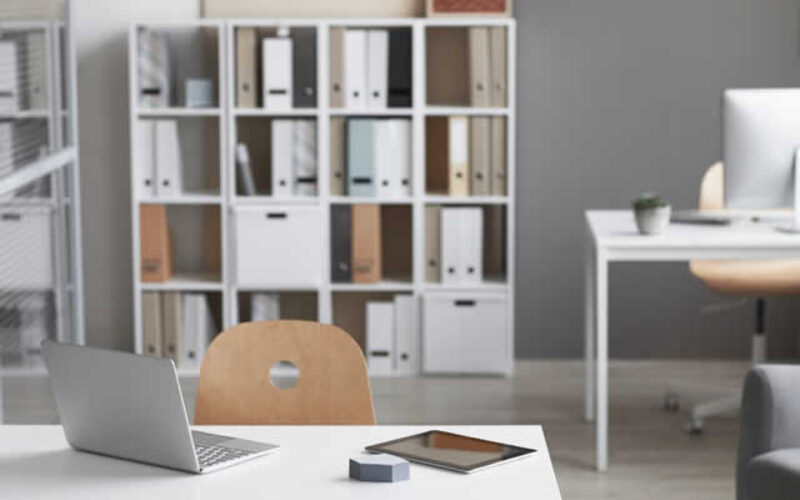
Shelving represents one of the most versatile storage investments for any home office. Floating shelves maximize vertical space without overwhelming smaller rooms, while floor-to-ceiling units provide substantial storage capacity. Choose adjustable shelving systems that adapt as your needs change over time. Position frequently accessed items at eye level, with less common materials stored higher or lower.
Modern filing systems have evolved far beyond traditional metal cabinets. Rolling carts provide flexibility for mobile work styles, while built-in drawer systems maintain clean lines in contemporary spaces.
Implement a consistent filing method—whether alphabetical, numerical, or project-based—and stick with it religiously. Color-coded folders or tabs can speed visual identification, particularly useful for managing multiple clients or projects simultaneously.
Multi-functional furniture maximizes every square foot in your home office. Ottoman storage benches provide seating for visitors while hiding supplies inside. Desks with built-in drawers eliminate the need for separate filing cabinets.
Credenzas serve triple duty as printer stands, supply storage, and display areas for books or decor. When selecting furniture pieces, prioritize quality construction that will withstand daily use while complementing your home’s overall aesthetic.
Mastering Document Digitization Technology
Transitioning from paper to digital storage requires the right tools and systematic approach. Document digitization isn’t just about owning a scanner—it’s about creating searchable, organized digital files that actually improve your productivity.
Scanner selection depends heavily on your volume and document types. Sheet-fed scanners excel for high-volume, standard-sized documents but struggle with bound materials or odd shapes. Flatbed scanners handle diverse document types but require more time per page.
Portable scanners offer convenience for occasional use but may compromise quality. For most home offices processing moderate volumes, a quality sheet-fed scanner with duplex capability provides the best balance of speed and versatility.
Document management software transforms scanned files from simple images into searchable, organized information systems. Adobe Acrobat Professional offers robust features for PDF creation and editing, while specialized solutions like PaperPort or EverNote excel at organizing and retrieving documents.
Cloud-based options such as Google Drive or Microsoft OneDrive provide built-in optical character recognition, making scanned text searchable without additional software.
Establishing consistent scanning practices ensures reliable results and saves time long-term. Scan documents at 300 DPI for clear text reproduction while maintaining reasonable file sizes. Use consistent naming conventions that include dates and keywords for easy searching. Create folder structures that mirror your physical filing system initially, then adapt based on how you actually search for and use documents digitally.
Leveraging Cloud Storage for Maximum Flexibility
Cloud storage solutions provide unprecedented flexibility for accessing documents from anywhere while maintaining backup security. Understanding the strengths and limitations of different platforms helps you choose the right fit for your needs.
Google Drive integrates seamlessly with other Google services and offers generous free storage with affordable upgrades. Its real-time collaboration features excel for shared projects, while built-in scanning capabilities turn your smartphone into a portable document capture device.
Dropbox provides reliable synchronization across devices with strong third-party app integration. Microsoft OneDrive works particularly well for Office users, offering deeper integration with Word, Excel, and PowerPoint files.
Security considerations become paramount when storing sensitive documents in cloud services. Enable two-factor authentication on all accounts and understand each platform’s encryption standards.
Consider which documents require local backup copies and which can safely exist only in the cloud. Professional documents like contracts or financial records often warrant both cloud and local storage for maximum protection.
Accessing your documents efficiently requires thoughtful organization and naming conventions. Create folder hierarchies that remain logical even as your document collection grows. Use descriptive file names that include relevant keywords and dates. Take advantage of tagging features where available, as these provide additional search dimensions beyond folder organization.

Maximizing Space: Smart Storage Ideas for Small Homes
Living in a small home or apartment has its charm, but finding enough storage can be a real challenge. When every square inch counts, the key to a clutter-free, functional space lies in creative and efficient storage solutions.
Building an Integrated Storage Ecosystem
The most effective home office storage systems seamlessly blend physical and digital elements, creating hybrid solutions that leverage the strengths of each approach while minimizing their individual weaknesses.
Developing a hybrid system starts with identifying which documents truly require physical storage versus those that can exist purely digitally. Legal documents, signed contracts, and items requiring original signatures often need physical storage with digital backup copies. Reference materials, manuals, and archived correspondence can typically transition to digital-only storage.
Implementing consistent labeling and indexing across both physical and digital systems creates a unified approach to document retrieval. Use identical naming conventions for physical file folders and their digital counterparts.
Create a simple database or spreadsheet that tracks where specific types of documents are stored—particularly useful during the transition period while you’re still learning your new system.
Regular maintenance prevents both physical and digital systems from deteriorating over time. Schedule quarterly reviews to purge outdated documents, update filing systems, and ensure backup procedures are working correctly.
Delete duplicate files, consolidate related documents, and update folder structures based on how you actually use them rather than how you originally designed them.
Optimizing Your Workspace Environment
Creating an efficiently organized home office extends beyond storage into the overall workspace environment that supports productivity and well-being throughout long work days.


Ergonomic workspace design begins with proper equipment positioning to reduce strain and fatigue. Position your monitor at arm’s length with the top of the screen at or slightly below eye level.
Ensure your chair supports proper posture with feet flat on the floor and arms parallel to the ground when typing. Keep frequently used items within easy reach to minimize repetitive stretching or twisting movements.
Cable management might seem minor but dramatically impacts both safety and aesthetics. Use cable trays under desks to keep power cords off the floor, reducing tripping hazards and making cleaning easier.
Velcro ties or spiral cable wrap organize multiple cords running to the same location. Consider wireless alternatives for devices that don’t require wired connections for optimal performance.
Lighting significantly affects both productivity and eye health during extended computer work. Natural light remains ideal when positioned to minimize screen glare—typically perpendicular to your monitor rather than directly behind or in front of it.
Task lighting should illuminate paperwork without creating shadows on your keyboard or reflecting off your screen. Adjustable LED desk lamps offer energy efficiency with customizable brightness levels throughout the day.
Creating Your Personalized Organization Strategy
Successful home office organization isn’t about following someone else’s perfect system—it’s about creating solutions that work consistently with your unique work style, space constraints, and document needs. The best organized office is one you’ll actually maintain over time.
Start with small, manageable changes rather than attempting a complete overhaul overnight. Begin by digitizing one category of documents or organizing a single drawer. These early wins build momentum and help you refine your approach before tackling larger projects. Pay attention to which organizational methods feel natural versus those that require constant effort to maintain.
Remember that your system will evolve as your work changes. What works perfectly for your current role might need adjustment if you change careers, take on new clients, or modify your work arrangements.
Build flexibility into your organizational systems from the beginning, choosing modular storage solutions and maintaining consistent naming conventions that can adapt to future needs.
The goal isn’t perfection—it’s creating a functional workspace that reduces stress, saves time, and supports your professional success.
When you can find any document within minutes, when your workspace feels calm rather than chaotic, and when you spend time working rather than searching, you’ll know your home office storage system is truly working for you.
other related analysis of interest: (new win)
Home Plumbing Tricks and Tips: How Best to Maintain Your Plumbing Drainage System
What Is a Home Utility Room? Your Guide to Creating the Perfect Multi-Functional Space
Resources and Citations:
| Section | Key Points |
|---|---|
| Transform Your Home Office Into an Organized Productivity Hub | Efficient storage and document management are crucial for productivity and reducing stress in home offices. Integration of physical and digital solutions is emphasized. |
| Understanding Your Unique Storage Requirements | Evaluate your workspace, categorize items, and consider workflow habits to optimize storage solutions based on frequency of use and personal preferences. |
| Creating Efficient Physical Storage Systems | Invest in flexible shelving, modern filing systems, and multi-functional furniture that maximize space and support your working style. |
| Mastering Document Digitization Technology | Select quality scanners and use document management software to organize and digitize documents effectively. Maintain consistent scanning practices and file naming conventions. |
| Leveraging Cloud Storage for Maximum Flexibility | Choose cloud storage platforms like Google Drive, Dropbox, or OneDrive to access documents from anywhere. Ensure proper security measures like two-factor authentication. |
| Building an Integrated Storage Ecosystem | Combine physical and digital systems seamlessly, using unified labeling methods. Regular maintenance prevents clutter and ensures system efficiency. |
| Optimizing Your Workspace Environment | Prioritize ergonomic design, proper equipment positioning, cable management, and adequate lighting for a comfortable and efficient workspace. |
| Creating Your Personalized Organization Strategy | Focus on developing organizational systems that suit your unique work style. Start small, refine approaches, and remain flexible for changing needs. |
Find Interior Design Services Decorators Interior Designers Furniture Painting & Staining top-rated, pre-screened local contractors FREE: download contractor selection enter zip code – powered by HomeAdvisor ™


Image credit: home office storage by envato.com
end of post … please share it!
| more photo remodeling |
Jump Over to Our Photo Analysis Center for Ideas on
"Renovating Home"
|__________________________________________________________|
home remodeling surprise
find out where it might go - new win


Helpful article? Leave us a quick comment below.
And please share this article within your social networks.