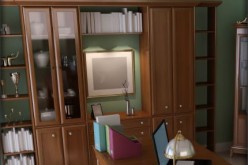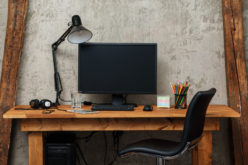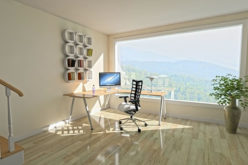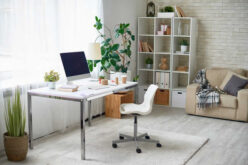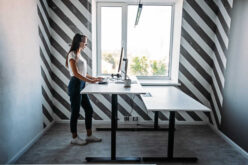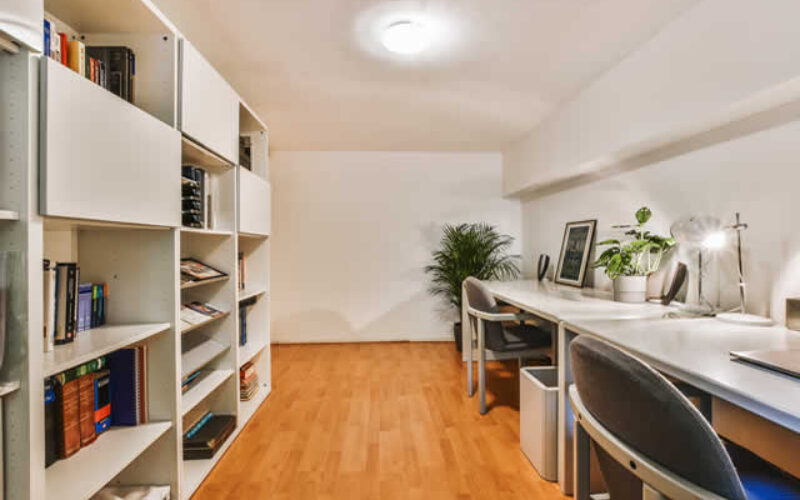
The core tension is simple: dual-use home design asks the same rooms to deliver a reliable home workspace setup and real relaxation area optimization, and most homes aren’t arranged for both.
When boundaries blur, home productivity challenges show up as distraction, friction, and a constant sense of being “on,” which chips away at work-life balance at home.
With a few smart adjustments, a space can feel focused during work hours and genuinely restorative after.
- post content
- Follow 7 Updates to Boost Focus and Calm
- Add New Pillows to Signal “Off-Duty” Fast
- Habits That Keep Work and Rest in Balance
- Quick Answers for a Calmer Work-From-Home Setup
- Choose One Home Upgrade That Protects Focus and Rest
- view notes:collective tips
- view ideas:latest remodeling analysis
- related post (new win):TITLE
Follow 7 Updates to Boost Focus and Calm
A home can pull double duty, helping you concentrate during work hours and genuinely decompress afterward.
Use these updates in order, starting with the quickest wins and building toward a space that makes switching modes feel effortless.
-
Fix the basics of home office ergonomics (in 10 minutes):
Set your chair height so feet are flat and knees are near 90 degrees, then bring your screen up so the top third sits near eye level.
Add a small pillow or rolled towel for low-back support and keep elbows close to your body to reduce shoulder tension. The goal is less fidgeting and fewer aches, since 67% of remote workers reported neck and upper back discomfort in occupational health surveys.
-
Create a “work triangle” to cut micro-distractions:
Keep only three zones within arm’s reach: keyboard/mouse, notepad, and water. Everything else (chargers, mail, hobby items) goes one step away, ideally in a drawer or bin, so your brain doesn’t keep re-scanning the surface.
If you share a table, use a tray that holds your work items so you can lift the whole setup on and off in 30 seconds.
-
Declutter strategically using a two-bin reset:
Put two containers by the door: Relocate (belongs elsewhere) and Decide (you’re not sure).
Do a 5-minute sweep at the end of the workday: clear the desk, move the Relocate bin items right away, and schedule one weekly 15-minute block to empty the Decide bin. This protects relaxation time while keeping your workspace “ready to start” the next morning.
-
Use natural lighting benefits to anchor your day rhythm:
Place your main work seat within a few feet of a window, angled so light hits from the side rather than directly behind your screen.
Open blinds early, then dim overhead lights after work to help your home feel less like an office. If glare is an issue, add a sheer curtain or rotate the desk 90 degrees before adding more lamps.
-
Add indoor plants for wellbeing, then make care idiot-proof:
Pick one plant for your desk or nearby shelf and one for your relaxation corner, then set a simple rule like “water on Saturdays” or “when the top inch of soil is dry.”
Plants add a soft visual break that can reduce the sterile feel of a work zone, and they’re an easy way to signal “calm lives here” without redesigning the room.
-
Build a wellness space design that fits in one square meter:
Choose a tiny footprint, one chair plus a side table, or just a mat area, and keep it free of work objects.
Add exactly three comfort cues: a throw, a soft lamp, and a basket that hides the “activity gear” (book, journal, stretching strap). This dedicated spot reinforces the work/rest boundary you set in your overall home plan.
-
Set up a meditation area that’s ready in under 60 seconds:
Store a cushion or folded blanket in the same place every time, and keep your “start ritual” to three steps: sit, set a 5–10 minute timer, and place one hand on your chest to slow breathing.
If you can’t spare a corner, use a portable kit (cushion + eye mask in a tote) so the practice doesn’t depend on perfect conditions.
These updates make your home feel intentional in both directions, efficient when you’re on-duty, soothing when you’re off.
Once your spaces are defined, small visual cues like a quick pillow swap can flip the mood of a shared room in seconds.
something of interest below

Designing Study Room Areas Where Your Children Can Grow
A well-thought-out study space fosters concentration, creativity, and productivity, providing them with a comfortable and inspiring environment for learning.

Add New Pillows to Signal “Off-Duty” Fast
Once you’ve set up your space for focus and calm, a quick visual cue can make it easier to mentally clock out at the end of the day.
Pillows are one of the fastest ways to shift a shared room from work mode to relaxation: they add instant comfort and softness, and they create a subtle sense of separation between a functional workspace and a cozy living area.
Swapping in a few plush, inviting pillows after work can change how the space feels to your body, less “ready to produce,” more “ready to unwind”, without moving furniture or committing to a big redesign.
Check out this pillow designer with easy online templates to help you create a pillow quickly; then you can order a printed version delivered to your door.
If you want that transition to feel especially personal, carefully consider the colors, photos, and design elements and match the mood you want for off-hours. Next, you’ll make the shift stick with a simple 10-minute reset that keeps both your work zone and your relaxation setup ready when you need them.
Habits That Keep Work and Rest in Balance
Try these small routines to keep things effortless. A home that supports focus and downtime stays that way through repeatable maintenance, not big overhauls.
These habits make the “switch” easier each day, so your work zone stays ready and your living areas stay inviting.
-
10-Minute Closing Reset
- What it is: Do a quick tidy up.
- How often: Daily, right after your last task.
- Why it helps: You start tomorrow clear-headed and end today feeling finished.
-
Device Parking Spot
- What it is: Put work laptop, charger, and notes in one bin or drawer.
- How often: Daily.
- Why it helps: Visual clutter drops, and your brain reads “off-duty.”
-
Two-Surface Rule
- What it is: Clear one work surface and one relaxing surface completely.
- How often: Daily.
- Why it helps: Both zones stay usable without weekend catch-up.
-
Morning Mindfulness Minute
- What it is: Do a brief mindful meditation before opening email.
- How often: Daily.
- Why it helps: You set a calmer tone that carries into transitions.
-
Weekly Comfort Refresh
- What it is: Wash a throw, fluff cushions, and restock candles or tea.
- How often: Weekly.
- Why it helps: Relaxation feels intentional, not accidental.
Pick one habit this week, then adjust it to fit your household rhythm.
something of interest below

Setting Up The Perfect Home Office
If you don’t have the right “home office” setup, the experience may not be as pleasant and productive as you thought.
Quick Answers for a Calmer Work-From-Home Setup
If you are still fine-tuning the balance, these quick clarifiers help.
-
Q: How can I effectively separate my workspace from my relaxation areas to reduce stress at home?
A: Create a clear boundary your brain can recognize: a separate room, a corner with a divider, or even a different rug and lamp. Keep “work-only” items in that zone, and avoid bringing them onto the couch or into bed. Finish the day by closing a laptop, rolling in a cart, or covering a monitor so the space visually shifts to rest.
-
Q: What are some simple design changes that can help maximize productivity without sacrificing comfort?
A: Start with ergonomics: a supportive chair, screen at eye level, and a small footrest if needed. Then choose one calm color and two textures (wood, linen, matte metal) to keep the look cohesive without feeling sterile. Add task lighting that gives a soft and warm glow so evenings feel less harsh.
-
Q: How does bringing natural light and indoor plants into my home impact my focus and relaxation?
A: Natural light helps your space feel more awake during work hours and more soothing when you dim lights later. Place your desk near a window if possible, and use sheer curtains to cut glare. A few easy plants can soften edges and make the room feel cared for, which supports calmer transitions.
-
Q: What strategies can help me keep my home office organized to avoid feeling overwhelmed?
A: Reduce visible clutter first: limit your desktop to the tools you use daily, and hide the rest in one drawer or bin. Use a simple “inbox” tray for papers so they stop spreading across surfaces. Once a week, delete downloads, file notes, and reset cables so the mess does not creep back. Small, steady tweaks add up to a home that feels supportive all day.
Streamline Your Organization
Maximizing organization in your home has never been easier, thanks to a variety of innovative gadgets designed to simplify your life.
From multi-functional storage hooks to smart desk organizers, these clever tools help declutter your space while enhancing efficiency.

You can even incorporate tech-savvy solutions like label makers or app-connected storage systems to keep everything in order.
These gadgets don’t just save time—they also bring a sleek, modern aesthetic to your home’s overall design.
view ideas: Essential Gadgets for a Smarter Home (new win)
Choose One Home Upgrade That Protects Focus and Rest
When home and work share the same walls, it’s easy for tasks to spill into downtime and for rest to feel unfinished. The goal is home environment balance: make intentional choices that separate effort from recovery and treat reflective home improvements as a steady practice, not a one-time overhaul.
Done well, the payoff is enhanced productivity and rest because your space starts cueing your brain toward the right mode at the right time.
Design your home to signal work when it’s time to focus, and calm when it’s time to stop.
Choose one small upgrade today, like refining a zone boundary or simplifying a color/texture plan, and pair it with a simple evening reset as one of your motivational home routines.
These small, repeatable choices build long-term home wellbeing by protecting energy, resilience, and connection.
other related analysis of interest: (new win)
Find Home Network Services Networks/Phone Computers/ Media Home Automation Electrial Wiring Interior Designers Furniture top-rated, pre-screened local contractors FREE: download contractor selection enter zip code – powered by HomeAdvisor ™


Image credit: balanced home space by envato.com
end of post … please share it!
| more photo remodeling |
Jump Over to Our Photo Analysis Center for Ideas on
"Renovating Home"
|__________________________________________________________|
home remodeling surprise
find out where it might go - new win


Helpful article? Leave us a quick comment below.
And please share this article within your social networks.