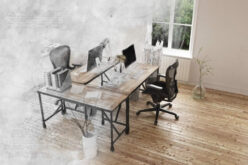
Quick Answer:
A successful hidden or disappearing home office starts with the workstation, not the cabinetry. Measure your actual equipment, confirm proper desk depth and monitor distance, and plan cable routing and storage before you choose a concealment method. A gorgeous cabinet that hides an uncomfortable, cramped desk isn’t a functional office—it’s just a well-dressed problem.
Summary Outline –
That’s the real challenge behind hidden and disappearing home offices. Fitting a functional workstation into limited residential space sounds simple, but the execution often falls apart in predictable ways: shallow work surfaces that force awkward posture, cabinet doors that collide with your chair, or folding desks that require you to dismantle your entire setup just to close them.
The good news is that these problems are entirely avoidable. The key is to design your office open first—with the same care you’d give any workstation you use eight hours a day—and treat concealment as the final layer, not the starting point.
Once you understand what your equipment and body actually need, choosing the right hiding method becomes a much easier decision.
This guide walks through how to assess your workstation needs, apply sound ergonomic principles, and select a concealment strategy that won’t leave you fighting your own furniture every morning.
- post content … analysis/ hidden home office
- 1st: Difference Between a Hidden and a Disappearing Home Office?
- 2nd: What Does Your Workstation Actually Need to Function?
- 3rd: What Ergonomic Standards Should Guide a Hidden Office Setup?
- 4th: How Much Desk Depth and Width Does a Functional Workspace Need?
- 5th: What Concealment Strategies Work Without Sacrificing Usability?
- 6th: How Should You Manage Cables, Equipment, and Storage in a Hidden Office?
- 7th: What Should You Know Before Installing a Wall-Mounted or Folding Desk?
- 8th: Frequently Asked Questions
- 9th: How About Creating Your Perfect Concealed Home Office
- conclusion
- other home interior topics

-
- —— begin first topic ——
-
1st Element: Difference Between a Hidden and a Disappearing Home Office?
Before you start sketching cabinet doors or browsing fold-down desks, it helps to understand that “hidden” and “disappearing” aren’t interchangeable terms.
They describe two distinctly different arrangements, each with its own planning priorities.
AI generated image by 123rf.com

-
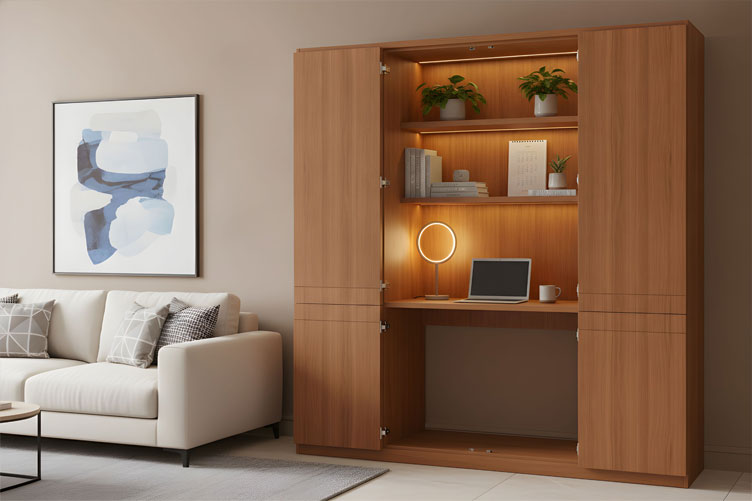
Hidden Offices Conceal a Stationary Desk
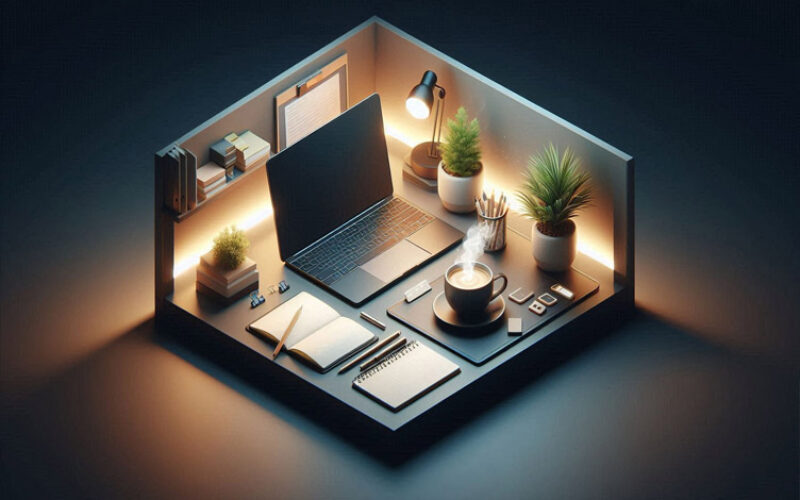
A hidden office keeps your desk in place and uses doors, panels, or an armoire-style cabinet to visually close it off when you’re not working. Closets converted into desk alcoves (sometimes called “cloffices”) and built-ins with pocket doors fall into this category.
Because the desk itself doesn’t move, your main planning concerns are interior depth, door clearance, and making sure the cabinet doesn’t compress your workspace into something unusable.
-
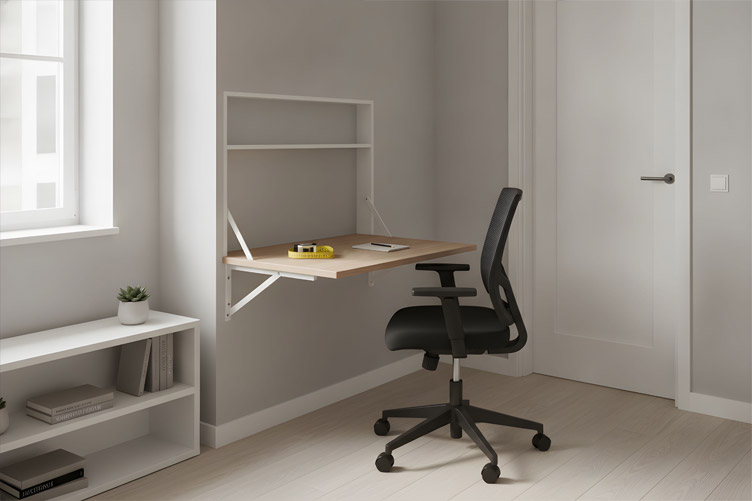
Disappearing Offices Fold, Slide, or Roll the Work Surface Away
A disappearing office takes a different approach: the work surface itself folds down, slides into a wall cavity, or rolls away on a mobile cart. Wall-mounted folding desks and roll-away workstations are the most common examples.
These setups reclaim more floor space than a stationary cabinet desk, but they come with a tradeoff—everything on that surface needs a home somewhere else before you can close it up.
Choosing between the two isn’t about which looks better. It’s about matching the arrangement to how you actually use your workspace, which brings us to the next, more important question.
More Supporting Information
(view images, summary table and useful ideas – or scroll to side note and next topic)
Office Type Description Main Features Planning Considerations Hidden Offices A stationary desk concealed behind doors, panels, or within an armoire-style cabinet.
Often seen in “cloffices” or built-in units with pocket doors.
The desk remains in place, and only the workspace is hidden from view when not in use. Focus on interior depth, door clearance, and ensuring the enclosed space doesn’t compromise usability. Disappearing Offices A workspace where the desk or work surface folds, slides, or rolls away, reclaiming floor space when not in use. Examples include wall-mounted folding desks and roll-away workstations. Consider where items on the surface will be stored before closing up the workspace. 


AI generated image by 123rf.com
Protecting Your Home Office Privacy
Whether your home office is a dedicated room, a cleverly hidden nook, or a disappearing setup, ensuring your workspace isn’t a “fishbowl” is key.
A workspace exposed to outside onlookers can compromise privacy, distract you during calls, or reveal sensitive materials.

Simple adjustments like placing your desk away from windows, using frosted glass, or adding curtains or blinds can secure visual privacy.
These steps help maintain a professional and focused environment while keeping prying eyes at bay.
view ideas: When Your Home Feels Like A Fishbowl(new win)

-
Scroll up to directory … or scroll to next element of a hidden home office …


-
-
-
2nd Element: What Does Your Workstation Actually Need to Function?
Before committing to any cabinetry, closet conversion, or folding mechanism, take inventory of what you really use day to day.
It’s tempting to design around an idealized version of your workspace, but the furniture needs to serve your real equipment, not a minimalist fantasy.
AI generated image by 123rf.com
-
Audit Your Equipment Honestly
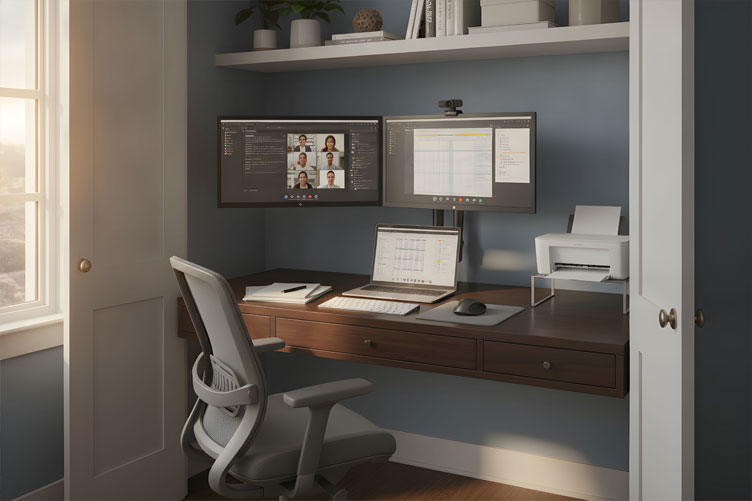
List everything: laptop, external monitors, keyboard, mouse, documents, printer, webcam, and chair. Then measure each item in its working position—not packed away, but set up exactly as you’d use it during a normal workday.
A printer, in particular, often needs more space than people expect once you account for open paper trays and the clearance required to change ink or paper.
-
Let Equipment Drive the Design, Not the Other Way Around
Once you know what you’re working with, those measurements should determine your space requirements and concealment options, not the reverse.
Selecting a beautiful, shallow decorative cabinet first and hoping you can make it work later is one of the most common—and most expensive—design mistakes in this category.
A useful exercise is taping the proposed cabinet and extended desk outlines directly onto your floor, then sitting at a temporary surface with your actual equipment before you commit to any built-in design.
Home Office Station Needs
(view images, summary table and useful ideas – or scroll to side note and next topic)
Three Ready-To-Copy Layouts
(from the summary table below)
Aspect Details Key Insights Workstation Needs Before committing to cabinetry, closet conversion, or folding mechanisms, take stock of what you genuinely use daily.
Design around the real workspace needs, not an idealized version.
Furniture should serve the actual equipment, ensuring functionality aligns with reality rather than assumptions. Equipment Audit List all essential items such as a laptop, external monitors, keyboard, mouse, documents, printer, webcam, and chair.
Measure them in their operational positions rather than stowed away.
Accurate measurements of working setup ensure the design accommodates practical, everyday use. Printer Consideration Printers need more space than expected due to open paper trays and the clearance for replacing ink or paper, which should be factored into planning. Underestimating space for printers leads to cramped, inefficient setups. Design Guidance The equipment measurements should dictate the space and concealment options, rather than selecting furniture beforehand and trying to adapt equipment to it. Avoid designing based on aesthetics alone; practicality should be the priority. Testing the Setup Tape the outlines of the proposed cabinetry and desk onto the floor, and test using your actual equipment before committing to a built-in design. Testing prevents costly design mistakes and ensures your space works as intended. 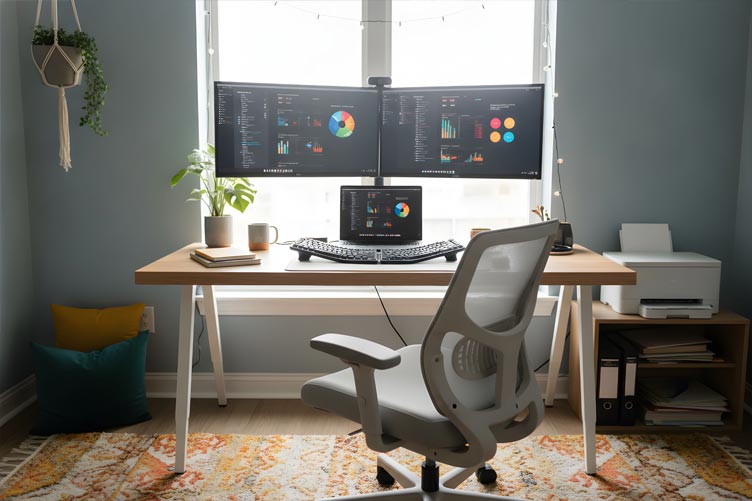
AI generated image by 123rf.com
Create Your Ideal Home Office
Working from home can be a rewarding and efficient experience, but without the right home office setup, it might feel more challenging than expected.
A comfortable chair that supports you through long hours, a desk that fits your space, and accessories tailored to your needs can transform an ordinary area into a productive haven.

Whether you’re starting a new remote role or want to enhance your current workspace, investing in thoughtful upgrades is key to achieving both comfort and productivity at home.
view ideas: Setting Up Home Office(new win)
-
Scroll up to directory … or scroll to next element of a hidden home office …
-
-

Tackling the need for a hidden home office and fulfilling all your home improvement needs …

… save this curated directory of ideas for future reference.

-
-
3rd Element: What Ergonomic Standards Should Guide a Hidden Office Setup?
Concealment should never come at the expense of comfort.
The Occupational Safety and Health Administration (OSHA) offers detailed guidance on workstation ergonomics, and much of it applies directly to hidden and disappearing office design (OSHA, Computer Workstations eTool).
AI generated image by 123rf.com
-
Position Your Monitor for Proper Viewing Distance
OSHA emphasizes keeping your monitor at a comfortable viewing distance—generally at least 20 inches from your eyes—rather than adhering to one universal desk depth (OSHA, Computer Workstations eTool).
The top of your screen should sit at or just below eye level, directly in front of you, so your neck stays neutral and your shoulders stay relaxed.
-
Match Desk Height to Your Seated Elbow Height
Your work surface should align with your seated elbow height, allowing your keyboard and mouse to sit at a comfortable typing position.
OSHA’s purchasing guide for workstations specifically recommends adjustable keyboard height positioned around elbow level (OSHA, Computer Workstations Purchasing Guide).
-
Protect Your Legroom from Storage Creep
It’s easy for storage drawers, cabinet bases, or equipment to slowly encroach on your knee and foot space.
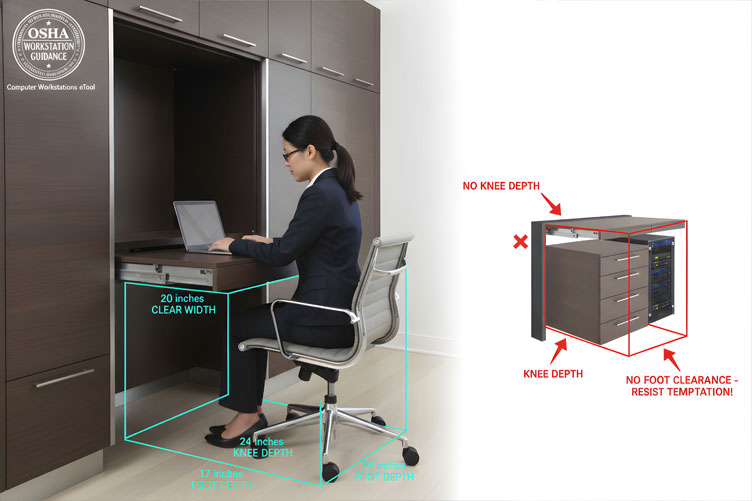
OSHA’s workspace guidance recommends approximately 20 inches of clear width, 17 inches of knee depth, and 24 inches of foot depth to keep your seated position comfortable (OSHA, Computer Workstations eTool).
When you’re designing a hidden cabinet office, this clearance is frequently the first thing sacrificed for extra shelving—resist that temptation.
-
Check Room Clearance with Everything Extended
Measure your workstation with the desk fully extended, doors open, and chair pulled back.
Installation guidance for fold-down desks specifically calls for checking furniture and door collisions before finalizing placement (EngineerFix, How to Install a Wall-Mounted Folding Desk).
A desk that works beautifully on paper can still collide with a doorway or bookshelf in practice.
More Supporting Information
(view images, summary table and useful ideas – or scroll to side note and next topic)
Ergonomic Standard Guidance Source Monitor Positioning Keep the monitor at a comfortable viewing distance, generally at least 20 inches away.
The top of the screen should sit at or below eye level, directly in front of you, to keep your neck neutral and shoulders relaxed.
OSHA, Computer Workstations eTool Desk Height Ensure the work surface aligns with seated elbow height, allowing the keyboard and mouse to sit comfortably.
Adjustable keyboard height positioned at elbow level is recommended.
OSHA, Computer Workstations Purchasing Guide Legroom Requirements Maintain at least 20 inches of clear width, 17 inches of knee depth, and 24 inches of foot depth to ensure a comfortable seated position.
Avoid letting storage components encroach on this space.
OSHA, Computer Workstations eTool Clearance with Desk Setup Measure the workstation with the desk fully extended, doors open, and chair pulled back to avoid collisions with other furniture or doorways during use. EngineerFix, How to Install a Wall-Mounted Folding Desk 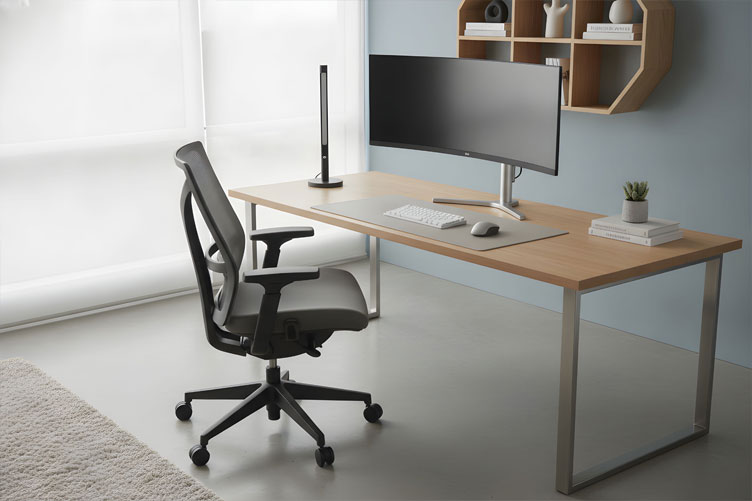
AI generated image by 123rf.com
Ergonomics and Eco-Friendliness
Creating a home office that prioritizes both your well-being and the planet is entirely achievable.
Ergonomic furniture supports long hours of productivity by reducing strain and promoting proper posture, while eco-friendly designs ensure that these benefits don’t come at the environment’s expense.

By choosing sustainable materials and durable craftsmanship, you can invest in a healthier work setup that lasts for years and minimizes waste.
Together, ergonomics and eco-consciousness turn your workspace into a place that feels good—for you and the earth.
view ideas: guide to sustainability(new win)
-
Scroll up to directory … or scroll to next element of a hidden home office …
-
-
… home remodeling and improvement

-
-
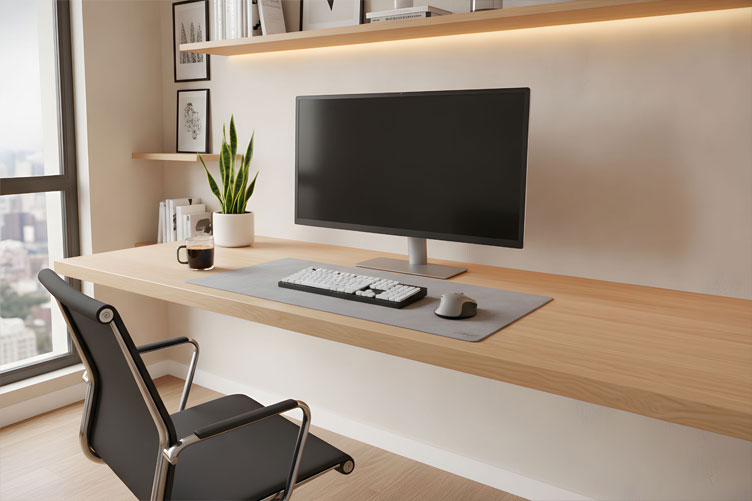
4th Element: How Much Desk Depth and Width Does a Functional Workspace Need?
Undersized work surfaces are one of the most frequent causes of hidden office regret.
A desk that looks proportionate inside a cabinet can feel cramped the moment you sit down to actually work.
AI generated image by 123rf.com
-
Allow Enough Depth for Comfortable Viewing and Reach
Desktop depth needs to accommodate that 20-inch minimum monitor distance while still leaving room for your keyboard and mouse directly in front of you.
If the cabinet depth forces your monitor closer than that, your eyes and neck will pay the price over a full workday.
-
Give Your Arms Room to Work Naturally
Desktop width should fit your keyboard, mouse, and the materials you reach for most often—without pushing your arms outward or forcing you to twist toward the screen.
Twisting repeatedly to reach a mouse crammed into a corner adds up to real strain over weeks and months.
-
Test Before You Commit
Measurements on a spec sheet don’t always translate to comfort in real life. Before finalizing any cabinetry or folding desk order, sit at a mocked-up version of the space with your actual equipment.
It’s a small extra step that can save you from a costly redesign later.
More Supporting Information
(view images, summary table and useful ideas – or scroll to side note and next topic)
Topic Key Points Details Desk Depth Comfortable Viewing and Reach Desktop depth should allow for a 20-inch minimum monitor distance while leaving enough room for a keyboard and mouse directly in front.
Insufficient depth forces closer monitor placement, causing eye and neck strain during extended work hours.
Desk Width Natural Arm Position The desktop width must comfortably accommodate a keyboard, mouse, and regularly used materials without requiring outward arm extensions or twisting toward the screen, which can lead to cumulative strain over time. Testing Setup Real-Life Comfort Measurements on spec sheets may not reflect actual comfort. Before finalizing furniture purchases, create a mock-up of the designed space using your equipment to ensure functionality and avoid costly mistakes or redesigns. 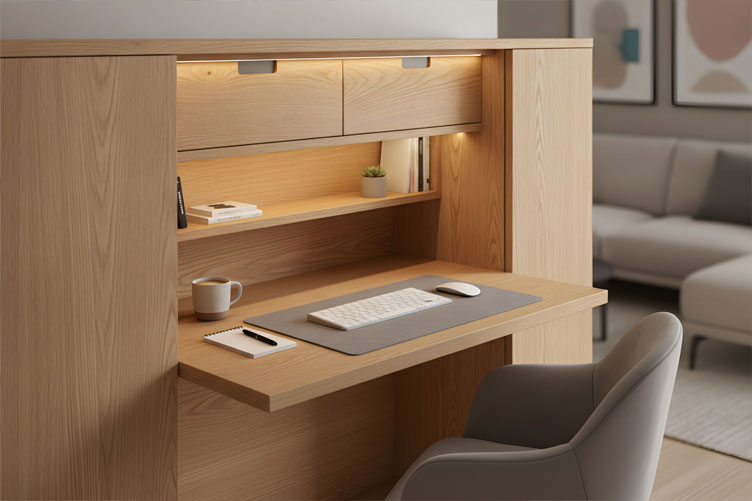
AI generated image by 123rf.com
The Rise of the Home Café
Your morning routine deserves better than a cluttered countertop with a coffee machine squeezed between the toaster and blender.
More homeowners are now carving out intentional spaces for coffee preparation, transforming kitchens or quiet nooks into café-like retreats.

These dedicated spaces reflect a broader lifestyle shift — blending function with sophistication.
Whether it’s a sleek espresso bar or an inviting corner for entertaining, the home café is quickly becoming a design essential, bringing the charm of a favorite coffee shop into the heart of the home.
view ideas: How to Design(new win)
-
Scroll up to directory … or scroll to next element of a hidden home office …
-
-
-
-
5th Element: What Concealment Strategies Work Without Sacrificing Usability?
The arrangement you choose should match your equipment, your room, and your daily habits. Here’s how the main options compare.
AI generated image by 123rf.com
-
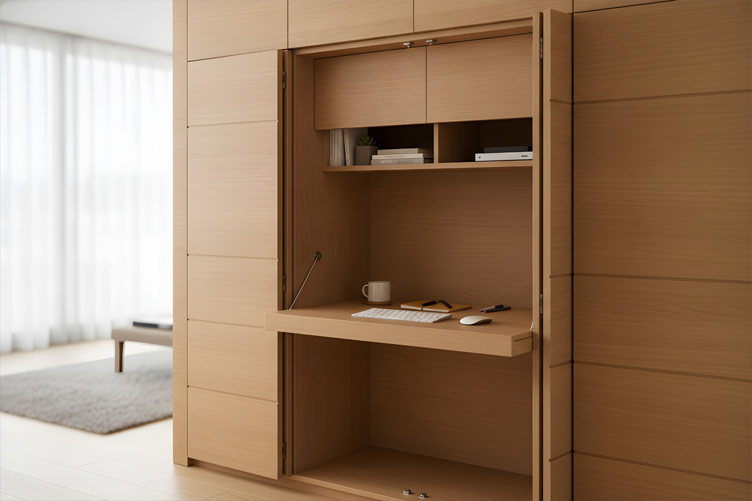
Cabinet or Armoire Offices Need Interior Depth
A desk built into a cabinet or armoire requires enough interior depth for your equipment and legroom, plus doors and shelving for peripherals.
The main planning issue is making sure that interior depth doesn’t get swallowed by decorative paneling or shelving that looks nice but eats into your workable space.
-
Closet Offices Depend on Door Operation and Ventilation
Converting a closet into a desk alcove, often called a cloffice, means paying close attention to door operation, ventilation, and chair clearance.
Closets weren’t designed for extended seated work, so airflow and lighting deserve extra consideration here.
-
Built-Ins with Pocket Doors Trade Width for Clean Lines
Custom cabinetry with pocket doors that retract into side compartments offers a clean, seamless look when closed.
The tradeoff is that those door pockets consume cabinet width, and the hardware needs to suit the door size precisely.
-
Fold-Down Wall Desks Require Rated Support
A hinged work surface needs rated supports and secure wall attachment, since everything on that surface must have somewhere else to go before you close it.
Manufacturer specifications matter enormously here—for example, one popular folding desk model requires mounting into wall studs and lists a 44-pound tabletop weight limit, a figure specific to that product rather than a universal standard (Manuals.plus, IFANNY Folding Desk Manual).
Always confirm your specific desk’s requirements rather than assuming they’re interchangeable.
-
Pull-Out and Roll-Away Desks Need a Parking Plan
Pull-out desks need stability when extended and clear space around them, while roll-away workstations simply need a defined parking location with accessible power.
Both options reclaim more floor space than fixed cabinetry, but only if you’ve planned exactly where the desk goes when you’re done.
More Supporting Information
(view images, summary table and useful ideas – or scroll to side note and next topic)
Concealment Strategy Key Features Considerations Cabinet or Armoire Offices Built-in desk with doors and shelving for peripherals, adding a decorative furniture element to a room. Ensure adequate interior depth for equipment and legroom; avoid losing space to unnecessary paneling or shelving. Closet Offices Converted closets (cloffices) provide a tucked-away workspace with a smaller footprint. Pay close attention to proper door operation, ventilation, chair clearance, and lighting to make it usable for extended work sessions. Built-Ins with Pocket Doors Custom cabinetry with retractable pocket doors creates a clean, seamless look when closed. Pocket doors consume cabinet width, and specialized hardware is needed to accommodate the exact door size. Fold-Down Wall Desks Hinged work surfaces save space when not in use by folding flat against the wall. Must be securely attached to the wall with rated supports; requires checking manufacturer-specific weight limits and installation requirements. Pull-Out and Roll-Away Desks Pull-out desks provide a stable, extendable workspace, while roll-away desks offer mobility and flexibility. Both require planning for clear space and a defined storage location with easy access to power outlets. 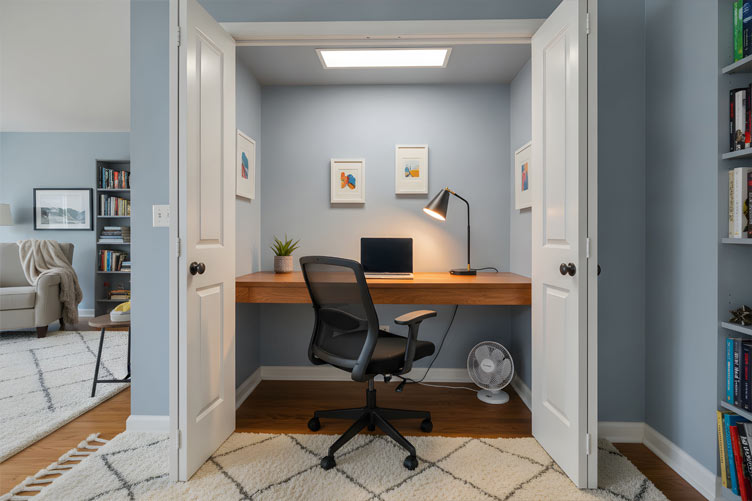
AI generated image by 123rf.com
Wellness Sanctuary in Your Home
In today’s fast-paced world, transforming your home into a sanctuary of wellness has become increasingly important.
A thoughtfully designed space, including a functional and comfortable home office, can nurture both mental and physical well-being.

By integrating ergonomic furniture, calming decor, and purposeful layouts, your home can become a place where you unwind, focus with clarity, and support your overall health every day.
view ideas: Learn to Create(new win)
-
Scroll up to directory … or scroll to next element about managing cables and storage …
-
-
SHARE IT ..! Someone in your network might benefit from this insightful post about the need for a hidden home office. Feel free to share it on Facebook, X (formally Twitter), LinkedIn, or Pinterest!


-
-
6th Element: How Should You Manage Cables, Equipment, and Storage in a Hidden Office?
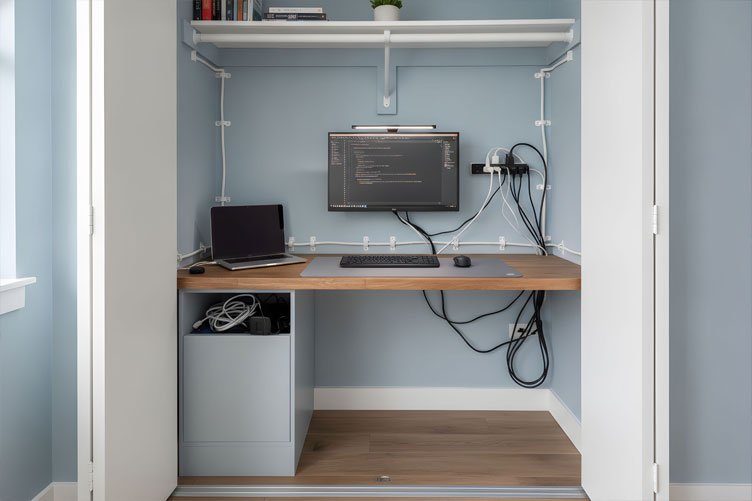
Cable chaos is one of the fastest ways to turn a beautifully concealed office into a daily annoyance.
Planning cable routing and storage before installation—not after—makes the difference between a workstation you enjoy using and one you dread opening.
AI generated image by 123rf.com
-
Route Cables Clear of Moving Parts
Cable paths need to stay clear of hinges, slides, and closing doors, with enough slack to allow movement without pulling on connectors.
A cable pinched in a closing cabinet door is both annoying and, over time, a fire or damage risk.
-
Confirm Power Access Before You Build
Accessible outlets for your actual devices are essential, and it’s worth having an electrician assess any new or relocated wiring rather than guessing.
This is especially true for closet conversions, where outlets often weren’t originally planned with a workstation in mind.
-
Don’t Overlook Equipment Ventilation
Follow each device manufacturer’s clearance requirements rather than assuming a closed cabinet is automatically suitable for running computers, chargers, or printers.
Enclosed spaces trap heat, and electronics left running inside a closed cabinet without adequate airflow can overheat.
-
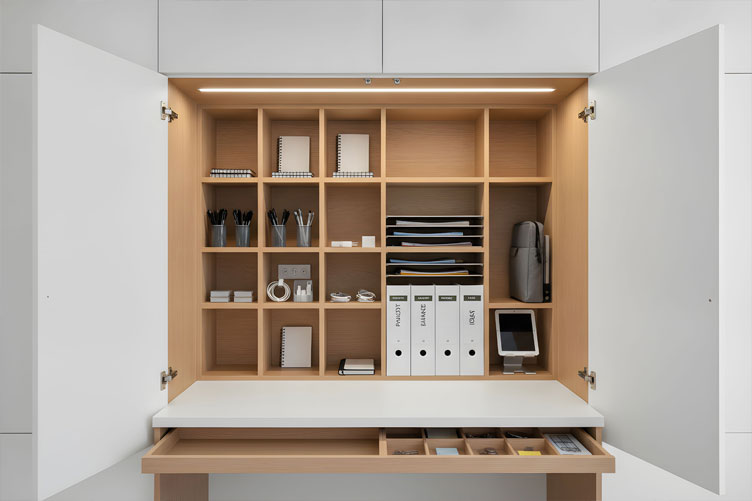
Give Everything a Designated Home
Separate storage for daily supplies, documents, and equipment that must move before closing keeps the closing routine simple rather than stressful.
A clear, repeatable closing sequence—store loose items, move any necessary equipment, power down applicable devices, then close—turns concealment into a habit instead of a chore.
-
Remember the Chair and the Printer
Two details are easy to overlook. Your chair may remain visible even when the rest of the office is closed, so decide early whether your goal is tidiness or a workstation that disappears entirely.
And your printer may dictate more space than your computer does, once you account for open trays and the room needed to change paper or ink.
More Supporting Information
(view images, summary table and useful ideas – or scroll to side note and next topic)
Three Ready-To-Copy Layouts
(from the summary table below)
Aspect Key Considerations Details Cable Management Preventing cable chaos Plan cable routing and storage before installation. Ensure cables are routed clear of hinges, slides, and closing doors to avoid pinching and damage.
Allow slack for movement to prevent strain on connectors.
Power Access Outlet accessibility Ensure accessible outlets for all devices. Have an electrician assess wiring for new or relocated outlets, especially in spaces like converted closets not originally designed to house workstations. Ventilation Preventing overheating Follow manufacturer clearance requirements for electronics. Enclosed spaces may trap heat, leading to overheating if adequate airflow is not provided for computers, chargers, or printers. Storage Organizing the workspace Designate separate storage for daily supplies, documents, and equipment that must be moved before closing.
Adopt a clear routine for storing items, relocating equipment, powering down devices, and closing the workspace.
Additional Details Chair and printer visibility Consider if the chair remains visible when the office is closed, and plan accordingly for tidiness or complete concealment.
Allow extra space for the printer, including room for open trays and replacing paper or ink.
AI generated image by 123rf.com
Clever Storage Solutions
When your home office doubles as a living room, kitchen corner, or another shared space, storage needs to work just as hard as you do.
Compact storage solutions — like wall-mounted shelves, under-desk organizers, or fold-away compartments — keep essentials within reach without taking over your limited floor area.

By maximizing vertical space and prioritizing multi-functional pieces, you can maintain a tidy, efficient workspace that disappears seamlessly when the workday ends.
view ideas: For Hidden/Disappearing Home Offices(new win)
-
Scroll up to directory … or scroll to next element: installing a wall-mounted desk …
-
-
-
-
7th Element: What Should You Know Before Installing a Wall-Mounted or Folding Desk?
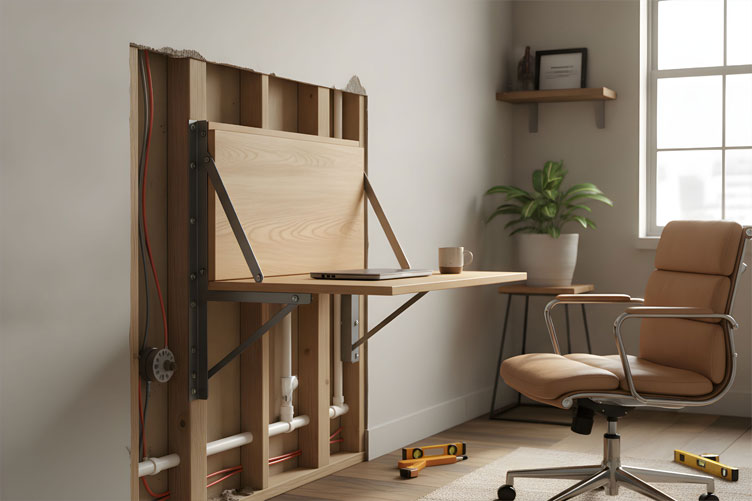
Folding desks introduce a structural consideration that stationary cabinet desks don’t: leverage.
An extended work surface places real stress on its wall attachment, so installation deserves more care than appearance alone.
AI generated image by 123rf.com
-
Prioritize Structural Attachment Over Aesthetics
Installation guidance recommends structural attachment into wall studs and checking the desk’s movement and rated load rather than relying on how sturdy it looks (EngineerFix, How to Install a Wall-Mounted Folding Desk).
A desk that appears solid but isn’t anchored into structural framing is a safety risk waiting to happen.
-
Match Hardware to the Desk’s Actual Weight and Use
Wall anchors and fasteners need to be selected based on the desk’s weight and materials, along with whatever you intend to place on it regularly.
If you plan to work with dual monitors on a folding surface, that’s a very different load calculation than an occasional laptop perch.
-
Test Stability Before Daily Use
Before relying on a new folding desk for full workdays, test its stability under real conditions—monitor, keyboard, coffee mug, and all.
It’s far better to discover a wobble during testing than during a video call.
More Supporting Information
(view images, summary table and useful ideas – or scroll to side note and next topic)
Wall-Mounted Desk Structural Setup
(from the summary table below)
Consideration Key Insight Recommended Action Structural Consideration Folding desks introduce leverage that stresses wall attachments, unlike stationary cabinet desks. Ensure careful installation beyond just aesthetics to avoid safety risks. Attachment Methods Desks must be anchored into wall studs and installed securely, considering rated load and movement. Prioritize structural framing during installation to prevent hazards. Hardware Selection Wall anchors and fasteners should match the desk’s weight and intended use. Calculate load requirements based on desk materials and equipment (e.g., dual monitors vs. lightweight use). Stability Testing New folding desks must be tested for stability under actual working conditions. Simulate real usage (monitor, keyboard, etc.) to detect and address instability issues early. 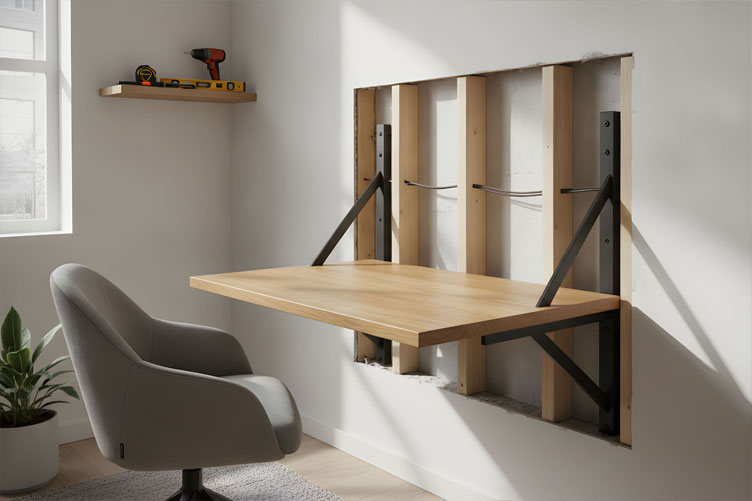
AI generated image by 123rf.com
Tools for a Perfect Wall-Mounted Desk
If you’re planning to build a DIY wall-mounted desk or a sleek hidden workstation, having the right toolkit is non-negotiable.
Precision and stability are key to ensuring your setup looks sharp and stays secure.

Invest in tools like a reliable stud finder, a quality level, and a robust power drill to make mounting easy and precise.
With the proper equipment, you’ll not only save time but also ensure your workstation is both functional and stylish for your home office.
view ideas: Complete DIY Tool Guide(new win)
-
Scroll up to directory … or scroll to next element: frequently asked questions …
-
-

Are there any other interesting topics that might have been overlooked but could offer valuable insights …?


-
-
8th Element: Frequently Asked Questions
-
How deep does a desk need to be for a hidden home office?
Desk depth should allow at least 20 inches between your eyes and your monitor, plus room for your keyboard and mouse directly in front of you.
The exact depth depends on your monitor size and how you position your equipment, so OSHA recommends prioritizing that viewing distance over any single universal measurement (OSHA, Computer Workstations eTool).
-
What’s the difference between a hidden office and a disappearing desk?
A hidden office conceals a stationary desk behind doors or panels, while a disappearing desk folds, slides, or rolls away entirely.
Hidden offices suit regular computer work since the setup stays intact, while disappearing desks work well for occasional or laptop-only use where reclaiming floor space matters more.
-
Can I mount a folding desk into drywall alone?
No. Folding desks create significant leverage when extended, so installation guidance recommends mounting into wall studs rather than drywall alone, along with confirming the manufacturer’s specific weight rating (EngineerFix, How to Install a Wall-Mounted Folding Desk).
Always check your particular desk’s installation manual, since weight limits vary by product.
-
How do I prevent my cables from tangling in a cabinet office?
Plan cable routing before installation, keeping paths clear of hinges, slides, and closing doors, with enough slack to allow movement without pulling on connectors.
Designating a specific spot for cable management, rather than letting cords accumulate loosely, prevents the daily frustration of untangling them.
-
Is it safe to leave electronics running inside a closed cabinet?
Not necessarily. Each device has its own manufacturer ventilation requirements, and a closed cabinet isn’t automatically suitable for running computers, chargers, or printers.
Check your equipment’s clearance specifications before assuming enclosed storage is safe for continuous use.
-
What should I do with my chair when the office is hidden?
Decide early whether your goal is simply tidiness or a workstation that disappears completely, since the chair often remains visible even when the desk is concealed.
Options include parking it inside the cabinet, tucking it beneath the desk, or storing it elsewhere in the room.
-
How much legroom do I need under a hidden desk?
OSHA’s workspace guidance recommends approximately 20 inches of clear width, 17 inches of knee depth, and 24 inches of foot depth for comfortable seated work (OSHA, Computer Workstations eTool).
Storage drawers and cabinet bases should never be allowed to encroach on this space.
-
Should I choose a hidden cabinet desk or a fold-down desk for daily computer work?
For regular, daily computer use, a stationary desk concealed by doors generally works better, since it doesn’t require clearing and refolding your setup every day.
Fold-down desks suit occasional or laptop-focused work where maximizing floor space is the higher priority.
More Supporting Information
(view summary table and useful ideas – or scroll to side note and next topic)
Question Answer Additional Notes How deep does a desk need to be for a hidden home office? Desk depth should allow at least 20 inches between your eyes and your monitor, plus room for your keyboard and mouse directly in front of you.
The exact depth depends on your monitor size and how you position your equipment.
OSHA recommends prioritizing viewing distance over a single universal measurement (OSHA, Computer Workstations eTool). What’s the difference between a hidden office and a disappearing desk? A hidden office conceals a stationary desk behind doors or panels, while a disappearing desk folds, slides, or rolls away entirely. Hidden offices are ideal for regular computer work, while disappearing desks suit occasional or laptop-only use. Can I mount a folding desk into drywall alone? No, folding desks create significant leverage when extended and should be mounted into wall studs rather than drywall alone. Verify the manufacturer’s specific weight rating and review the installation manual for guidance (EngineerFix, How to Install a Wall-Mounted Folding Desk). How do I prevent my cables from tangling in a cabinet office? Plan cable routing before installation, keeping paths clear of hinges, slides, and closing doors, with enough slack to prevent pulling on connectors. Designate a specific spot for cable management to avoid daily frustration caused by tangled cords. Is it safe to leave electronics running inside a closed cabinet? Not necessarily. Each device has specific ventilation requirements, and closed cabinets are not automatically suitable for continuous use. Check the clearance specifications of each device before assuming enclosed storage is safe. What should I do with my chair when the office is hidden? Decide early whether the goal is tidiness or a fully disappearing workstation. The chair can often remain visible even if the desk is concealed. Options include storing the chair inside the cabinet, tucking it beneath the desk, or placing it elsewhere in the room. How much legroom do I need under a hidden desk? Approximately 20 inches of clear width, 17 inches of knee depth, and 24 inches of foot depth are recommended for seated comfort. Ensure storage drawers and cabinet bases do not encroach on this space (OSHA, Computer Workstations eTool). Should I choose a hidden cabinet desk or a fold-down desk for daily computer work? A stationary desk concealed by doors is better for daily use since it does not require clearing and refolding each day. Fold-down desks are better suited for occasional or space-saving needs. 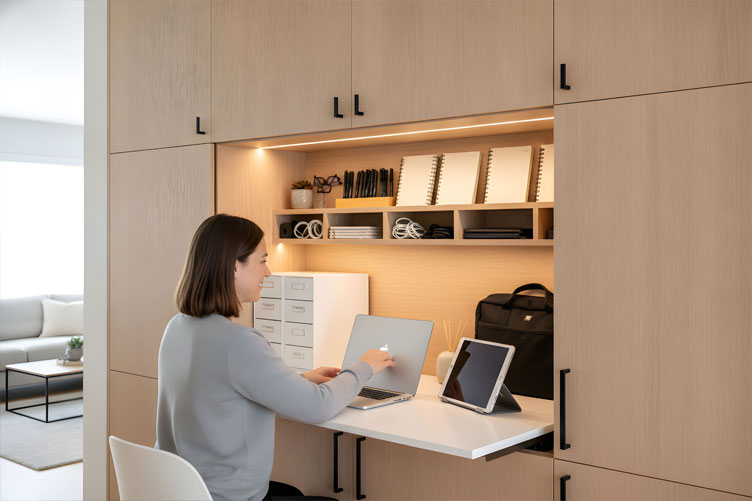
AI generated image by 123rf.com
The Rise of Warm Earth Tones
Warm earth-tone palettes—spanning caramel, terracotta, clay, wheat, taupe, chocolate brown, olive, burgundy, and dusty sage—have emerged as a signature trend in contemporary interior design.
These hues bring a natural depth and richness to any space, making them an ideal choice for home offices.

They create environments that feel grounded, serene, and welcoming—perfect for fostering focus and creativity while working from home.
view ideas: Transform Space Into a Sanctuary(new win)
-
Scroll up to directory … or scroll to next element: building concealed home office …
-
-
Easily determine the dimensions you need for any home remodeling project …

… ensuring functionality, visual appeal, and compliance with building codes.

Budgeting Worksheet For Costing Home Remodeling and Home Improvement Decisions
 File Type (excel)
-
-
9th Element: How About Creating Your Perfect Concealed Home Office
Transforming a section of your home into a concealed home office could be the most practical and efficient solution for meeting the demands of remote work.
This dedicated space can house everything you need for a productive day while maintaining privacy and separation from other areas of your home.
Several options are available, each customizable to fit your unique needs and home layout.
AI generated image by 123rf.com
-
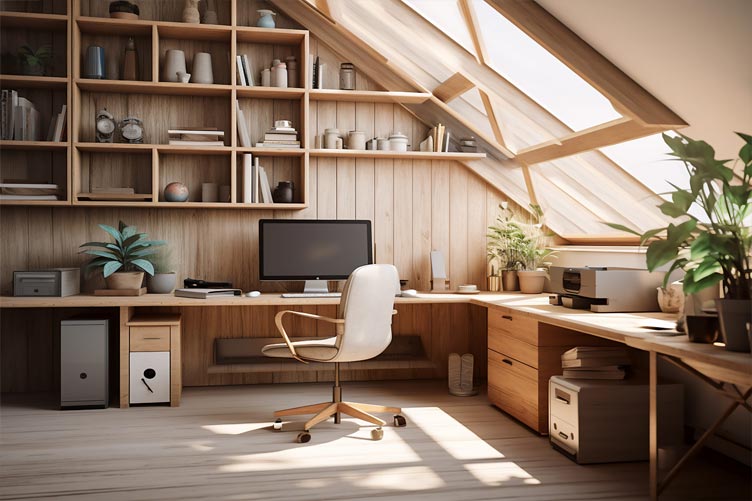
Attic Conversion
Turning an attic into a home office utilizes an underused area of the house, making the most of available space.
With proper insulation, lighting, and ventilation, you can create a cozy and quiet environment away from household distractions.
-
Backyard Shed Conversion
A shed conversion allows for complete detachment from your home, offering a tranquil workspace just steps away. This option is ideal for those who crave separation from home life but don’t want the commute of leaving the property.
Professional contractors can help integrate insulation, electricity, and even plumbing to create a functional and comfortable office.
-
Deck or Patio Transformation
Covered deck or patio conversions blend indoor and outdoor elements, creating an inspiring and nature-connected workspace.
Enclosing these spaces with sliding doors or insulated windows can keep them functional year-round, providing a dynamic area for productivity that still feels connected to your surroundings.
-
Room Remodel
Remodeling an unused or underutilized room into a concealed office is another practical choice.
Adding soundproofing, built-in storage, and adjustable lighting can tailor the space to your specific needs, creating a professional and welcoming environment that integrates seamlessly with the rest of your home.
-
House Extension
If space is tight, a house extension might be the most comprehensive solution, giving you an entirely new area to design from scratch.
While this requires professional guidance and a larger investment, the end result offers a fully customized and secluded home office built to your exact needs.
For every option, consulting with a professional designer or contractor can help ensure the project aligns with your budget, lifestyle, and long-term goals.
A well-designed concealed home office not only boosts productivity but also enhances the overall value of your home.
LetsRenovate has partnered with HomeAdvisor™, a renowned provider of highly-rated, carefully-vetted local "hidden home office" contractors. Start your search here by choosing the type of contractor you need and entering your zip code to find local professionals.
More Supporting Information
(view images, summary table and useful ideas – or scroll to side note and conclusion)
Option Description Key Features Attic Conversion Turning an attic into a home office utilizes an underused area of the house, making the most of available space.
Proper insulation, lighting, and ventilation can create a cozy and quiet environment away from household distractions.
Insulation, lighting, ventilation, quiet and cozy space. Backyard Shed Conversion A shed conversion allows for complete detachment from the home, offering a tranquil workspace just steps away.
It provides separation from home life without leaving the property, and professional contractors can integrate necessary utilities.
Detachment from home, insulation, electricity, plumbing, tranquil workspace. Deck or Patio Transformation Covered deck or patio conversions combine indoor and outdoor elements to create an inspiring workspace.
Enclosing the area with sliding doors or insulated windows ensures year-round functionality and a connection to nature.
Sliding doors, insulated windows, indoor-outdoor feel, year-round use. Room Remodel Remodeling an unused or underutilized room into a concealed office provides a professional environment integrated with the home.
Features like soundproofing, built-in storage, and adjustable lighting tailor the space for work needs.
Soundproofing, built-in storage, adjustable lighting, professional appearance. House Extension A house extension creates an entirely new area dedicated to a home office.
Although it requires professional guidance and a larger investment, it offers full customization and seclusion to meet exact needs.
Custom-built space, tailored design, secluded and functional office. 
AI generated image by 123rf.com
Is Remodeling Your Home Worth It?
Deciding to remodel your home is no small choice and requires a careful look at several key factors.
Costs can add up quickly, so budgeting realistically is essential, especially if upgrades like a dedicated home office are on your list.
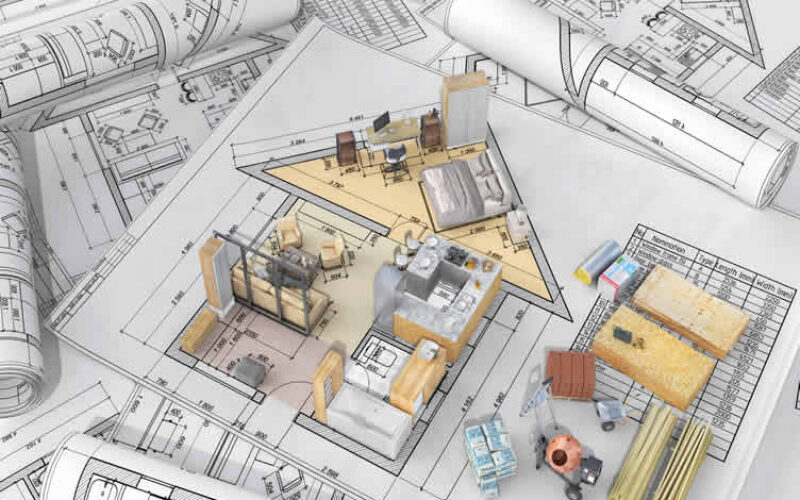
Consider the disruptions a remodel might bring to your day-to-day routine and balance this against the long-term comfort and functionality you hope to achieve.
By aligning your goals with your living space needs, you can determine if remodeling is the right step for you.
view ideas: Take the Leap with Confidence(new win)
-
Scroll up to directory … or scroll to conclusion …
-
-
-
Conclusion
… building an office that works—open and closed
The most successful hidden and disappearing offices share one trait: they were designed to function perfectly in their open state before anyone worried about how they’d look closed.
Comfort, legroom, proper monitor distance, and accessible cable management aren’t details to compromise on for the sake of a cleaner closed appearance—they’re the entire point of having a workstation in the first place.
Before choosing a specific design, it helps to answer three questions honestly:
- What must stay set up permanently?
- What truly needs to disappear?
- And how much daily effort are you genuinely willing to spend opening and closing it?
For regular computer work, a stationary desk concealed by doors often makes more sense than a surface you have to clear and fold every single day. For occasional laptop use, a fold-down desk may better match your goal of reclaiming floor space.
Whichever direction you choose, remember that a hidden office isn’t just about disappearing—it’s about functioning beautifully both when it’s in use and when it’s tucked away, ready for whatever the room needs next.
References
- Occupational Safety and Health Administration. “Computer Workstations eTool.” U.S. Department of Labor. https://www.osha.gov/etools/computer-workstations/
- Occupational Safety and Health Administration. “Computer Workstations eTool: Purchasing Guide.” U.S. Department of Labor. https://www.osha.gov/etools/computer-workstations/checklists/purchasing-guide
- Occupational Safety and Health Administration. “Computer Workstations eTool: Work Space.” U.S. Department of Labor. https://www.osha.gov/etools/computer-workstations/components/work-space
- EngineerFix. “How to Install a Wall-Mounted Folding Desk.” https://engineerfix.com/how-to-install-a-wall-mounted-folding-desk/
- Manuals.plus. “IFANNY Folding Desk Manual.” https://manuals.plus/asin/B0BSF8DSG3
-
Quick scroll to more interior home and decor ideas …
- What comments can you share about
how to setup a hidden home office?

Calendar For:
Home Maintenance
File Type:
… view our sharing links below for a quick "share the knowledge"
Find Home Remodeling Services Additions Major Remodels Minor Remodels Disability Needs Plumbing Electrical Decorators Interior Designers Furniture Painting & Staining top-rated, pre-screened local contractors FREE: download contractor selection enter zip code – powered by HomeAdvisor ™
Quick Contractor Guides selecting negotiating working with inspecting

Cover image credit: hidden home office by 123rf.com
end of post … please share it!
 |
did you find this hidden home office analysis helpful? If so, please share the article with your friends and family! |
Nice pic idea? Leave us a quick comment below.
And please share this pic idea within your social networks.