Quick Answer:
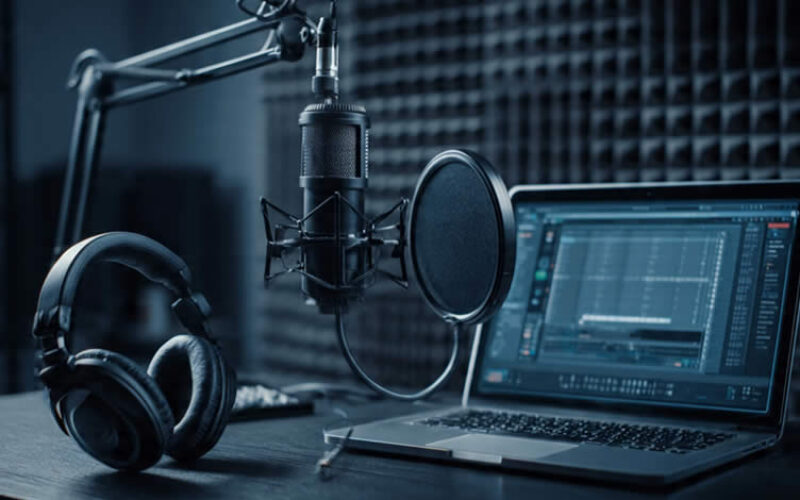
You can build a home podcasting station with a quiet corner, a computer, a decent microphone, wired headphones, and recording software—no dedicated studio required. A basic audio-only setup costs $100–$250 if you already own a computer, while a more substantial setup with an audio interface and acoustic treatment runs $300–$800.
Summary Outline –
A home podcasting station simply needs a thoughtfully chosen room, a handful of essential tools, and a setup that matches how you plan to record—and you may already have more of what you need than you think.
This guide walks through choosing your space, picking the right equipment, matching your gear to your recording format, and testing everything before you spend another dollar. By the end, you’ll know exactly what to buy, what to skip, and how to troubleshoot the most common audio headaches that trip up new podcasters.

-
- —— begin first topic ——
-
1st Review: Start With The Space
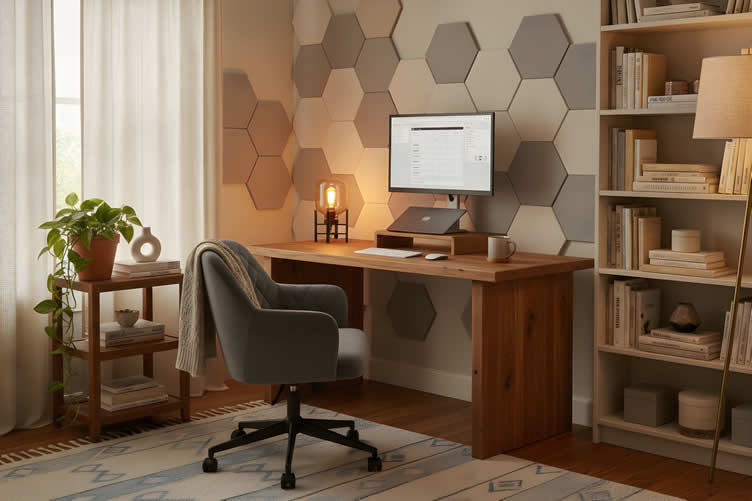
Your room is your first piece of equipment, and it makes a dramatic difference in audio quality before you ever plug in a microphone. A hollow, echoey recording often has nothing to do with your gear and everything to do with the walls around you.
Taking a little time to assess your home before you shop will save you money and frustration later—and you might be surprised by how much personality your existing space already brings to the table.
AI generated image by 123rf.com

-
Choosing Your Quietest Room
Walk through your home and really listen. An office, bedroom, or spare room typically works better than a kitchen or living area near appliances, since those spaces sit farther from traffic noise, HVAC systems, and humming refrigerators.
According to Ausha (2025), recording in a quiet environment is one of the simplest ways to reduce background noise before you even touch editing software.
If you have a choice between two rooms, pick the one that’s farthest from the street and closest to soft, absorbent surfaces.
-
Using Existing Furnishings
Here’s something encouraging: you don’t need acoustic panels or a renovation to get started. The rugs, curtains, upholstered furniture, and filled bookshelves you already love can work double duty as sound absorbers, cutting down on the hollow echo that hard-surfaced rooms produce.
Acoustical Solutions notes that while acoustic panels or foam are the most effective fix for echo, these everyday soft furnishings all help as supporting measures. Start with what’s already in your home, then consider dedicated treatment only if testing reveals you still need it.
-
Planning Your Physical Layout
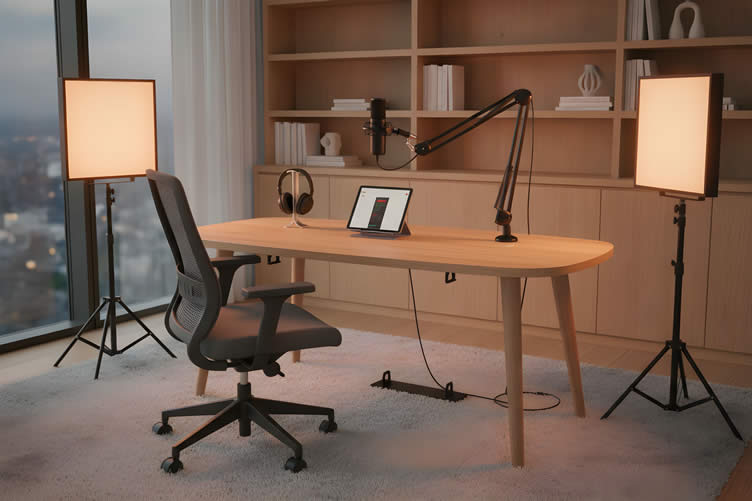
Think through the practical details before you record: a desk or small table, a comfortable chair, a sturdy microphone stand or boom arm, and a plan for routing cables so they don’t create noise or clutter.
If you intend to record video, give equal thought to lighting and whatever appears in the background. A tidy, intentional backdrop goes a long way toward making your home podcasting station look as professional as it sounds.
More Supporting Information
(view images, summary table and useful ideas – or scroll to side note and next topic)
Podcast Space Setup
(from the summary table below)
Topic Description Key Insights Start With The Space Your room is the foundation for good audio quality. Echoey recordings are often caused by the environment, not the equipment.
Assessing your home space before buying gear can save both time and money.
The existing personality of your space can contribute to better sound quality when properly utilized. Choosing Your Quietest Room Quiet rooms like offices, bedrooms, or spare rooms are ideal as they are away from traffic noise and appliances.
Proximity to soft, absorbent surfaces reduces background noise.
Rooms farthest from streets and busy areas work best for a quieter recording environment, as noted by Ausha (2025). Using Existing Furnishings Rugs, curtains, upholstered furniture, and bookshelves can reduce echo.
They serve as cost-effective sound absorbers, complementing professional acoustic treatments.
Acoustical Solutions highlights that soft furnishings help reduce echo, though acoustic panels are the most effective solution. Planning Your Physical Layout Set up with essentials such as a desk, chair, microphone stand, and cable management.
If recording video, consider lighting and backdrop organization for a professional appearance.
A purposeful physical layout ensures a neat, functional workspace that enhances both audio and video quality. 


AI generated image by 123rf.com
Your Podcasting Space
Podcasting can start as a creative outlet and grow into a career if that’s your passion.
For beginners, a dedicated space is key, but it shouldn’t take over your home. n turn a corner of any room into a productive podcasting zone.
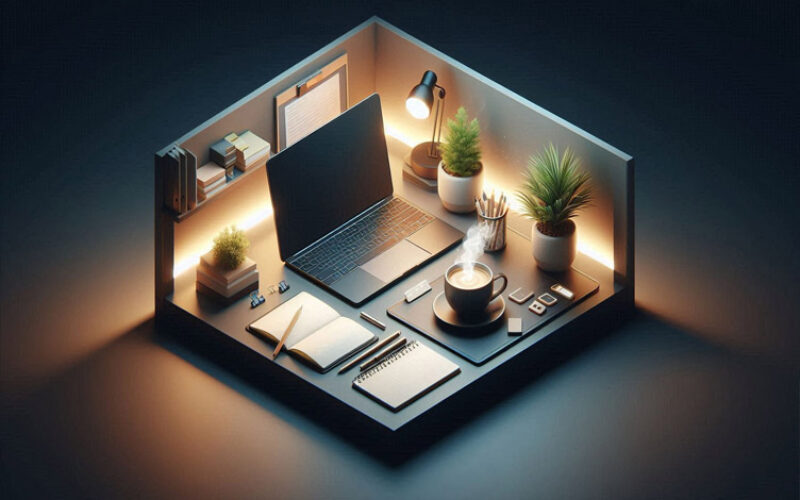
Think of it like a home office: functional, comfortable, and easy to pack away.
A foldable desk, movable soundproofing panels, and compact equipment ca
view ideas: Design Your Disappearing Workspace(new win)

-
Scroll up to directory … or scroll to next review: essential equipment …


-
… home remodeling and improvement

-
-
2nd Review: Get The Essential Equipment
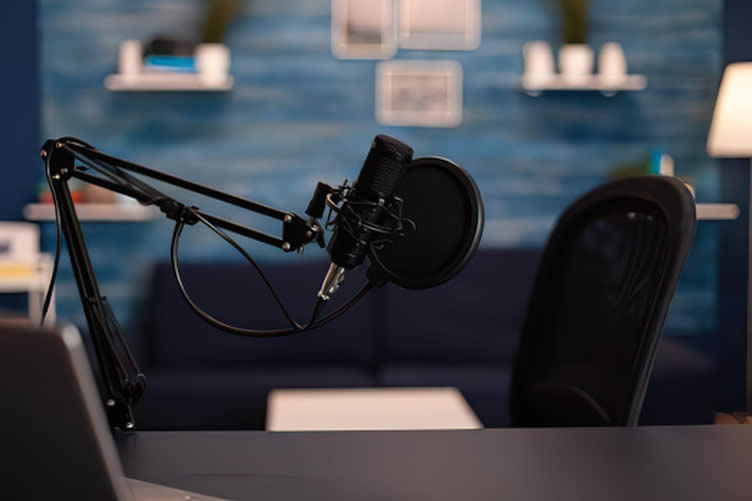
Once your space is ready, it’s time to gather the equipment that actually captures and records your voice.
A basic audio-only setup typically costs $100–$250 if you already own a computer, while a more substantial setup with an audio interface and some acoustic treatment lands around $300–$800.
You don’t need every item on this list to get started—just the ones that match your format. Think of it as building your setup one confident step at a time.
copyright image by 123rf.com
-
Choosing Your Microphone[ price amazon]
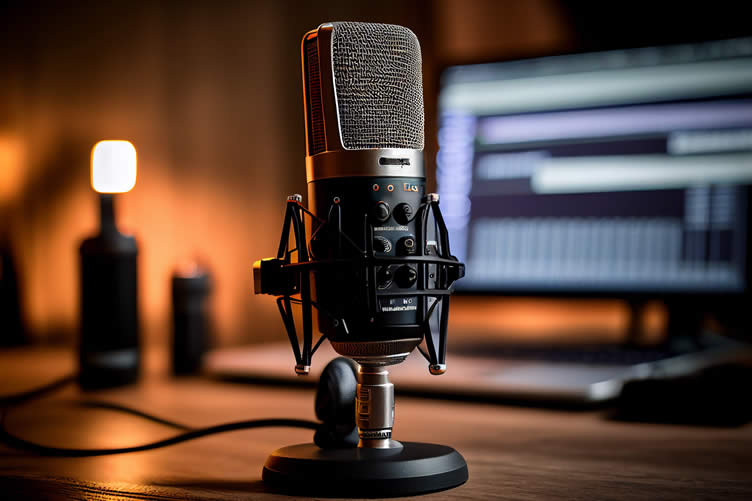
USB microphones offer the simplest plug-and-play connection, since they connect directly to your computer with no extra gear required. Ausha (2025) points to options like the Blue Yeti and Audio-Technica AT2020USB as beginner-friendly examples.
XLR microphones, such as the Shure SM7B, require a separate audio interface or mixer but offer more flexibility and audio quality as your needs grow.
If you want a mic that bridges both worlds, the Samson Q2U is a wonderful starter option, since it offers both USB and XLR connectivity, letting you begin simply and upgrade later without replacing the microphone itself.
-
Headphones And Monitoring[ price amazon]
Wired, closed-back headphones let you monitor your own recording and hear remote guests without relying on room speakers, which can cause feedback or bleed into your microphone.
Ausha (2025) recommends closed-back models like the Audio-Technica ATH-M50x or Sony MDR-7506 specifically for recording, noting that open-back headphones are better suited to mixing and editing rather than live recording.
-
Recording And Editing Software[ price amazon]
Your choice of software should match your technical comfort level and budget—there’s no need to feel intimidated here. Audacity is free, beginner-friendly, and supports multiple tracks, making it a solid starting point for most new podcasters.
If you plan to interview remote guests, Riverside.fm records each participant locally in uncompressed audio, which avoids the dropouts and quality loss that can happen with standard video calls.
According to Podigy’s 2026 software roundup, Riverside.fm is considered a top choice for remote recording, with pricing in the $15–$24 per month range.
-
Audio Interface Or Mixer[ price amazon]
An audio interface becomes necessary once you’re using an XLR microphone, since it converts the microphone’s analog signal into a digital one your computer can process, while also providing preamps and gain control.
Ausha (2025) cites the Focusrite Scarlett 2i2 and PreSonus AudioBox USB as common examples. If you’re recording with multiple hosts or guests in the same room, a mixer, such as something from the Behringer Xenyx series, gives you more control over individual levels.
For solo recording or a single remote guest, a simple interface is enough.
More Supporting Information
(view images, summary table and useful ideas – or scroll to side note and next topic)
Category Details Examples Cost Range Essential Equipment Once your space is ready, gather the equipment needed to capture and record your voice.
Start with basics that align with your format and budget.
Varies based on needs and setup. $100–$250 for basic, $300–$800 for enhanced. Choosing Your Microphone USB microphones offer simple plug-and-play connection, while XLR microphones require additional gear but provide higher audio quality and flexibility. Blue Yeti, Audio-Technica AT2020USB, Shure SM7B, Samson Q2U. Depends on the microphone type and features. Headphones and Monitoring Wired closed-back headphones prevent audio feedback and help monitor recordings effectively.
Open-back headphones are better for mixing and editing.
Audio-Technica ATH-M50x, Sony MDR-7506. Varies by model and brand. Recording and Editing Software Select based on your technical comfort and budget.
Audacity is free and great for beginners; Riverside.fm is ideal for remote recording with high-quality local tracks.
Audacity, Riverside.fm (top for remote interviewing). Free (Audacity) to $15–$24 per month (Riverside.fm). Audio Interface or Mixer Essential for XLR microphones, converting analog to digital signals and offering gain control.
Mixers are ideal for managing multiple in-room guests.
Focusrite Scarlett 2i2, PreSonus AudioBox USB, Behringer Xenyx series. Varies based on device and functionality. Internet Connection High-speed internet ensures smooth uploads, stable audio quality, and professional performance. Not specified 2–5 Mbps upload speed for audio podcasting; 5–10+ Mbps for video live-streaming. 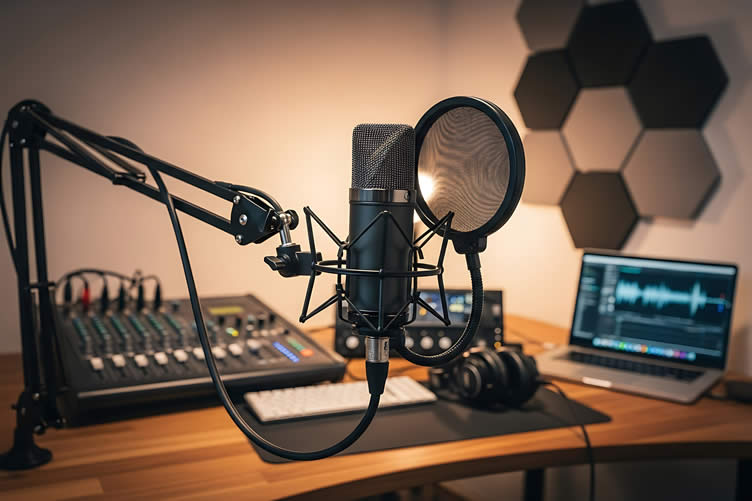
copyright image by 123rf.com
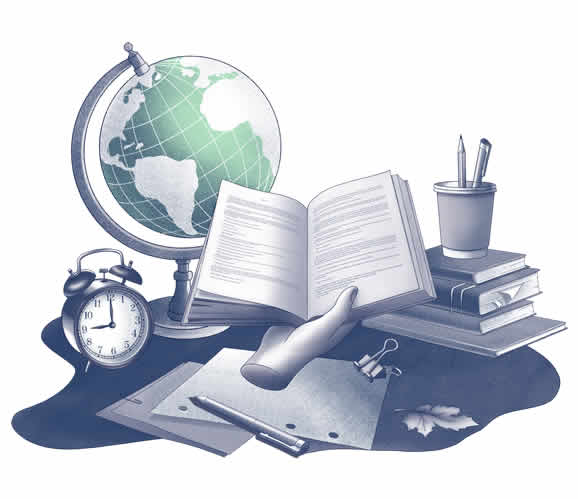
The Art of Timekeeping
One essential addition to your podcasting setup is a large, oversized wall clock.
Podcasting often adheres to strict time schedules, and having a clear and easy-to-read clock can help you manage your recording sessions without losing track of time.
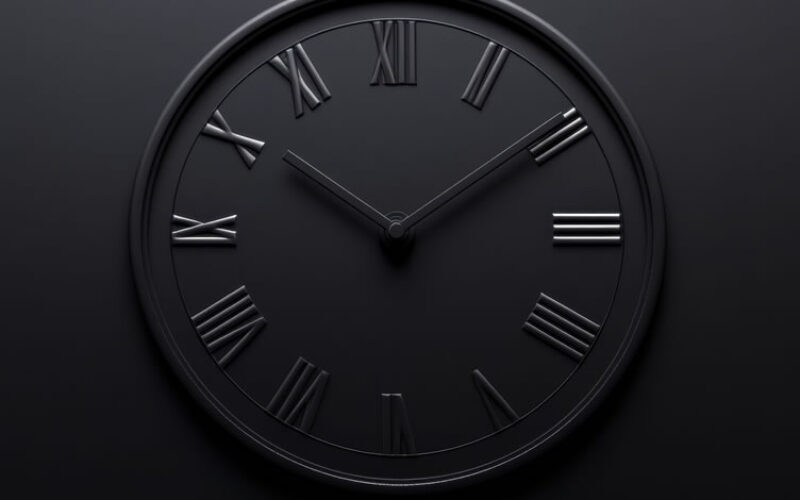
Whether you’re timing segments, staying on schedule for guest interviews, or ensuring your episodes stay within a listener-friendly length, a wall clock can provide a quick, effortless way to stay organized and professional during your sessions.
view ideas: Choosing the Perfect Timepiece(new win)
-
Scroll up to directory … or scroll to next review: match setup to recording format …
-
-

Tackling home upgrades and fulfilling all your home improvement needs …
… save this curated directory of ideas for future reference.
-
-
3rd Review: Match The Setup To Your Recording Format
Your equipment needs depend heavily on how you plan to record. A solo show looks very different from a multi-host production, and matching your gear to your actual format prevents you from overspending on equipment you don’t need yet.
The beauty of building your station at home is that you can personalize it to suit exactly how you work.
copyright image by 123rf.com
-
Solo Episodes Or Remote Interviews
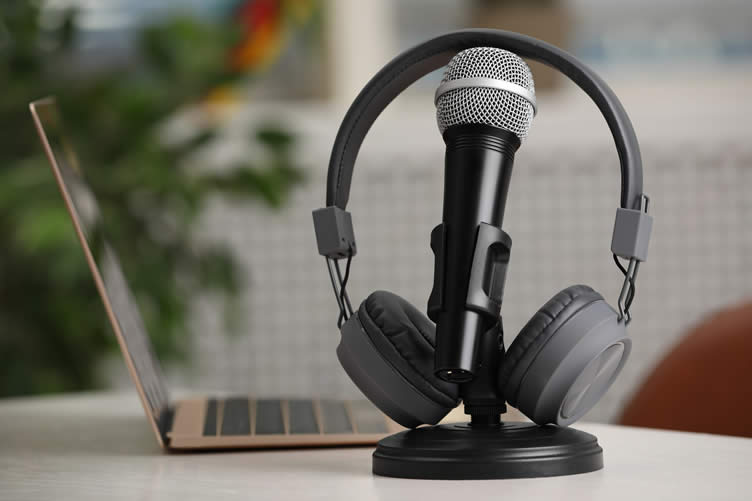
If you’re recording alone or interviewing guests who join remotely, start with one USB microphone, wired headphones, and recording software. This is your minimal viable home podcasting station, and it’s genuinely enough to produce a polished episode.
You don’t need additional microphones at your desk for remote guests, since their audio comes through separately via your recording platform.
-
Recording With Co-Hosts In The Same Room
When two or more people share a room during recording, plan on a microphone and headphones for each person, along with an interface or podcast recorder that supports the necessary inputs and headphone connections.
This is the point where your budget and cable management both tend to grow, so it’s worth confirming you actually need this setup before investing in it.
-
Scaling As You Grow
Resist the urge to buy every upgrade before your first episode. Test your current format and see what it reveals about your actual needs before spending more.
Many podcasters discover that their existing setup handles their show just fine, while others identify a specific gap worth addressing with targeted equipment.
More Supporting Information
(view images, summary table and useful ideas – or scroll to side note and next topic)
Recording Format Equipment Needed Additional Recommendations Solo Episodes or Remote Interviews One USB microphone, wired headphones, and recording software. Minimal setup that is sufficient to produce polished episodes.
No need for additional microphones for remote guests as their audio comes through the recording platform.
Recording with Co-Hosts in the Same Room One microphone and headphones per person, along with an interface or podcast recorder with sufficient inputs and headphone connections. Ensure the setup fits your requirements before investing as it increases budget and cable management needs. Scaling as You Grow Start with your current setup and adjust as needed based on results from your format. Test your existing equipment before making upgrades, focusing on addressing gaps with targeted purchases rather than overspending upfront. 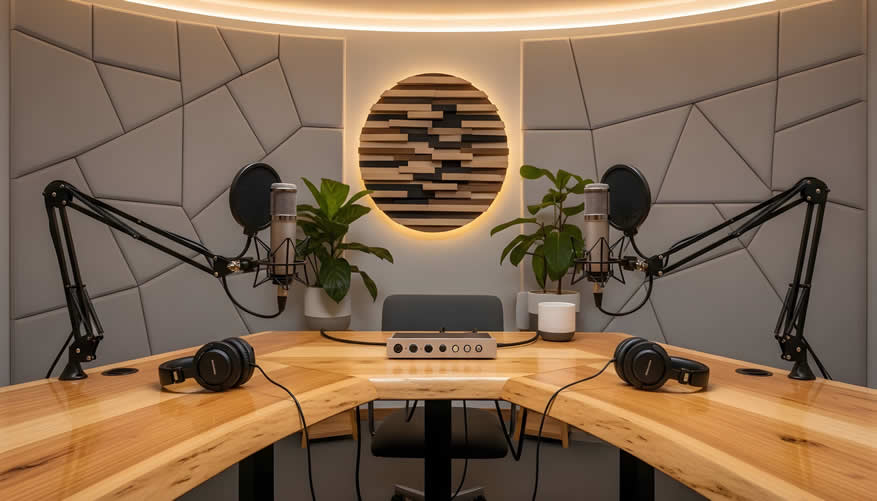
copyright image by 123rf.com
Adding Life to Your Podcasting Studio
Unique houseplants can transform your podcasting studio into a warm and inviting space, especially if you’re recording on video.
Vibrant greens create a natural, calming backdrop that not only looks great but can also elevate your on-camera presence.
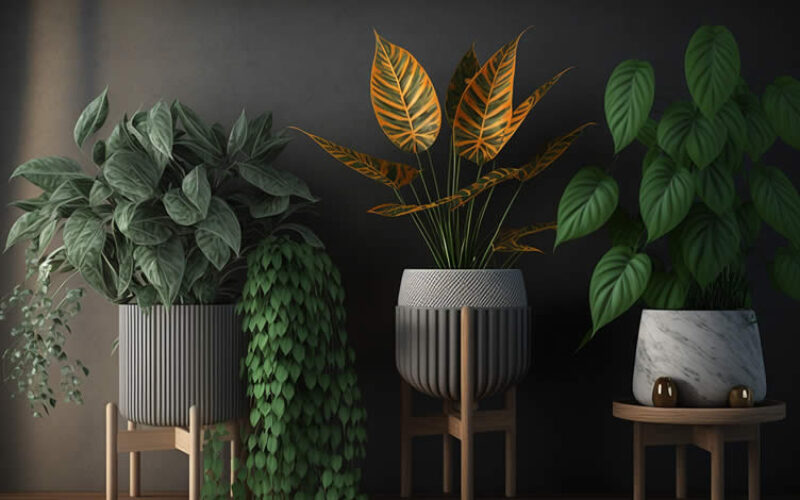
However, the key to making plants fit into a professional studio setup lies in the choice of pots.
Opt for modern, sleek designs or neutral tones that complement your space—they’ll tie the whole look together without stealing the show.
view ideas: Indoor Plant Stands and Holders(new win)
Houseplant Display
google imagesclassical display view samples modern display view samples pedestal display view samples shelf display view samples ladder display view samples hanging display view samples mounted display view samples terrarium display view samples -
Scroll up to directory … or scroll to next review: setup and test …
-
-
Are there any other interesting topics that might have been overlooked but could offer valuable insights …?

-
-
4th Review: Set It Up And Test Before Upgrading
Assembly and testing reveal what truly works for your space and content before you spend another dollar on gear.
This stage often gets skipped in the excitement of a new project, but it’s where you catch problems while they’re still easy and inexpensive to fix—so think of it as one of the most valuable steps in the whole process.
AI generated image by 123rf.com
-
Assembling Your Station
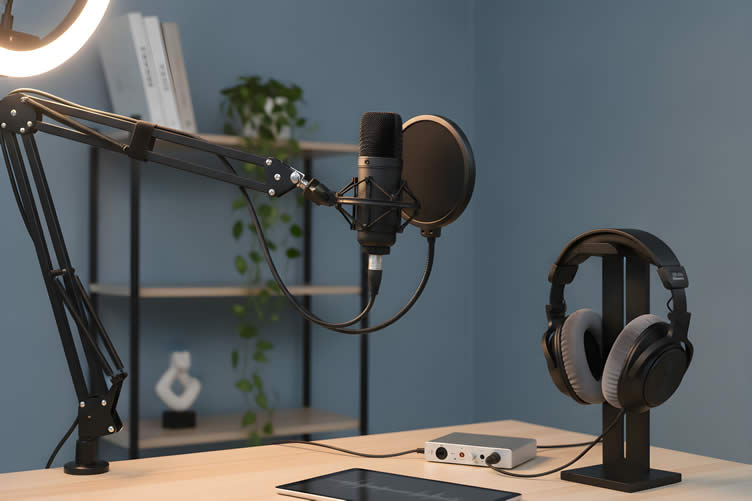
Position your microphone at mouth level, about four to six inches away for USB dynamic mics like the Samson Q2U, and secure your cables so they don’t introduce noise or tripping hazards.
Arrange your headphones for comfort during longer recording sessions, since a pinching headband becomes distracting fast. If you’re recording video, double-check that your background looks intentional and that your lighting flatters rather than washes you out.
-
Recording A Test Episode
Record a short sample and listen back carefully. Pay attention to room noise, microphone handling noise, and overall clarity.
This single step often reveals more about what needs improvement than any amount of research or shopping ever could.
-
Iterating Based On What You Hear
Address the biggest audio problem first, then reassess before buying additional gear. If background hum is the main issue, a different room or added soft furnishings might solve it faster than a new microphone would.
If plosive pops are the problem, a pop filter costs far less than an upgrade. Work through issues one at a time, testing again after each change, and you’ll build a home podcasting station that genuinely fits how you record rather than one assembled from guesswork.
More Supporting Information
(view images, summary table and useful ideas – or scroll to side note and next topic)
Stage Description Key Actions Set It Up And Test Before Upgrading Testing and assembly are crucial to identify what works for your space before upgrading. This step catches potential issues while they’re still manageable and cost-effective to fix. Approach this step as a valuable part of the process where you fine-tune your setup for functionality before committing to further purchases or upgrades. Assembling Your Station Arrange your equipment thoughtfully for effectiveness. This stage ensures ergonomic and professional integration of all gear. Position the microphone at mouth level, secure cables to avoid noise, arrange headphones for comfort, and check your background and lighting for video recording. Recording A Test Episode Recording a short test sample provides immediate insights into audio quality and potential setup issues that can be addressed early. Listen back to evaluate room noise, handling noise, and clarity. This helps you pinpoint areas that need refinement before full-scale recording. Iterating Based On What You Hear Address audio problems incrementally to avoid unnecessary spending. Solve key issues first and reassess needs before adding new gear. Tackle specific problems like background noise or plosive pops individually, using practical solutions like soft furnishings or a pop filter, and test after each change to perfect your setup. 
copyright image by 123rf.com
Podcasting Room Acoustics
Podcasting room acoustics shape how sound behaves within a space.
Acoustics examines how sound waves interact with a room’s surfaces, objects, and air, and factors like size, shape, and materials all influence these interactions.
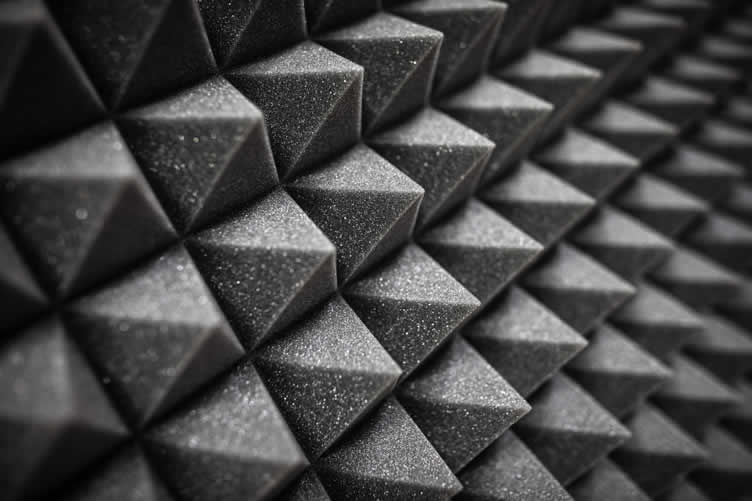
For podcasters, acoustic panels are essential.
They improve sound quality inside the room and block disruptive outside noise, ensuring clear, professional audio.
view ideas: acoustic panels(new win)
-
Scroll up to directory … or scroll to next review: frequently asked questions …
-
-
Easily determine the dimensions you need for any home remodeling project …
… ensuring functionality, visual appeal, and compliance with building codes.
-
-
5th Review: Frequently Asked Questions
-
What Microphone Is Best For Beginners?
The Samson Q2U is a frequently recommended starting point because it offers both USB and XLR connections in one microphone, which means you can begin with the simplest possible setup and later connect it to an interface or mixer without replacing it (The Podcast Host, 2026).
-
How Much Soundproofing Do I Really Need?
Start with what you already own. Rugs, curtains, and upholstered furniture absorb a surprising amount of sound, and acoustic panels are an optional upgrade for later rather than a requirement for your first recordings.
-
Can I Use A Laptop Microphone?
It isn’t recommended. Even a budget USB microphone under $100 will sound noticeably clearer and more professional than a built-in laptop microphone, which tends to pick up more room noise and sound thin.
-
Do I Need An Audio Interface?
Only if you’re using an XLR microphone or need to connect multiple people’s microphones at once. If you’re recording solo with a USB microphone, you can hold off on this purchase.
-
What Recording Software Should I Use?
Choose based on your budget and comfort level. Audacity is free and well suited to straightforward audio editing, while platforms like Riverside offer cloud-based recording designed specifically for shows with remote guests.
-
How Do I Reduce Background Noise?
Start by choosing the quietest room available to you, then add soft furnishings like rugs and curtains to soften hard surfaces. Positioning your microphone correctly also helps minimize how much surrounding room sound it picks up.
-
What If My Room Is Really Noisy?
Identify your biggest single source of noise, whether that’s traffic, an HVAC vent, or a humming appliance, and address that first. From there, your recording software’s noise reduction tools can help clean up whatever background sound remains.
-
Can I Record Video And Audio Simultaneously?
Yes, though it’s worth planning for the extra space, lighting, and a tidy background that video requires. If more than one person appears on camera, a second USB microphone or an interface with multiple inputs will likely be necessary too.
More Supporting Information
(view summary table and more useful ideas – or scroll to side note and next topic)
Question Answer Additional Considerations What Microphone Is Best For Beginners? The Samson Q2U is a frequently recommended starting point because it offers both USB and XLR connections in one microphone.
This allows beginners to start with a simple setup and later connect it to an interface or mixer without replacing it.
Versatility with future-proof features like XLR compatibility and USB ease-of-use. How Much Soundproofing Do I Really Need? Start with what you already own, such as rugs, curtains, and upholstered furniture, which absorb a surprising amount of sound.
Acoustic panels can be added later as an upgrade rather than a requirement for early recordings.
Focus on accessible and low-cost solutions before purchasing specialized equipment. Can I Use A Laptop Microphone? It isn’t recommended. Even a budget USB microphone under $100 will provide much clearer and more professional sound compared to a built-in laptop microphone, which often picks up more room noise and produces tinny audio. Invest in a basic USB microphone for a noticeable improvement in quality. Do I Need An Audio Interface? An audio interface is only necessary if you’re using an XLR microphone or need to connect multiple microphones for group recordings.
Solo recordings with a USB microphone do not require one.
Consider your recording setup and whether you’re recording solo or with others. What Recording Software Should I Use? Your choice depends on your budget and comfort level.
Audacity is free and ideal for straightforward editing, while platforms like Riverside are well-suited for remote guest recordings with cloud-based features.
Match the software to your workflow, from simple edits to remote collaborations. How Do I Reduce Background Noise? Select the quietest room you have and add soft furnishings like rugs and curtains to reduce reflections on hard surfaces.
Proper microphone positioning also minimizes surrounding room noise.
Start with environment adjustments before using software tools. What If My Room Is Really Noisy? Address the primary source of noise first, such as traffic, HVAC vents, or appliances.
Use your recording software’s noise reduction tools to clean up any remaining sounds.
Targeting the main noise source is often the most effective first step. Can I Record Video And Audio Simultaneously? Yes, but ensure you prepare for additional needs like extra space, proper lighting, and a tidy background.
For multiple people on camera, consider a second USB microphone or an interface with multiple inputs.
Plan for both the technical and visual requirements when recording video. 
copyright image by 123rf.com
The Fitness Behind the Mic
Podcasting demands more than just a voice; it takes charisma, sharp analysis, and the mental agility to generate fresh content episode after episode.
To stay in peak form, podcasters also need structured daily exercise—both aerobic and anaerobic—to maintain energy levels, boost focus, and reduce stress.
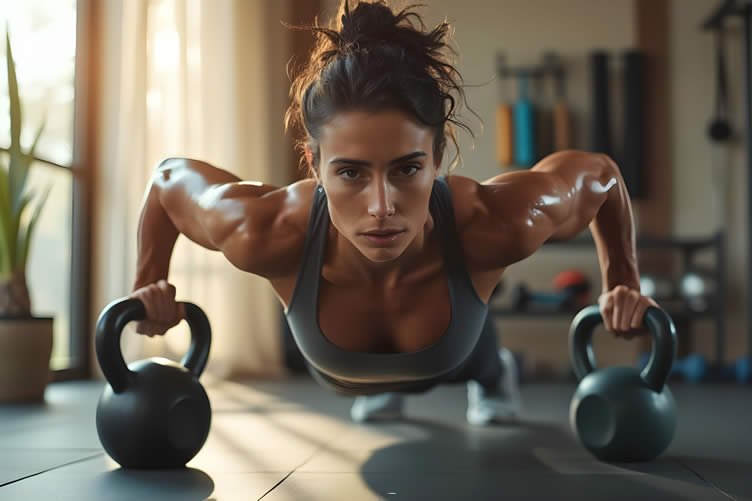
A balanced fitness routine powers not just the body but also the mind, ensuring every recording session is as dynamic and engaging as the last.
view ideas: Fitness and Exercise Routines(new win)
-
Scroll up to directory … or scroll to next review: when to call in the pros …
-
-

Budgeting Worksheet For Costing Home Remodeling and Home Improvement Decisions
 File Type (excel)
-
-
6th Review: When to Call in the Pros?
Setting up a home podcasting station can be a rewarding DIY project, especially when selecting the essentials like microphones, headphones, and desks.
However, certain aspects—like acoustic treatments, networking, and video setups—can benefit from professional expertise. Here’s what a contractor can bring to the table:
- Expert Acoustic Wall Installation
Professionals ensure soundproofing materials are correctly placed and optimized, reducing unwanted echoes and noise for a polished recording quality. - Reliable Network Setup
A contractor can optimize your internet connection, ensuring seamless streaming, faster upload speeds, and stability during live sessions or cloud recordings. - Customized Video Setup
Lighting placement and camera angle adjustments by a professional create a studio-worthy visual presentation that enhances the quality of video content. - Time-Saving Execution
By handling complex installations, contractors free you up to focus on refining your content rather than troubleshooting technical tasks. - Professional Aesthetic Finish
A pro can hide cables, cleanly integrate equipment, and ensure your podcast station blends into your home without compromising style.
Collaborating with a professional on these elements can elevate your home podcasting station to produce professional-grade results every time.
LetsRenovate has partnered with HomeAdvisor (Angi)™, a renowned provider of highly-rated, carefully-vetted local network and audio contractors. Start your search here by choosing the type of contractor you need and entering your zip code to find local professionals.
copyright image by 123rf.com
But Wait!
Before starting your search and evaluation of outdoor kitchen contractors, it is highly recommended to download and use this evaluation worksheet.
This resource will help you objectively rank and assess potential contractors, considering essential factors such as pricing, licensing, and referral information.

Evaluation Sheet
File Type:-
Scroll up to directory … or scroll to conclusion and references …
- Expert Acoustic Wall Installation
-
-
Conclusion
… build your station one step at a time
Setting up a home podcasting station doesn’t require a renovation or a big upfront investment. Start with your quietest available room, add a basic USB microphone and a pair of wired headphones, and resist the temptation to buy more before you’ve tested what you have.
Record a sample episode, listen honestly, and fix the biggest problem first, whether that’s room noise, microphone placement, or a software setting.
Each small improvement builds toward a setup that genuinely fits your voice and your format—and that’s a far more satisfying foundation than any amount of equipment bought in advance.
References:
- Hoffmann, Laura. "Best Podcast Equipment Guide 2026: Microphones, Mixers, and More." Ausha, November 6, 2025. https://www.ausha.co/blog/complete-guide-choosing-podcast-equipment/
- Podigy. "Best Podcast Recording and Editing Software in 2026." Accessed October 2026. https://podigy.co/blog/top-podcast-recording-and-editing-software
- Acoustical Solutions. "How to Reduce Echo in a Room: 9 Proven Methods." Accessed October 2026. https://acousticalsolutions.com/how-to-reduce-echo-in-a-room
-
Quick scroll to more interior home recreational ideas …
-
ideas to view and compare from the photo above
- What comments can you share about
setting up a home podcasting station?

Calendar For:
Home Maintenance
File Type:
… view our sharing links below for a quick "share the knowledge"
Find Home Network Services Networks/Phone Computers/ Media Home Automation Electrical Wiring Interior Designers Furniture top-rated, pre-screened local contractors FREE: download contractor selection enter zip code – powered by HomeAdvisor ™
Quick Contractor Guides selecting negotiating working with inspecting

Cover image credit: home podcasting station by 123rf.com
end of post … please share it!
 |
did you find "home podcasting station" review helpful? If so, please share the article with your friends and family! |
Nice pic idea? Leave us a quick comment below.
And please share this pic idea within your social networks.