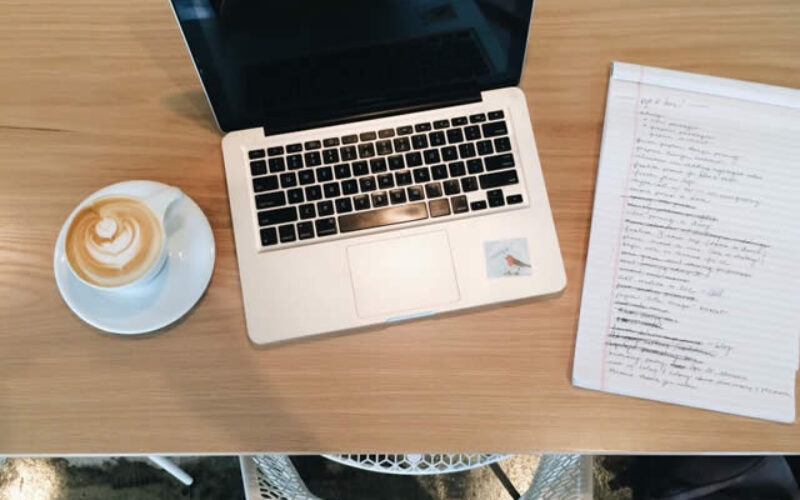
Working from home isn’t easy. Home connectivity issues, lack of co-worker interactions and distractions can make for an unproductive remote work experience. But, there are some things you can do to make your working from home experience a little easier, thus, slightly more productive.
Get Rid of the Clutter
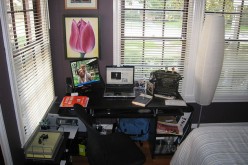
Go full-on Marie Kondo with your desk area. If it’s not necessary, get rid of it! Don’t think that a desk filled with little trinkets and odds-and-ends will make you more productive. Spoiler: it won’t.
Look at everything on your desk and consider its practicality. Figure out what you need and what you don’t (the keychain from the business conference five years ago is not a need) and then either trash or sell the things you no longer need in your workspace.
Getting rid of clutter doesn’t mean you get rid of things on your desk that look nice and have a function. If the family photo custom coffee mug holds all your pens and markers, keep it! It’s okay to leave a little personality in your workspace.
It has to have some decor, but what will make it productive is eliminating the clutter of unorganized papers, books and the stack of dirty coffee mugs you have yet to throw in the dishwasher.
Create a To-Do List
Even if you think paper and pencil to-do lists are a thing of the past, there’s nothing wrong with creating a digital one. To-do lists are a great way to keep track of the tasks you need to complete.
Consider categorizing them based on specific work projects, but always have an “ASAP” list with tasks you know you can complete quickly or are specifically due that day.
- Actually writing down a to-do list instead of creating a digital one will give your eyes a break from the computer screen and will help you look at it consistently.
- Also consider color-coding your to-do list. This will help your brain recognize differences between your tasks, plus help you categorize them better. You can find a variety of pen sets online that have many different colors available for you to choose from. Depending on how specific you want to get with your categories, you will need more or fewer colors to choose from.
- Instead of color-coding, you could try a bullet journal system. Assign a shape to different tasks, such as square for task, circle for event and triangle for meeting/appointment. Place a check mark inside the shape when it’s completed, an “x” if it was canceled/not completed or an arrow if it was rescheduled. This will help you keep track of the day’s events, plus remind you what needs to be shifted to later to-do lists.

some “working at home” ideas to consider
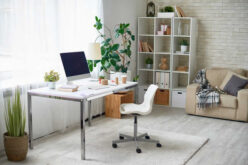
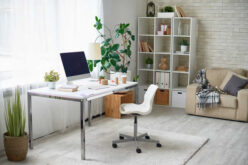
Bring in a Plant or Two
If your allergies aren’t bothering you too much this spring, consider putting a plant or two up on your desk. Even if your allergies make it so you can’t put a vase of flowers up, you can still find some faux greenery from your local craft store.
Place them in a unique pot or vase and then put them on a shelf or the corner of your desk. Plants are great for a break from staring at your screen and the fresh scent of flowers can relax you, making you more productive.
If you’re worried that you can’t keep the plant alive, you should try to position your desk near some natural light, such as a window. That way, you can look outside when you need a break from your work. Plus, you’ll get some much-needed vitamin D from sitting by the window and letting the sunlight wash over you while you work on your computer.
Decorate Sparingly
Your decorations for your desk should be practical but also make you feel good. Putting a select amount of decorations, such as a personalized picture frame of your dog, will prevent you from getting lost within them and distracting you from your work.
Find decorations that actually mean something to you, such as an outline of your home state or a monogrammed mouse pad. These things will help you relax but will also ensure that you stay productive. Plus, minimal decorations mean that you have less stress about the layout of your desk! Alternatively, decorate your office walls instead of your desk so you have more space to work.

desktop lampdesktop organization
some desktop organization ideas to consider
Don’t Work Where You Sleep
This is the biggest tip: Don’t set up shop in your bedroom! Your bedroom is a place for sleep, so if you’re just starting to work from home, your brain will not associate your bedroom as the place for productivity. In fact, it will associate it as the place for relaxation and down time!
This will prevent you from being completely productive in your bedroom. Plus, work can sometimes stress us out. This makes us anxious, so our brain starts to associate work with anxiety.
When we do work in our bedroom, it causes our anxiety to attach to the bedroom, which can make us sleep less. We all know that less sleep means less productivity at work, so do yourself a favor and put your workspace somewhere else in your home!
other valuable tips:
How to Convert Your Garage Into a Home Office
Home Office Remodel: Optimize Workspace to Boost Productivity
If you have a small living space, make sure you place your desk as far away from your bed as possible. Consider adding a cubby shelf or something similar as a make-shift divider between your bed and your desk, especially if you live in a studio.
This will help you visually disassociate your workspace from your sleep space, making you much more productive in the long run. Plus, the cubbies can provide you with some extra storage space if your desk is small or doesn’t have many drawers in it.
Find Interior Design Services Decorators Interior Designers Furniture Painting & Staining top-rated, pre-screened local contractors FREE: download contractor selection enter zip code – powered by HomeAdvisor ™

Image credit: work from home by twenty20.com
end of post … please share it!
PHOTO COLLECTION: taking a look at home interior designs
|__________________________________________________________|
home remodeling surprise
find out where it might go - new win


Helpful article? Leave us a quick comment below.
And please share this article within your social networks.